Next.js Glassmorphism with Tailwind: Liquid Glass-Style Frosted UI
Published: September 12, 2026 · 4 min read
Build frosted glass UI in Next.js with Tailwind: backdrop-blur, readable contrast, a Liquid Glass-style login card, a glass header on scroll, Safari fixes.
Where frosted glassmorphism belongs in your UI
You are building a landing page or login screen in Next.js and want a frosted glass card with the background showing through.
The way to make glassmorphism work is to place a single glass panel over a photo or gradient.
In Tailwind CSS, the starting point is three things together: a translucent background, a background blur, and a thin bright border.
On its own, though, text tends to sink into the background, and spreading glass across every section makes phones struggle.
Three reasons glassmorphism goes wrong
A Tailwind glass card and how to keep text readable
A Liquid Glass-style login card and a header that turns to glass on scroll
What to do when blur does not work in Safari
Glassmorphism vs. Liquid Glass style: the difference
Glassmorphism combines three things to look like a pane of frosted glass:
A translucent background
A backdrop blur (backdrop-filter: blur)
A thin light border
Liquid Glass is the name Apple gave to a material for native app UI.
The web has no official API that reproduces it, so a "Liquid Glass-style" web UI is built much like glassmorphism.
To push it in that direction, use larger corner radii and add a bright edge that reads like a light reflection, for a more three-dimensional feel.
Three reasons glassmorphism goes wrong
Glass changes the look with just a few classes, which is exactly why these three mistakes are common.
A flat background leaves the frosted glass nothing to blur
backdrop-blur blurs what sits behind the element. On a plain white background, the blur stays white and you get a semi-transparent card, nothing more.
Glass needs a photo, gradient, or colored shapes behind it.
Not enough text contrast on the glass
White text on bg-white/10 over a bright photo dissolves into the image.
WCAG AA (the web accessibility guidelines) asks for a contrast ratio of at least 4.5:1 for body text. Make it readable first, then worry about atmosphere.
Blurring large areas or many elements
backdrop-filter re-blurs what is behind it as the page scrolls, so the cost grows with area. A thin sticky header or a single card is usually fine; full-screen panels or dozens of glass cards get heavy on phones.
Build a glassmorphism card with Tailwind
As classes, that base is bg-white/10 for the translucent fill and backdrop-blur-md for the blur, with border border-white/20 for the thin bright edge.
The code below builds a glass card with a short headline and a button over a photo. To keep the text readable, a light black overlay sits on the photo and the glass tint is slightly dark.
Keep long copy off the glass and in an opaque section. Glass should carry at most:
A headline
One or two lines of text
A button
// components/GlassHero.tsx
  import Image from "next/image";

  export function GlassHero() {
    return (
      <section className="relative isolate flex min-h-[80vh] items-center justify-center overflow-hidden px-6">
        <Image
          src="/hero-mountain.jpg"
          alt=""
          fill
          priority
          className="-z-20 object-cover"
        />
        <div aria-hidden="true" className="absolute inset-0 -z-10 bg-black/30" />

        <div className="w-full max-w-md rounded-3xl border border-white/20 bg-zinc-900/70 p-8 text-white shadow-2xl supports-[backdrop-filter]:bg-white/10 supports-[backdrop-filter]:backdrop-blur-xl">
          <h1 className="text-3xl font-semibold tracking-tight">Work quietly, up in the mountains</h1>
          <p className="mt-3 text-sm text-white/80">
            Book a connected mountain cabin from one night.
          </p>
          <a
            href="#booking"
            className="mt-6 inline-block rounded-full bg-white px-6 py-3 text-sm font-medium text-zinc-900"
          >
            Check availability
          </a>
        </div>
      </section>
    );
  }
A frosted glass fallback for browsers that cannot blur
The card defaults to a nearly opaque bg-zinc-900/70.
It switches to translucent plus blur only where backdrop-filter is supported, via supports-[backdrop-filter]:. Even without blur, the text stays readable.
Making the glass card lean toward Liquid Glass
For a Liquid Glass-style look, raise the radius to rounded-3xl or more and add a bright inner edge. An inset shadow like shadow-[inset_0_1px_0_rgba(255,255,255,0.4)] reads as light catching the top edge.
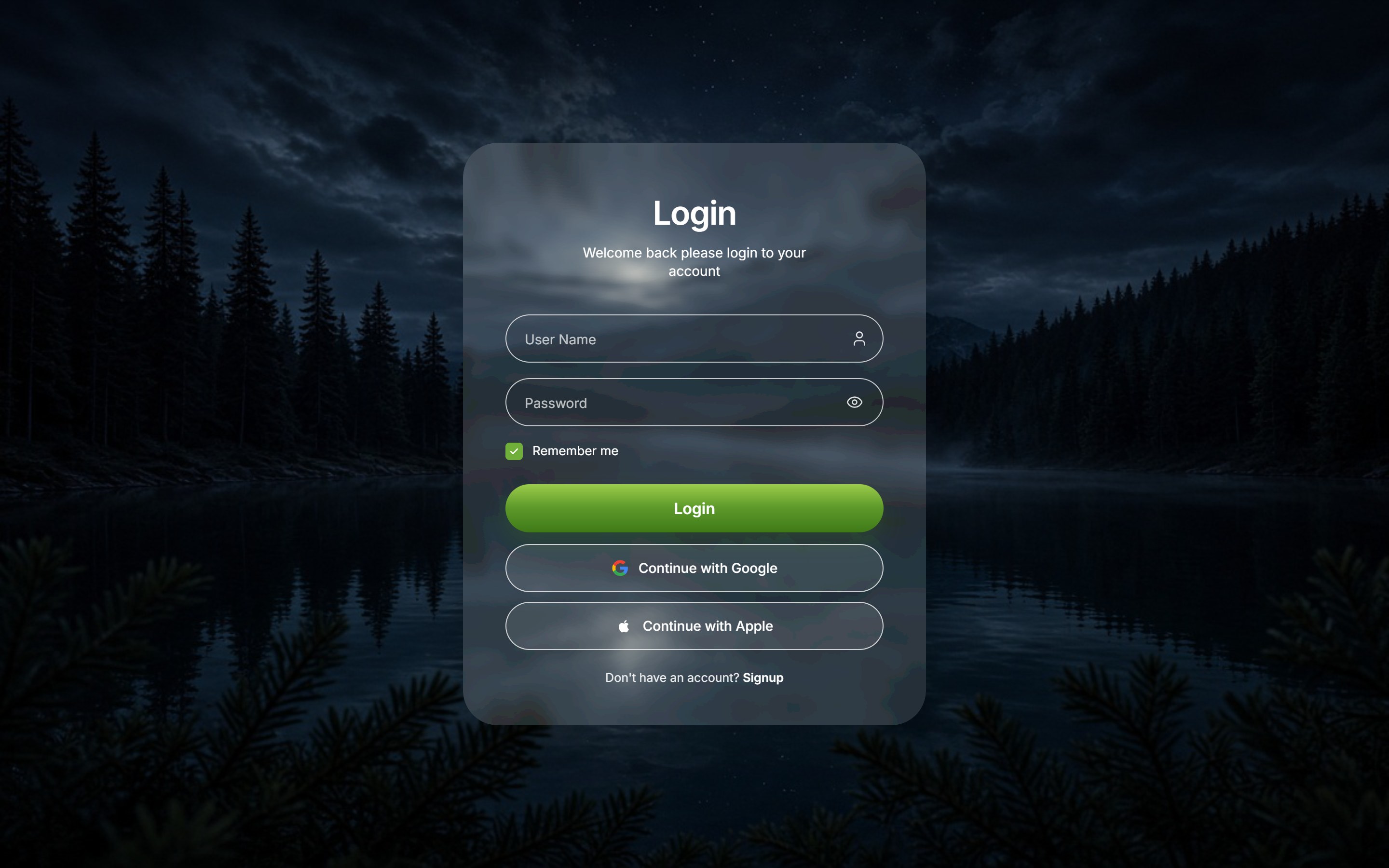
Build a Liquid Glass-style login card
Glass looks its best on screens like a login page: one background photo and one small form. Few fields and a small glass area keep both readability and performance intact.
Use around bg-white/15 for the inputs and do not fade the placeholder too far. Keeping labels as sr-only gives you a clean look while still supporting screen readers.
Want the finished screen instead? Copy the Liquid Glass Login (a Free Sample: unlimited copies with a free account. Full catalog access starts with the 30-Day Build Pass at $19 once or Lifetime at $79 once; Plus is $9/month), or read how the three build options compare.
// components/GlassLogin.tsx
  export function GlassLogin() {
    return (
      <form className="w-full max-w-sm space-y-4 rounded-[2rem] border border-white/25 bg-zinc-900/70 p-8 text-white shadow-[inset_0_1px_0_rgba(255,255,255,0.4)] supports-[backdrop-filter]:bg-white/10 supports-[backdrop-filter]:backdrop-blur-2xl">
        <h1 className="text-center text-2xl font-semibold">Log in</h1>

        <label htmlFor="user" className="sr-only">Username</label>
        <input
          id="user"
          name="user"
          autoComplete="username"
          placeholder="Username"
          className="w-full rounded-full border border-white/20 bg-white/15 px-5 py-3 text-sm placeholder:text-white/70 outline-none focus:border-white/60"
        />

        <label htmlFor="password" className="sr-only">Password</label>
        <input
          id="password"
          name="password"
          type="password"
          autoComplete="current-password"
          placeholder="Password"
          className="w-full rounded-full border border-white/20 bg-white/15 px-5 py-3 text-sm placeholder:text-white/70 outline-none focus:border-white/60"
        />

        <button
          type="submit"
          className="w-full rounded-full bg-white py-3 text-sm font-medium text-zinc-900 transition hover:bg-white/90"
        >
          Log in
        </button>
      </form>
    );
  }
Build a header that turns to frosted glass on scroll
Another common pattern: the header is transparent on load so the hero shows through, then gains a glass background after a short scroll. The glass is only a thin strip, so it stays light even when used on every page.
// components/GlassHeader.tsx
  "use client";

  import { useEffect, useState } from "react";

  export function GlassHeader() {
    const [scrolled, setScrolled] = useState(false);

    useEffect(() => {
      const onScroll = () => setScrolled(window.scrollY > 24);
      onScroll();
      window.addEventListener("scroll", onScroll, { passive: true });
      return () => window.removeEventListener("scroll", onScroll);
    }, []);

    return (
      <header
        className={
          "fixed inset-x-0 top-0 z-50 transition-colors duration-300 " +
          (scrolled
            ? "border-b border-white/10 bg-zinc-950/80 supports-[backdrop-filter]:bg-zinc-950/40 supports-[backdrop-filter]:backdrop-blur-md"
            : "bg-transparent")
        }
      >
        <nav className="mx-auto flex h-16 max-w-6xl items-center justify-between px-6 text-white">
          <a href="/" className="font-semibold">Brand</a>
          <a href="#contact" className="text-sm">Contact</a>
        </nav>
      </header>
    );
  }
Going further with the glass header
A floating pill header with side margins, or a header that hides on scroll down, is covered in the header guide. https://design-layer.com/en/articles/nextjs-modern-header-guide
Copy a finished glassmorphism section
The code above gives you readable glass UI. Fitting these together takes more than adding classes:
The background photo
The blur strength
The text color
The hover response
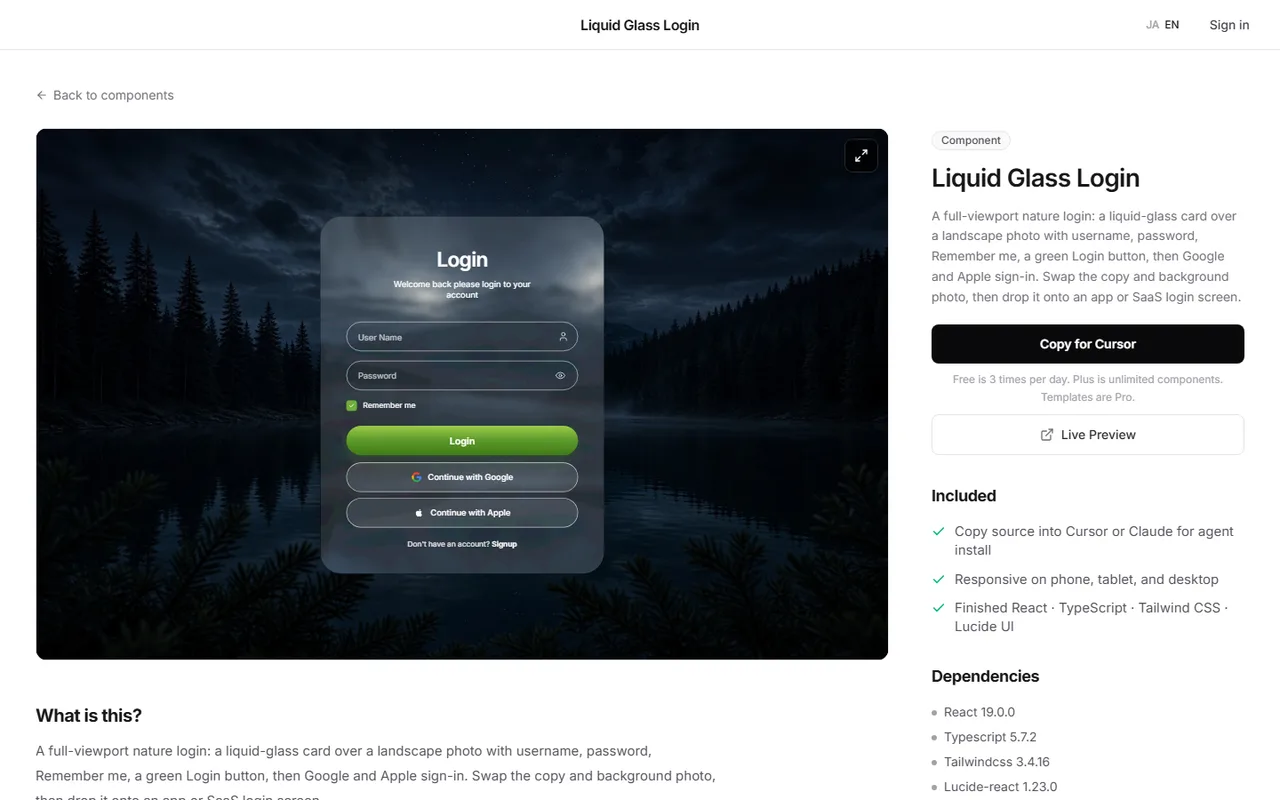
DesignLayer includes pieces such as Liquid Glass Login, a liquid-glass card over a landscape photo, and Glass Sidebar Nav, a tall frosted sidebar over a wallpaper.
Check them in live preview and swap in your own background photo and copy. https://design-layer.com/en/components
A free account copies the 10 Free Sample components with no monthly limit on a free account, plus 1 video prompt a month. Free cannot connect MCP. Full catalog copies are the 30-Day Build Pass ($19 once, no auto-renewal), Lifetime Access ($79 once, first 100 buyers), or Plus ($9/month), and live preview is unlimited.
Aim for one glass element per screen rather than copying it onto every page.
Next.js glassmorphism: common questions
Safari 17 and earlier only support the prefixed -webkit-backdrop-filter. Since Tailwind v3.4.5, backdrop-blur utilities emit the -webkit- version automatically, so update Tailwind first.
If you gate the blur with supports-[backdrop-filter]: as in this article, Safari 17 and earlier show the nearly opaque fallback instead.
Keep a nearly opaque fallback background for environments where blur still fails.
Summary: building glassmorphism UI in Next.js
Use glassmorphism as one glass panel over a photo or gradient
Start from a translucent fill, a background blur, and a thin bright border, and keep text contrast at 4.5:1 or higher
Give browsers that cannot blur a nearly opaque background
For a Liquid Glass-style look, add large radii and a bright edge
Keep glass to small areas like a login card or a scrolled header
Hero sections are covered in https://design-layer.com/en/articles/nextjs-animated-hero-section-guide and hover cards in https://design-layer.com/en/articles/nextjs-hover-card-guide .
To start from a finished glass section, compare options in the catalog. https://design-layer.com/en/components