Aceternity UI Alternatives in 2026: Animated React Libraries Compared (Free vs Paid)
Published: October 19, 2026 · 8 min read
Comparing Aceternity UI, Magic UI, React Bits and DesignLayer on price, license, animation engine and AI-agent workflow. Find out which one fits your next landing page.
TL;DR: The main Aceternity UI alternatives are Magic UI, React Bits, and DesignLayer. Magic UI and React Bits have large free libraries plus paid tiers you buy once ($199 for Magic UI Pro, $129–$349 for React Bits Pro). Aceternity's All-Access is $169/year or $199 one-time. DesignLayer is a fit if you want finished motion sections that you preview live and hand to Cursor or Claude Code. Its Free plan gives you 3 copies a day, and Plus is $9/month with unlimited copies, cancel anytime. That is often cheaper than a lifetime license when you are building one landing page.
Prices were checked on each vendor's official pricing page on October 19, 2026. They change often, so confirm before you buy.
Why do developers look for an Aceternity UI alternative?
Aceternity UI is one of the best-known animated component libraries for React. It is built on React, Next.js, Tailwind CSS and Framer Motion, and it is known for cinematic, dark SaaS landing pages. People usually start looking for an alternative for one of three reasons:
Price vs. project size. The paid tier is an annual or lifetime license. That is a good deal if you ship many sites. For one landing page it can feel like too much.
Look. Once a style becomes popular, it starts to look like every other launch page.
Workflow. More teams now build pages by asking Cursor or Claude Code to do it. What matters is how cleanly the agent can install the component, not only how good the demo looks.
Sound familiar? The demo looked great, then it broke in your project
If you have shipped a landing page with copy-paste motion components, you have probably seen some of this:
The demo plays smoothly, but in your app the scroll animation does nothing because a parent has
overflow: hidden.You paste one effect, and then you find out it needs an animation library, a
cn()helper and a Tailwind config change.You end up gluing small effects (a glowing border, a text shimmer) together into a section, and the page no longer feels like one design.
You pay for a lifetime pass, use three blocks, and the project is over.
None of this makes Aceternity, Magic UI or React Bits bad. They are excellent. It means you should pick a library by how you build as well as by how the demo looks.
What should you compare before choosing an animated React library?
Five criteria cover most decisions:
Unit of reuse. Do you get small effects and primitives, or full page sections (hero, pricing, FAQ, footer)?
Animation engine. Is it locked to one library (often Framer Motion / Motion), or does each component use what fits (CSS, GSAP, Three.js)?
Pricing model. Free + one-time license, annual license, or monthly subscription?
License. Can you use the code on client sites? What are you not allowed to redistribute?
Agent hand-off. Does the copy include what an AI coding agent needs, such as dependencies, setup instructions and a reference preview? Is there an MCP server?
How do Aceternity UI, Magic UI, React Bits and DesignLayer compare?
Aceternity UI | Magic UI | React Bits | DesignLayer | |
|---|---|---|---|---|
Best known for | Cinematic SaaS landing effects | Marketing micro-interactions | Text effects, backgrounds, creative components | Full motion sections + launch videos |
Free tier | Free components | Free MIT library | Free (MIT + Commons Clause) | Unlimited preview, 3 component copies/day, 1 video prompt copy/day |
Paid tier (Oct 19, 2026) | All-Access: $169/year or $199 one-time; Team $1,590 one-time | Pro: $199 one-time | Pro tiers: $129 / $249 / $349 one-time (annual options also listed) | Plus: $9/month, unlimited copies, cancel anytime |
Animation engine | Framer Motion | Motion | CSS, with GSAP / Three.js where needed | Per component: Motion, GSAP, Anime.js, Three.js, Lottie, or CSS |
Unit | Components, blocks, templates | Components; Pro sections & templates | Components, blocks, templates (Pro) | Sections: heroes, pricing, features, navigation, footers, logins and more |
Agent workflow | shadcn CLI, MCP | shadcn registry | shadcn CLI, "Copy for AI" | "Copy for Cursor" bundle; MCP for Cursor & Claude Code on Plus |
Catalog size | Large (hundreds of items) | Large | Large | 69 components (smaller, curated) |
Two caveats. DesignLayer's catalog is clearly smaller, and it has no lifetime license. If you want hundreds of effects, or you want to pay once and never think about it, one of the other three is the better pick.
When is DesignLayer the better alternative?
DesignLayer is a catalog of motion-first React sections. Each one is built with React, TypeScript and Tailwind CSS and comes with a live preview. Its main idea: watch the section move, then hand it to your agent.
You want whole sections, not just effects
DesignLayer components are full page sections. Some examples:
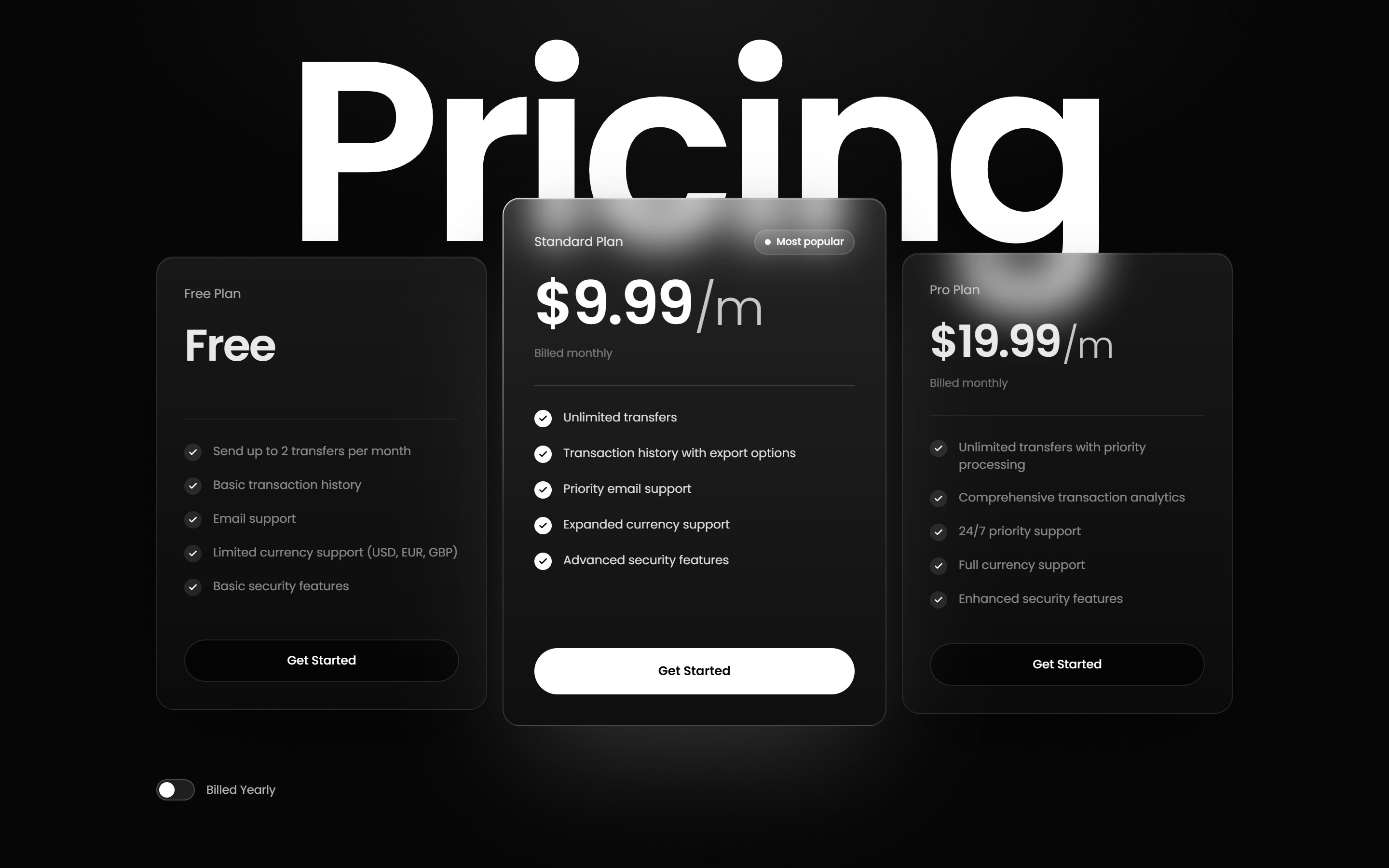
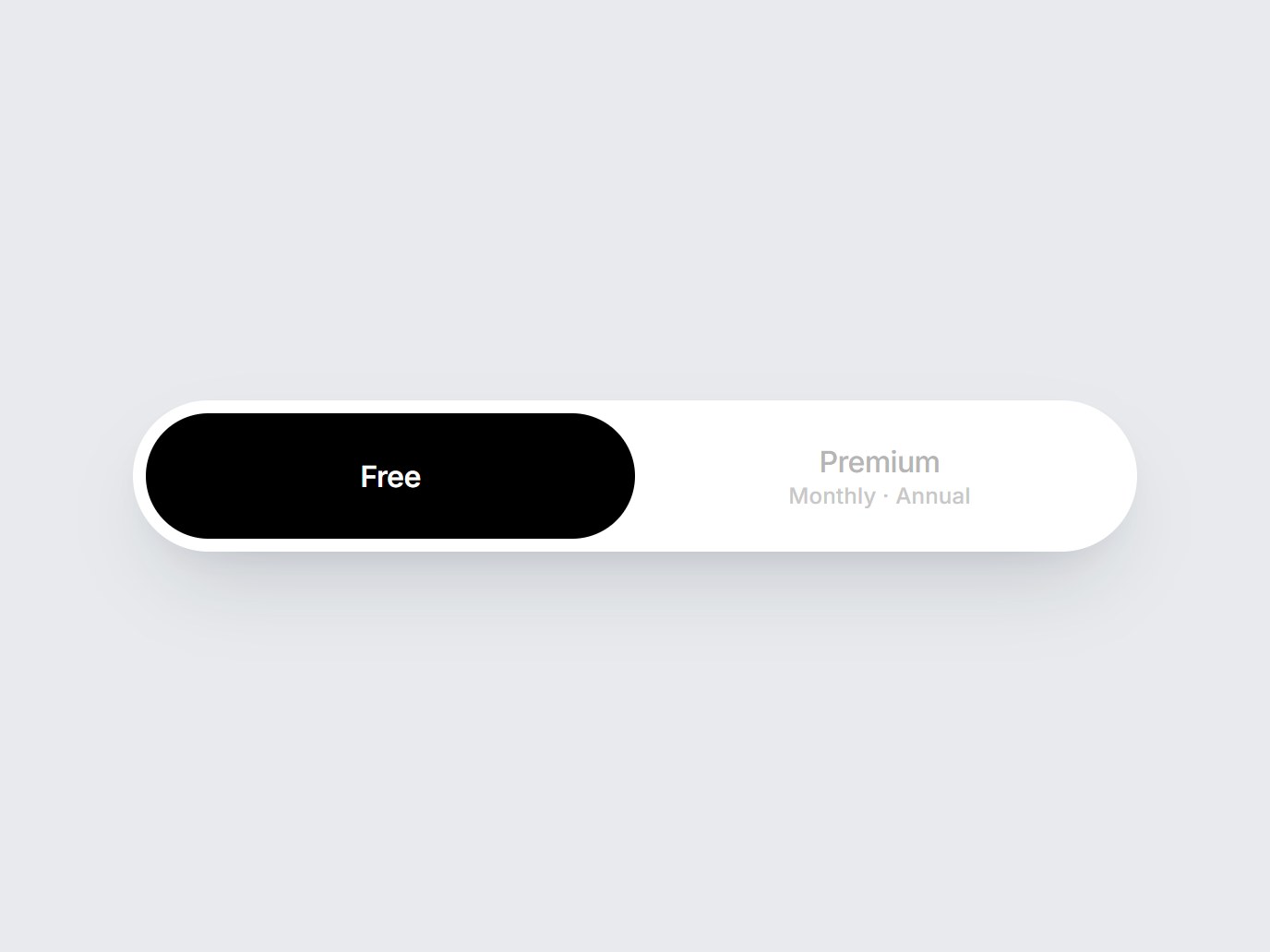
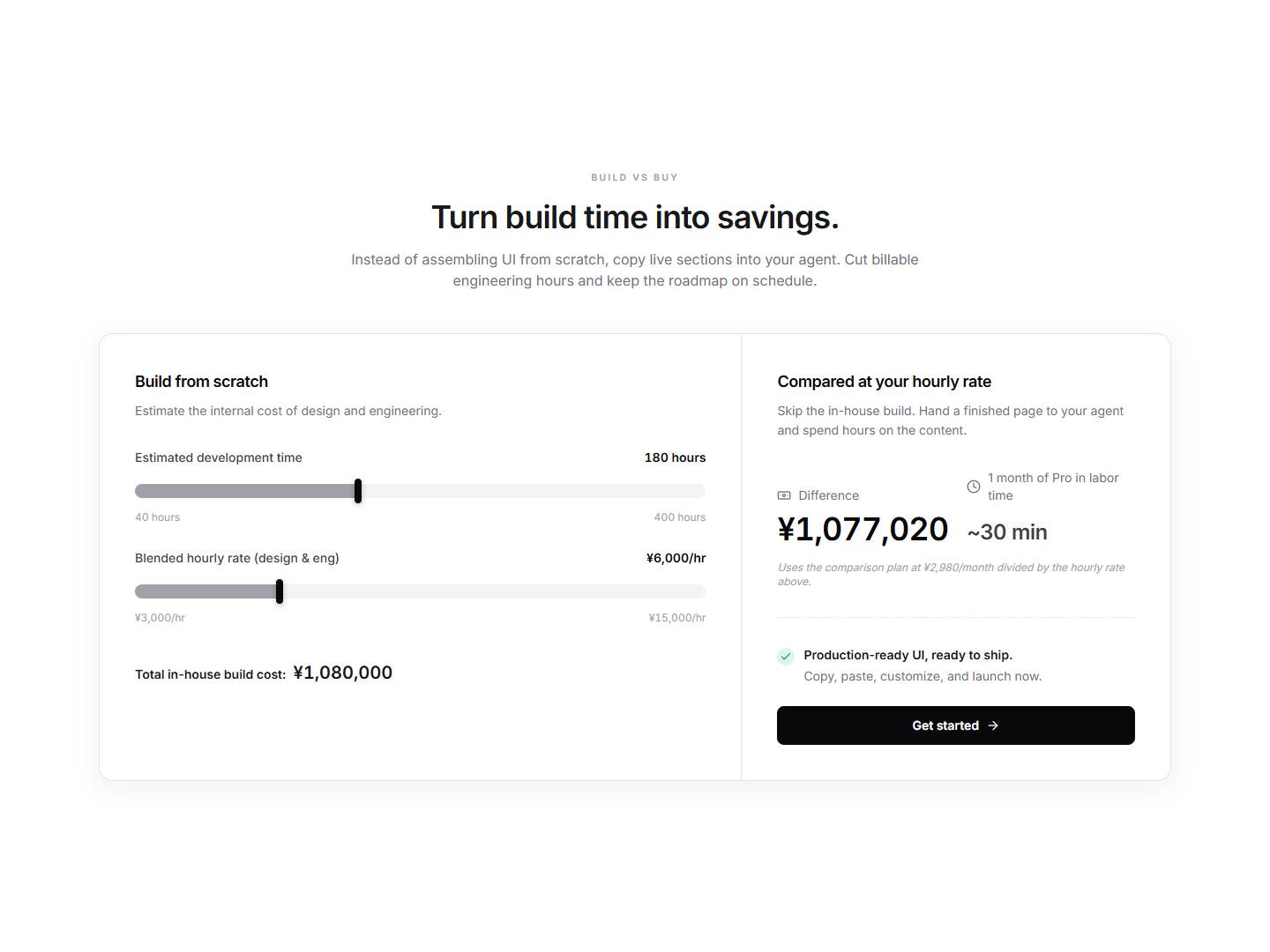
Pricing: Kinetic Service Pricing has a giant wordmark behind three frosted-glass plan cards. Prices roll digit by digit, and a Billed Yearly switch rolls them to yearly rates. Also see Plan Pill Switch and Pricing ROI Calculator.
Features: Product Feature Bento is an asymmetric dark bento for product specs. Integrations Hub shows integrations.
Hero: Green Scroll Hero reveals the headline letter by letter from behind a Lottie as you scroll. Glass Orb Hero uses React Three Fiber.
Social proof: Spotlight Reviews is a continuously scrolling row of review cards with faded edges.
App screens: Liquid Glass Login and Glass Sidebar Nav.
You build with Cursor or Claude Code
Copy for Cursor copies everything an agent needs in one step: instructions it can follow, the live preview URL, the TSX, and the npm dependencies. The preview URL matters. If the result doesn't match the preview, you send the URL back to the agent and it can compare. On Plus you can also connect DesignLayer over MCP, so your editor can search the catalog and pull a component from chat.
You don't want to commit to one animation library
Each section uses the tool that suits it. Pin Spacer Works and Before After Scroll use GSAP. Floating Poster Orbit uses Anime.js. Sneaker Focus Carousel uses Motion. Several sections need no animation library at all. The dependency list is on every component page, so you know before you copy.
You're shipping a launch, not just a page
DesignLayer also has Videos: launch films made with AI agents, each with the prompt behind it. Examples are a SaaS launch film and a seamless UI Motion Loop. Watching is free. Free gives you one prompt copy a day, and Plus makes prompt copies unlimited.
Pricing that matches one project
A lifetime license pays off over many projects. If you have one launch this month, Plus at $9/month gives you unlimited component and video prompt copies while you build. You can cancel from your account, and the plan stays active until the end of the period you paid for.
Which alternative should you pick?
Pick Aceternity UI if you want the cinematic dark SaaS look and you will reuse blocks and templates across many projects.
Pick Magic UI if you live in shadcn/ui and want polished micro-interactions, with a one-time Pro option.
Pick React Bits if you want lots of text effects and backgrounds, need plain-CSS variants, or prefer to avoid a required Motion dependency.
Pick DesignLayer if you want finished motion sections with a live preview, a copy bundle built for Cursor and Claude Code, launch video prompts in the same place, and a low monthly price instead of a license.
You can combine them, too. Many teams take a background effect from one library and a full pricing or hero section from another.
How to try DesignLayer in 3 steps
Browse for free. Open the component catalog and watch the live previews. No card needed.
Copy one section into your project. Click Copy for Cursor and paste it into Cursor or Claude Code. Free includes 3 copies a day. If you're new to this, this guide walks you through your first section.
Go unlimited while you build. When you hit the daily limit in the middle of a build, start Plus for $9/month. You get unlimited component copies, unlimited video prompt copies, and MCP access, and you can cancel anytime.
Building a landing page this week? Start with Kinetic Service Pricing or Product Feature Bento. Copy it for free, then get Plus — $9/month when you need the rest of the page.
FAQ
Magic UI (MIT) and React Bits (MIT + Commons Clause) both have large free libraries. DesignLayer's Free plan lets you preview every component and copy 3 per day, with no card required.