Next.js video hero: background video, autoplay, mobile fallback
Published: September 12, 2026 · 8 min read
Build a background video hero in Next.js: autoplay attributes, ffmpeg compression, poster and LCP, a mobile still-image fallback, and a readable overlay.
Background video hero won't autoplay or feels heavy? The fix
You're building a landing page in Next.js and want video playing behind the first view. You drop in a video tag and it won't autoplay, a black box flashes while it loads, or the page suddenly feels heavy. These are the usual problems with a background video hero.
The fix is simple. Give the video tag five attributes, including muted and playsInline which autoplay depends on, and compress the clip to roughly 10 seconds with no audio.
Show only a still image on phones and to people with data saver on, and put a dark overlay under the headline.
This guide covers:
Which sites a hero video suits, and which it doesn't
A ready-to-use Next.js hero video component
When browsers allow autoplay, and what to do when they don't
Shrinking the video and creating its still image with ffmpeg
Falling back to a still image on mobile, data saver, and reduced motion
When a background video hero fits, and when it doesn't
Background video pays off when the footage itself sells the product. The mood of a restaurant or hotel, the energy of an event, a video studio's reel, the finish of a hardware product — video says more than a still photo there.
On SaaS and business-tool landing pages, video tends to pull attention away from the headline and CTA. There, a still hero with a short entrance animation usually converts better. That build is covered in https://design-layer.com/en/articles/nextjs-animated-hero-section-guide.
If you're unsure, ship a still hero first and swap in video once you have the footage. Keeping the hero background in its own component makes that swap easy later.
Next.js background video hero: the basic component
Start with the simplest version. The video element plays using the browser alone, so this can stay a Server Component. It assumes the video files and poster live in public/videos/.
export function VideoHero() {
    return (
      <section className="relative isolate flex min-h-[100svh] items-end overflow-hidden px-6 pb-20 text-white md:px-12">
        <video
          className="absolute inset-0 -z-10 h-full w-full object-cover"
          autoPlay
          muted
          loop
          playsInline
          poster="/videos/hero-poster.jpg"
          aria-hidden="true"
        >
          <source src="/videos/hero.webm" type="video/webm" />
          <source src="/videos/hero.mp4" type="video/mp4" />
        </video>

        {/* Dark gradient so the text stays readable */}
        <div
          aria-hidden="true"
          className="absolute inset-0 -z-10 bg-gradient-to-t from-black/75 via-black/35 to-black/10"
        />

        <div className="max-w-2xl">
          <h1 className="text-4xl font-semibold leading-tight md:text-6xl">
            A seaside cabin, now booking weekends
          </h1>
          <p className="mt-5 text-base text-white/80 md:text-lg">
            Wake up to the waves. End the night around a fire on the deck.
          </p>
          <a
            href="#reserve"
            className="mt-8 inline-flex rounded-full bg-white px-6 py-3 font-medium text-zinc-950 transition hover:bg-white/90"
          >
            Check availability
          </a>
        </div>
      </section>
    );
  }
Give the background video five attributes as a set (muted and playsInline are what autoplay depends on)
autoPlay alone is not enough. Major browsers block autoplay for video with sound; muted is what makes autoplay allowed.
playsInline stops Safari on iPhone from switching to the fullscreen player. loop repeats the clip, and poster is the still image shown until playback starts. Treat these five as one set.
Provide both WebM and MP4
Browsers try source elements top to bottom. Put the better-compressed WebM first and the more widely supported MP4 second. If you don't have time for WebM, a single MP4 (H.264) plays in almost every browser.
Hide a decorative background video with aria-hidden
If the background video is only there for mood, hide it from screen readers with aria-hidden="true". Anything you need to say goes in the headline and body text, not inside the video.
What to check when a background video won't autoplay
Even with correct code, device settings can stop autoplay. The classic case is Low Power Mode on iPhone: the video won't play and only the still image shows. That's exactly why the hero must still work without the video.
When it won't play on your machine, check in this order:
Are muted and playsInline both set?
Is there still an audio track in the file? (matters if muted is missing; ffmpeg -an removes it and shrinks the file)
Is the path correct? (files under public/ are referenced from /)
Is the MP4 encoded as H.264? (some H.265 files won't play in every browser)
Is Low Power Mode on (iPhone)?
If playback still won't start, a browser-side component can set muted to true through a ref and call play(). The next sections show that pattern.
How to compress a background video with ffmpeg
The most common background video mistake is file size. Raw footage often runs to tens of megabytes. Trim a hero clip down to roughly these targets:
6–15 seconds, picked so the loop seam isn't obvious
About 1280px wide; under a dark overlay, softness is hard to spot even fullscreen
No audio track
A few megabytes at most
ffmpeg handles the conversion. These commands produce the MP4, the WebM, and the poster image.
# MP4 (H.264): 10 seconds, 1280px wide, no audio, fast start for streaming
  ffmpeg -i source.mov -t 10 -an -vf "scale=1280:-2,fps=30" -c:v libx264 -crf 28 -preset slow -pix_fmt yuv420p -movflags +faststart public/videos/hero.mp4

  # WebM (VP9): same settings, smaller file
  ffmpeg -i source.mov -t 10 -an -vf "scale=1280:-2,fps=30" -c:v libvpx-vp9 -crf 38 -b:v 0 public/videos/hero.webm

  # Poster: export the first frame of the MP4
  ffmpeg -i public/videos/hero.mp4 -frames:v 1 -q:v 3 public/videos/hero-poster.jpg
Tune background video quality and size with crf
A higher crf means stronger compression and a smaller file. Export with the values above first, then lower the number by 2–3 if it looks too rough. Under an overlay, you can usually compress harder than you'd expect.
The still image before playback affects load speed too
A video element's poster image counts as an LCP (Largest Contentful Paint) candidate. If that image is heavy, a lighter video won't improve your score. Compress it too, and make it the same frame the video starts on so there's no visible jump when playback begins.
If the video file gets large, consider serving it from a CDN or storage service rather than public/.
Replace the background video with a still on mobile
Loading a background video on every mobile visit costs data and battery. Showing only the still image to small screens, to people who set prefers-reduced-motion, and to people with data saver on is the practical choice.
Hiding the video with CSS hidden may not stop the download. A browser-side component that only adds the source elements when the conditions are met avoids the request entirely. It also adds a pause button.
"use client";

  import { useEffect, useRef, useState } from "react";

  type HeroVideoProps = {
    mp4: string;
    webm?: string;
    poster: string;
  };

  type NavigatorWithConnection = Navigator & {
    connection?: { saveData?: boolean };
  };

  export function HeroVideo({ mp4, webm, poster }: HeroVideoProps) {
    const ref = useRef<HTMLVideoElement>(null);
    const [enabled, setEnabled] = useState(false);
    const [playing, setPlaying] = useState(false);

    // Decide from screen width, reduced motion, and data saver
    useEffect(() => {
      const isWide = window.matchMedia("(min-width: 768px)").matches;
      const reduceMotion = window.matchMedia("(prefers-reduced-motion: reduce)").matches;
      const saveData = (navigator as NavigatorWithConnection).connection?.saveData === true;
      setEnabled(isWide && !reduceMotion && !saveData);
    }, []);

    // Start loading and playing once the sources are added
    useEffect(() => {
      const video = ref.current;
      if (!enabled || !video) return;
      video.muted = true;
      video.load();
      video
        .play()
        .then(() => setPlaying(true))
        .catch(() => setPlaying(false)); // If blocked, the poster stays
    }, [enabled]);

    function togglePlayback() {
      const video = ref.current;
      if (!video) return;
      if (video.paused) {
        video.play().then(() => setPlaying(true)).catch(() => {});
      } else {
        video.pause();
        setPlaying(false);
      }
    }

    return (
      <>
        <video
          ref={ref}
          className="absolute inset-0 -z-10 h-full w-full object-cover"
          poster={poster}
          muted
          loop
          playsInline
          aria-hidden="true"
        >
          {enabled && webm ? <source src={webm} type="video/webm" /> : null}
          {enabled ? <source src={mp4} type="video/mp4" /> : null}
        </video>
        {enabled ? (
          <button
            type="button"
            onClick={togglePlayback}
            className="absolute bottom-6 right-6 rounded-full bg-black/50 px-4 py-2 text-sm text-white backdrop-blur"
          >
            {playing ? "Pause video" : "Play video"}
          </button>
        ) : null}
      </>
    );
  }
Keep the video hero itself on the server
HeroVideo is a Client Component for the background only.
The hero with the headline and buttons stays on the server, with HeroVideo in place of the basic video element. The headline HTML is rendered on the server, so search engines see it as-is.
<section className="relative isolate flex min-h-[100svh] items-end overflow-hidden px-6 pb-20 text-white">
    <HeroVideo mp4="/videos/hero.mp4" webm="/videos/hero.webm" poster="/videos/hero-poster.jpg" />
    <div aria-hidden="true" className="absolute inset-0 -z-10 bg-gradient-to-t from-black/75 via-black/35 to-black/10" />
    {/* Headline, body, CTA */}
  </section>
Why a background video needs a pause button
WCAG 2.2 asks that motion which starts automatically and lasts more than five seconds can be paused or stopped (Success Criterion 2.2.2). A looping background video falls under this, so add a small pause control.
A background video overlay that keeps text readable
Video cuts between bright and dark shots, so the headline can become unreadable for a moment. A translucent black layer over the video keeps white text legible on every frame.
With a bottom-aligned headline, a gradient that fades upward (bg-gradient-to-t from-black/75) looks natural. With a centered headline, lay about bg-black/40 over everything. If white text is still weak on a bright clip, a darker overlay reads better than adding a text shadow.
Finally, pause on the brightest frame of the clip and check the headline. If it reads there, it reads everywhere.
Common video hero mistakes and how to fix them
No poster, so a black rectangle shows while loading
No muted attribute plus a leftover audio track, so autoplay gets blocked
Raw footage weighing tens of megabytes
No fixed hero height, so the layout jumps once the video loads (reserve height with min-h)
A visible jump at the loop seam
Footage with strobing or intense flashes
You can use an embedded YouTube video as a background, but the player is heavy and tends to show controls and black bars, so it's a poor fit for a full-bleed background. A short self-hosted loop is easier to control in both looks and load time.
Copying a finished video hero instead
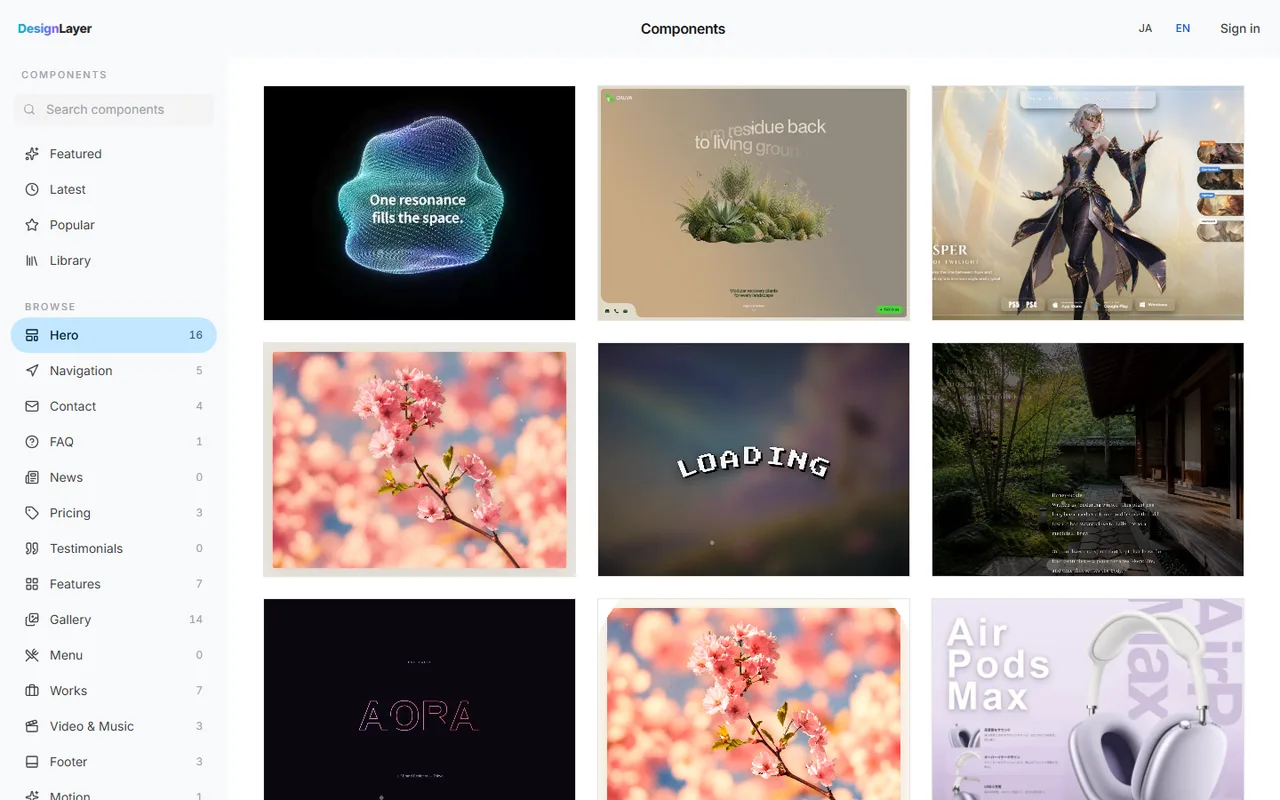
Everything above is enough to build a background video hero. Getting the cut timing, headline entrance, type size, and spacing to feel right still takes a lot of trial and error.
DesignLayer is a catalog of human-built React + Tailwind CSS sections with motion. You watch a hero move in a live preview, pick one, and swap in your video URL and headline.
Browsing is free and needs no card. https://design-layer.com/en/components
Copy for Cursor copies the integration instructions, the live preview URL, the TSX, and the required npm packages together, ready to hand to Cursor or Claude. Free copies are limited to the 10 Free Sample components with no monthly limit on a free account, plus 1 video prompt a month. The rest of the catalog and MCP are the 30-Day Build Pass ($19 once), Lifetime Access ($79 once), or Plus ($9/month). Before you ship, always confirm the video isn't set to play with sound.
To animate the headline's entrance with Motion (formerly Framer Motion), see https://design-layer.com/en/articles/nextjs-framer-motion-guide.
Next.js background video hero: common questions
It's a poor fit for a full background: the player is heavy and tends to show controls and black bars. Use a short MP4 or WebM you exported yourself. If you need to show a longer explainer, embed it in a separate section below the hero.
Summary: building a background video hero in Next.js
Use background video when the footage sells the product; consider a still hero for SaaS
Give the video tag all five attributes (muted, autoplay, loop, inline playback, and a still image); muted and inline playback are what autoplay depends on
Compress to about 10 seconds, ~1280px wide, no audio, and keep the still image light
On mobile, data saver, and reduced motion, don't load the sources — show the still
Use an overlay for a readable headline, and add a pause button
Start by compressing your footage with ffmpeg and dropping it into the basic VideoHero to see how it looks. If you'd rather start from a hero whose motion is already tuned, preview it live in the DesignLayer catalog first. https://design-layer.com/en/components


