React motion components for Cursor: copy-paste in 4 steps
Published: September 7, 2026 · 5 min read
Pick animated React sections from a live preview, then paste TSX plus the npm list into Cursor or Claude. 3 catalog criteria, a prompt template, and common fixes.
Asking Cursor for motion components means rework
You are building a landing page with Next.js and Tailwind CSS, and you ask Cursor to "add a smooth entrance animation to the hero." What comes back is every element fading up at the same speed.
Ask again and it barely changes.
So you start writing Motion (formerly Framer Motion) yourself, and one section eats half a day. Tweaking easing (how the motion speeds up and slows down) and delay values, then checking again, takes far longer than expected.
This guide shows a different loop: watch a motion React component run in the browser, copy it, and paste it into Cursor. You get the steps and a prompt you can reuse.
Why React motion components take the longest
Static layout is quick with shadcn/ui and friends. Motion lags behind for concrete reasons.
Motion is hard to describe to an agent in words
"Elegant" or "smooth" does not translate into numbers for an agent, so you get the average motion it has seen most. Spelling out duration, order, and distance is tedious for humans too.
Screenshots and GIFs hide timing
Browsing component collections, a still or a short GIF will not show how hover responds or when a block enters on scroll. You wire it in, notice it is the wrong motion, and go searching again.
Found React components do not run as-is
Code that assumes a custom CSS dialect or another runtime needs rewriting every time it enters an existing Next.js project. Hunting missing packages adds up as well.
The time goes less into writing motion and more into choosing, verifying, and fitting it. Shrink those steps and the whole page moves faster.
3 criteria for a React motion component catalog
Motion is decided faster when you see the real thing first. When you pick a place to source it from, check three things.
Live preview: the block runs as real React in the browser, so you can check hover and scroll entrance before installing it
TSX and Tailwind CSS as-is: if it assumes React (TypeScript) and Tailwind CSS, it drops into an existing Next.js app with little change
Agent-oriented instructions: placement, npm packages, and swap points packaged together, so Cursor or Claude guess less
The third one is easy to overlook. Hand an agent raw code and it fills in placement and dependencies by guessing.
Instructions up front cut those mistakes.
For a fuller comparison of options, see https://design-layer.com/en/articles/21st-dev-alternative-for-cursor
Add React motion components to Cursor in 4 steps
Here is the flow using DesignLayer as an example of a catalog that meets all three criteria. DesignLayer lets you run human-built motion sections (React + Tailwind CSS) in the browser and copy them.
Browsing needs no account and no card.
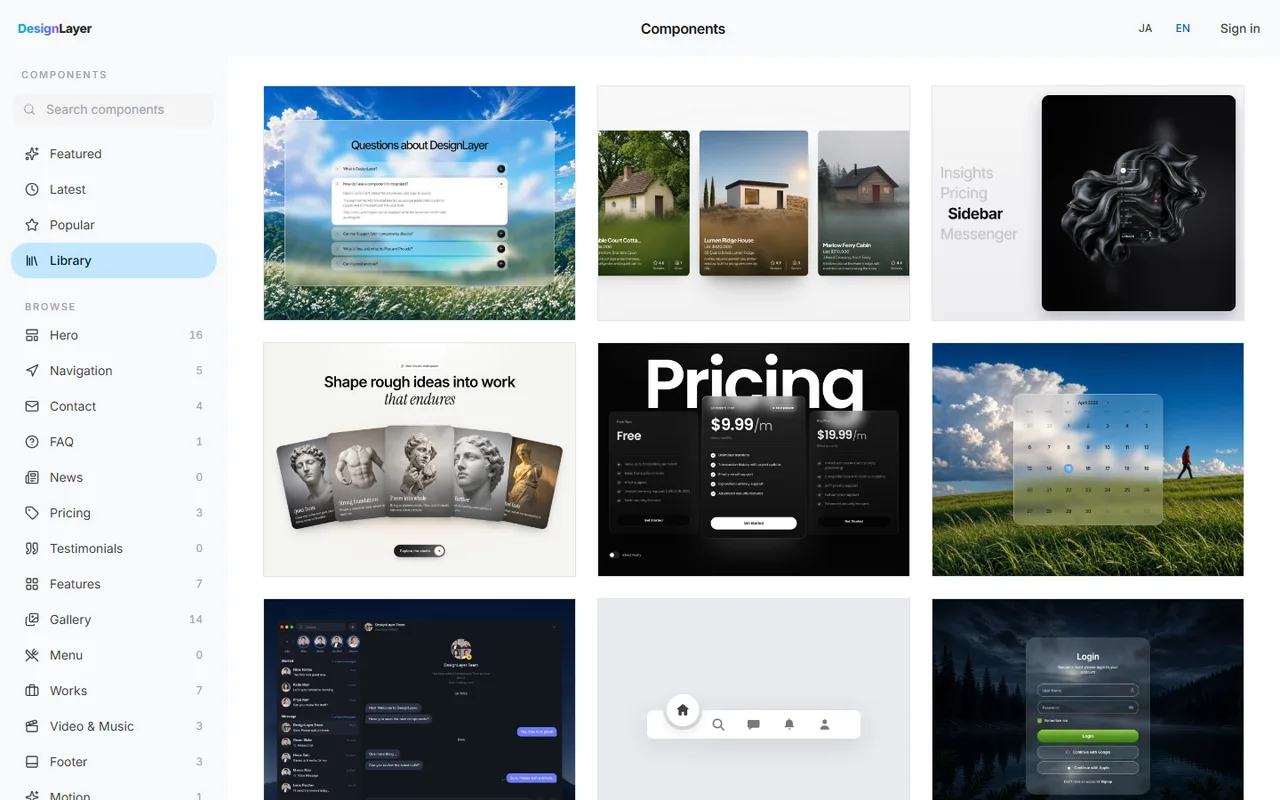
Step 1: Filter motion components by job
Open the component list and narrow by job: hero, features, pricing, FAQ. Use search or categories to reach the section you need. https://design-layer.com/en/components
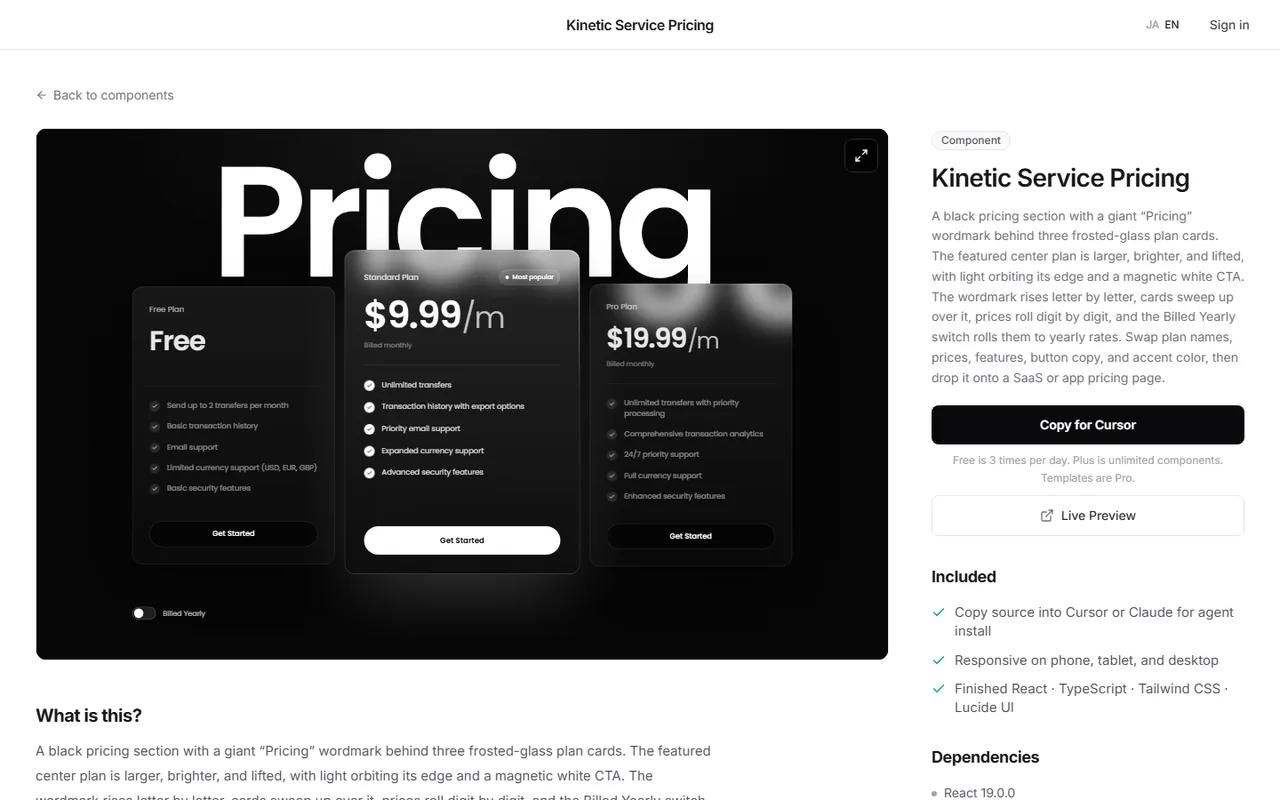
Step 2: Check the motion in the live preview
Open a card and hover, entrance, and looping backgrounds run for real. On a team, agree on "this motion" here before anyone pastes, and you avoid debates later.
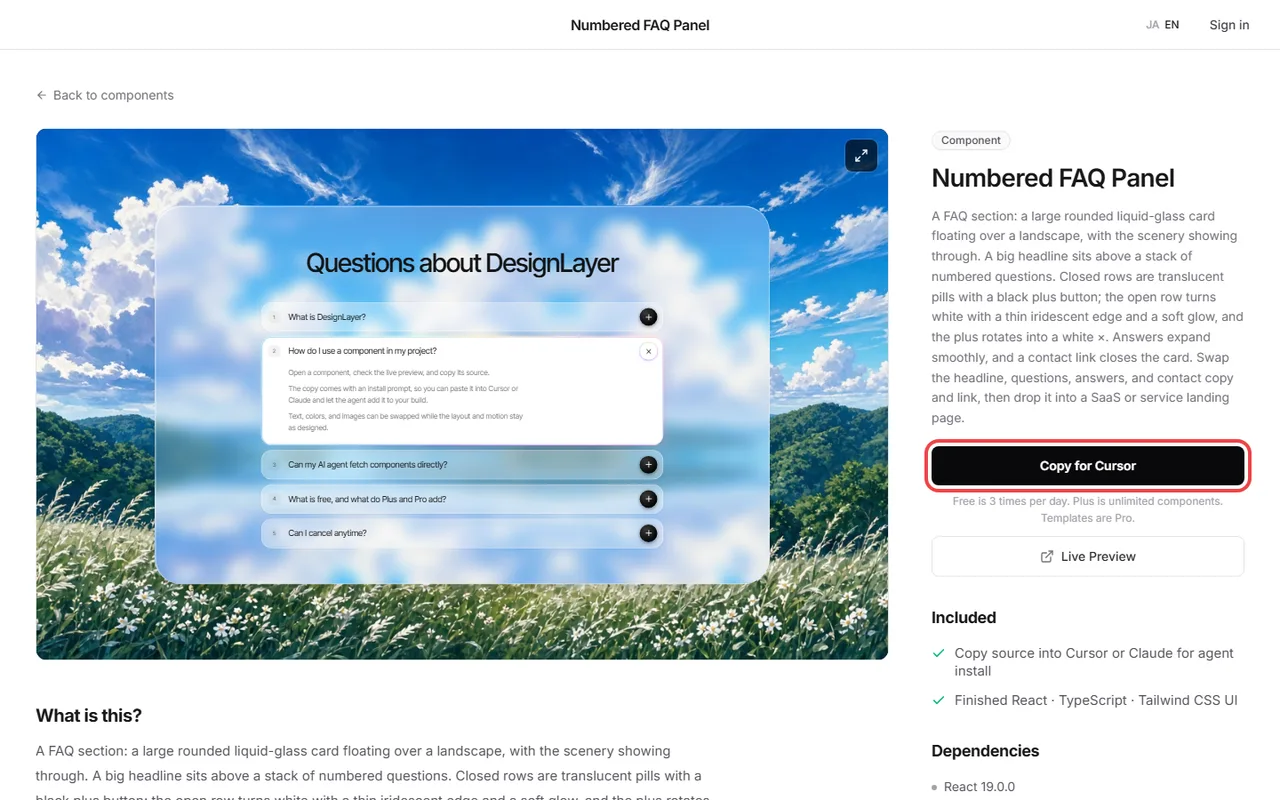
Step 3: Copy everything with Copy for Cursor
Copy for Cursor bundles agent-readable integration instructions, the live preview URL, the TSX, and the npm dependency list. On the free plan you get 3 copies per day (JST).
Step 4: Paste into Cursor or Claude and name the placement
Paste into Cursor's Agent or a Claude chat, then specify placement and brand swaps. A prompt shaped like this gives stable results.
Add this React section to our existing Next.js app.
- Keep the Tailwind classes as they are
- Add any missing npm packages to package.json
- Swap headings, CTA, and links to our product name
- Put the file in components/sections/ and import it from app/(marketing)/page.tsx
- Match color and spacing to our existing design tokens
Two details that make the Cursor prompt work
First, say where files go: the page in app/(marketing)/page.tsx, sections in components/sections/. The agent stops guessing, and the review diff is easier to read.
Second, the line "match our existing design tokens." If the repo already defines color and spacing, that one line pulls the catalog look toward your brand.
The agent writes the files; you review motion and copy.
Skip the browser with MCP
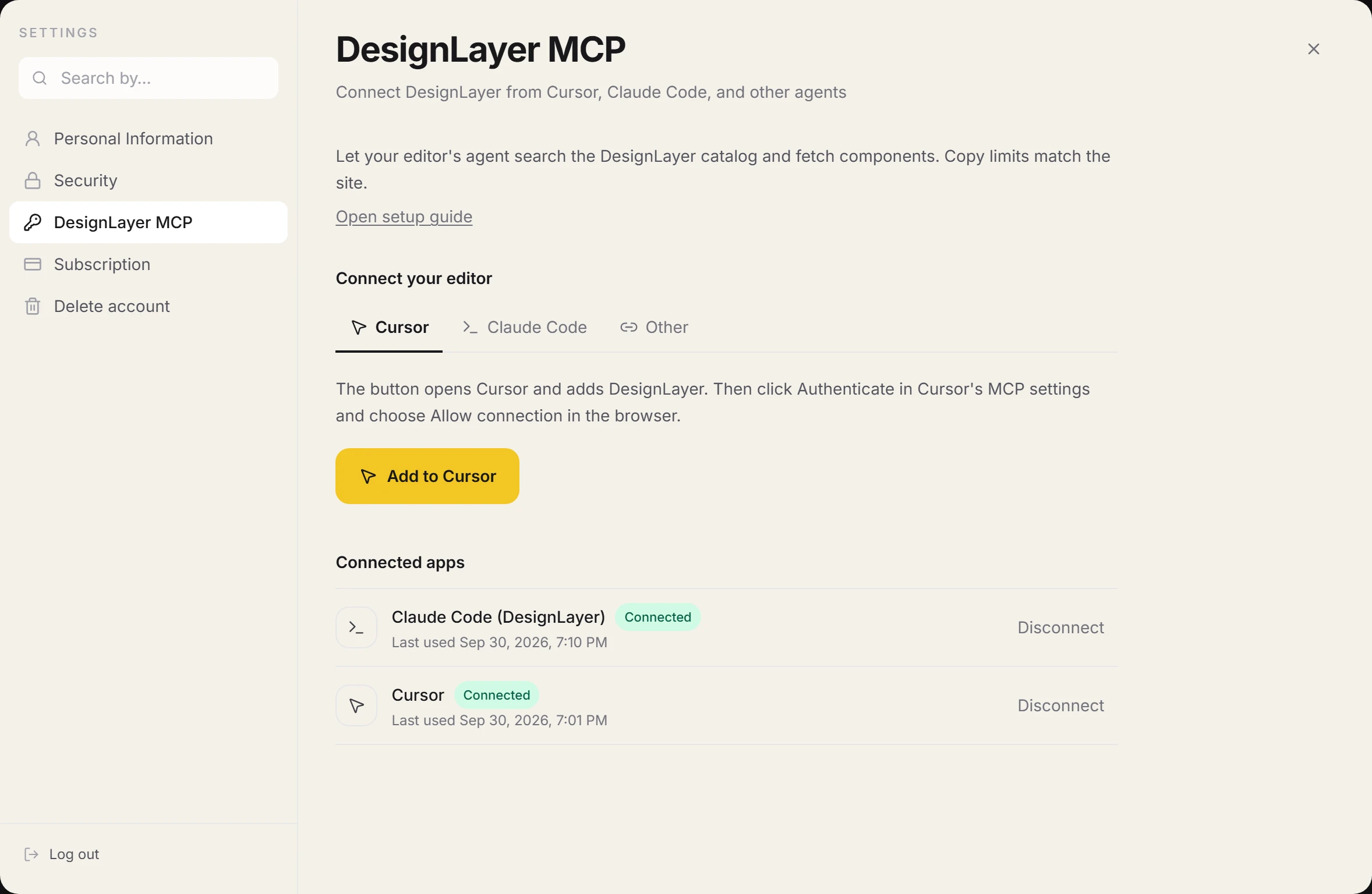
If Cursor is your daily editor, you can connect the DesignLayer MCP server.
The agent searches the catalog with search_catalog, fetches a component with get_component, and goes on to create the files.
MCP is available on Plus: you approve the connection in the browser, and no API key is needed.
Setup is covered in https://design-layer.com/en/articles/cursor-mcp-component-catalog-guide
Common motion component integration mistakes
Even code built to paste and run has a few traps. Knowing them up front, most take minutes to fix.
Missing packages stop the build
Without motion (formerly Framer Motion) or lucide-react the build fails. Have the agent read the copied imports and update package.json. Pasting the error text as-is is the fastest fix.
Copied section colors look foreign on the page
Ship catalog colors untouched and that section looks like another site. Add "match existing tokens" to the prompt, or have the agent swap only color and fonts after pasting.
Strong motion on every section
When every section moves a lot, page tempo breaks and reading gets harder. Keep strong motion around the hero and CTA. Start delay and duration from the values you saw in the preview.
Who copy-paste motion components fit
"Watch, pick, copy" is not right for every case. Use these as a guide.
Fits: you build landing pages or sites with Next.js and Tailwind CSS and do not want to sink time into motion
Fits: you let Cursor or Claude write code and the motion always comes out the same
Fits: you have a shadcn/ui page and want to add sections that move
If animation is the core of the product and you want to design easing from scratch, writing Motion directly gives finer control. See https://design-layer.com/en/articles/nextjs-framer-motion-guide
On cost: live preview is unlimited on the free plan. Source copy is 3 per day (JST).
Decide "one hero today" and you can try it with no card. Plus removes the copy limit and adds MCP access.
React motion components: common questions
Yes. The content is React (TypeScript) and Tailwind CSS code, so it works pasted into Claude or placed in a file by hand. The button is called Copy for Cursor, but the format is not Cursor-only.
Summary: React motion components in Cursor
Motion is slow because of choosing, verifying, and fitting, not the writing itself
Pick a catalog by live preview, TSX plus Tailwind CSS, and agent instructions
Put the target path and "match existing tokens" in the prompt
Keep strong motion on the hero and CTA
Open the catalog and run one section that catches your eye.
Paste one into Cursor with the free quota and judge quality and fit inside your own repo. https://design-layer.com/en/components
For the whole landing page flow, read https://design-layer.com/en/articles/cursor-nextjs-landing-page-guide


