How to use DesignLayer: add your first section to Cursor for free
Published: September 12, 2026 · 4 min read
New to DesignLayer? What it does and does not do, live preview with no card, 10 Free Sample components with no monthly limit on a free account, a paste prompt, Free vs the 30-Day Build Pass, Lifetime, and Plus, and MCP.
Before DesignLayer: writing landing page motion from scratch
You are building a landing page with Next.js and Tailwind CSS and want motion in the hero. Writing entrance and scroll-linked effects in Motion (formerly Framer Motion) from scratch can take half a day per section, or days once you tune it.
Cursor or Claude will produce code quickly. But the result tends to look familiar, and the motion details change every time. You still end up fixing easing and delays by hand.
This guide is the starting point for anyone who found DesignLayer while dealing with that, or who searched for it by name. It explains what DesignLayer does and what to do in your first ten minutes.
The detour DesignLayer solves: describing motion in words
Motion is hard to put into words. Write "smooth" or "subtle," and the agent picks a different speed and distance every time. Many people regenerate several times before landing on something close.
Browsing component collections is another route. But screenshots and GIFs do not show motion quality. You install something, realize it is not the motion you expected, and start searching again.
Both detours share one cause: writing code before you have seen the motion.
The DesignLayer approach: watch motion first, then paste and adjust
Flip the order. Watch the real motion in a browser first and decide "this one," then put the code in your project and adjust copy and color.
That way motion quality is settled up front. The agent's job changes from writing from scratch to fitting existing code into your project, which agents handle well, so results are more predictable.
What DesignLayer is: a catalog of React sections with motion
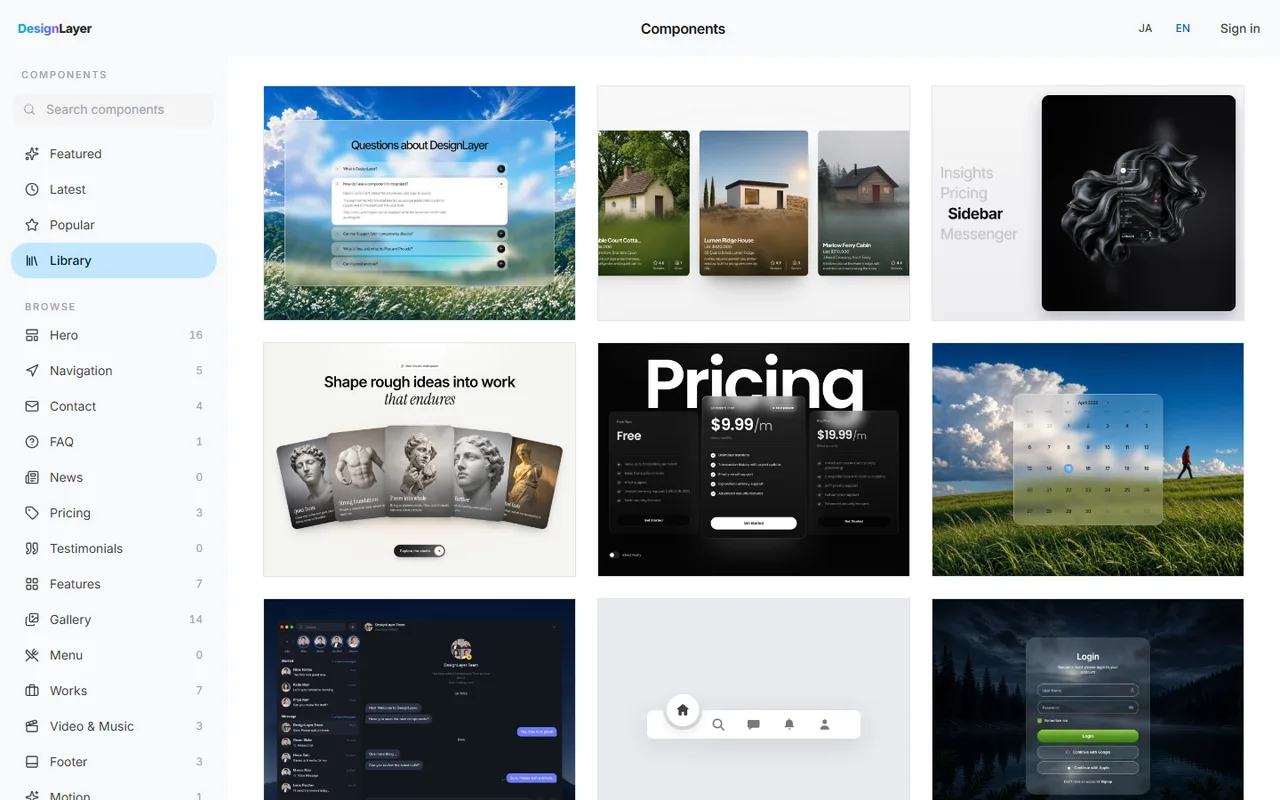
DesignLayer is a catalog of human-built React sections with motion that you preview live in the browser before copying. Sections are written in React (TypeScript) and Tailwind CSS, and you can browse by job: hero, features, pricing, FAQ, and more.
What it does and does not do:
It does: let you check hover, entrance, and looping backgrounds running as real React before you choose
It does: Copy for Cursor bundles unified instructions for the agent, the live preview URL, the TSX, and the npm dependencies
It does: let you paste that bundle into Cursor or Claude and fit it into an existing Next.js project
It does not: generate a whole site from a prompt. DesignLayer is a catalog for picking finished sections, not a generator
How to use DesignLayer: your first ten minutes
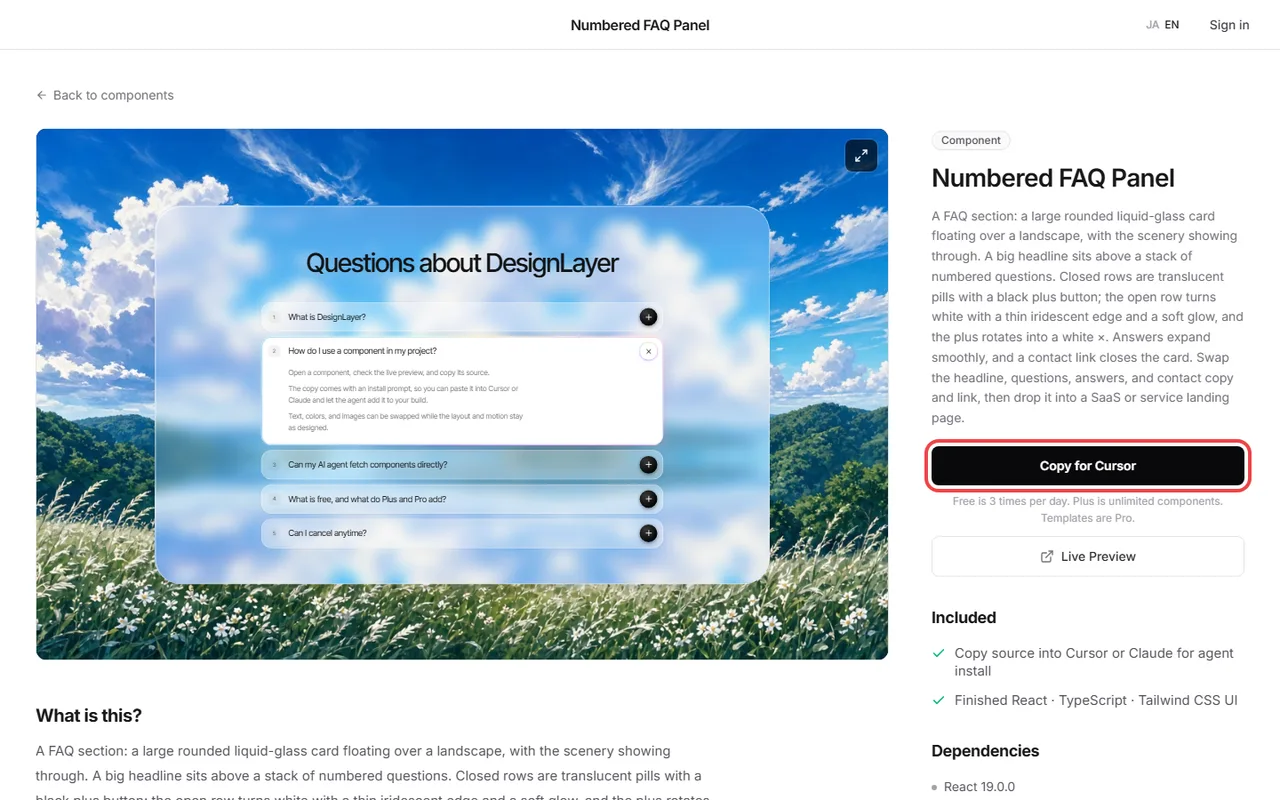
On your first visit, follow these four steps to put one section into your project.
Step 1: Open the component list. No account or card needed. https://design-layer.com/en/components
Step 2: Filter by what you want to add today, such as a hero, open a card, and watch the live preview
Step 3: Run Copy for Cursor. The free plan includes the 10 Free Sample components with no monthly limit on a free account, plus 1 video prompt a month. Free cannot connect MCP. The rest of the catalog is the 30-Day Build Pass ($19 once, no auto-renewal), Lifetime Access ($79 once, first 100 buyers), or Plus ($9/month)
Step 4: Paste into Cursor's Agent or a Claude chat with the prompt below
The prompt below gives stable results. Naming the location stops the agent from guessing where files go and keeps the diff easy to read.
Add this section to our existing Next.js app.
- Keep the Tailwind classes as they are
- Add any missing npm dependencies to package.json
- Replace the heading, description, CTA, and links with our product content
- Put the file in components/sections/ and import it from app/(marketing)/page.tsx
- Match color and spacing to our existing design tokens
What to check after pasting a DesignLayer section into Cursor
First, confirm the build passes and no npm dependencies are missing. Next, check in the browser that the motion matches the preview. Finally, adjust color and copy to fit your site.
As a rule, keep strong motion around the hero and CTA. Animating every section breaks the page's rhythm.
DesignLayer free plan vs Plus
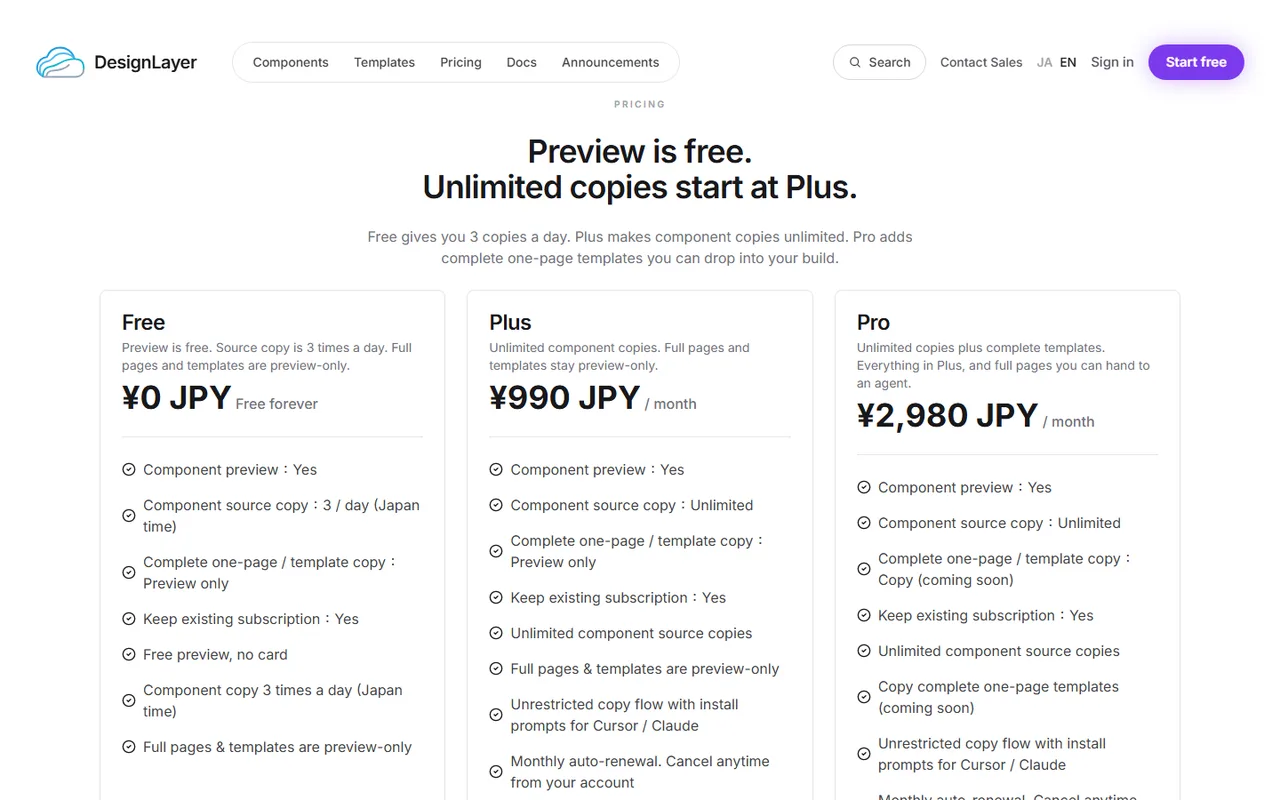
The free plan includes unlimited live preview and the 10 Free Sample components with no monthly limit on a free account, plus 1 video prompt a month. Free cannot connect MCP. The rest of the catalog is the 30-Day Build Pass ($19 once, no auto-renewal), Lifetime Access ($79 once, first 100 buyers), or Plus ($9/month). No card required. Decide "today I take the hero," and you can try the catalog properly.
Plus makes component copies unlimited. It suits people pulling in several sections a day, or teams.
If you are unsure, add one section on the free plan first. Pasting into your own repo is the fastest way to judge motion quality and fit.
Connect the DesignLayer MCP if you use Cursor every day
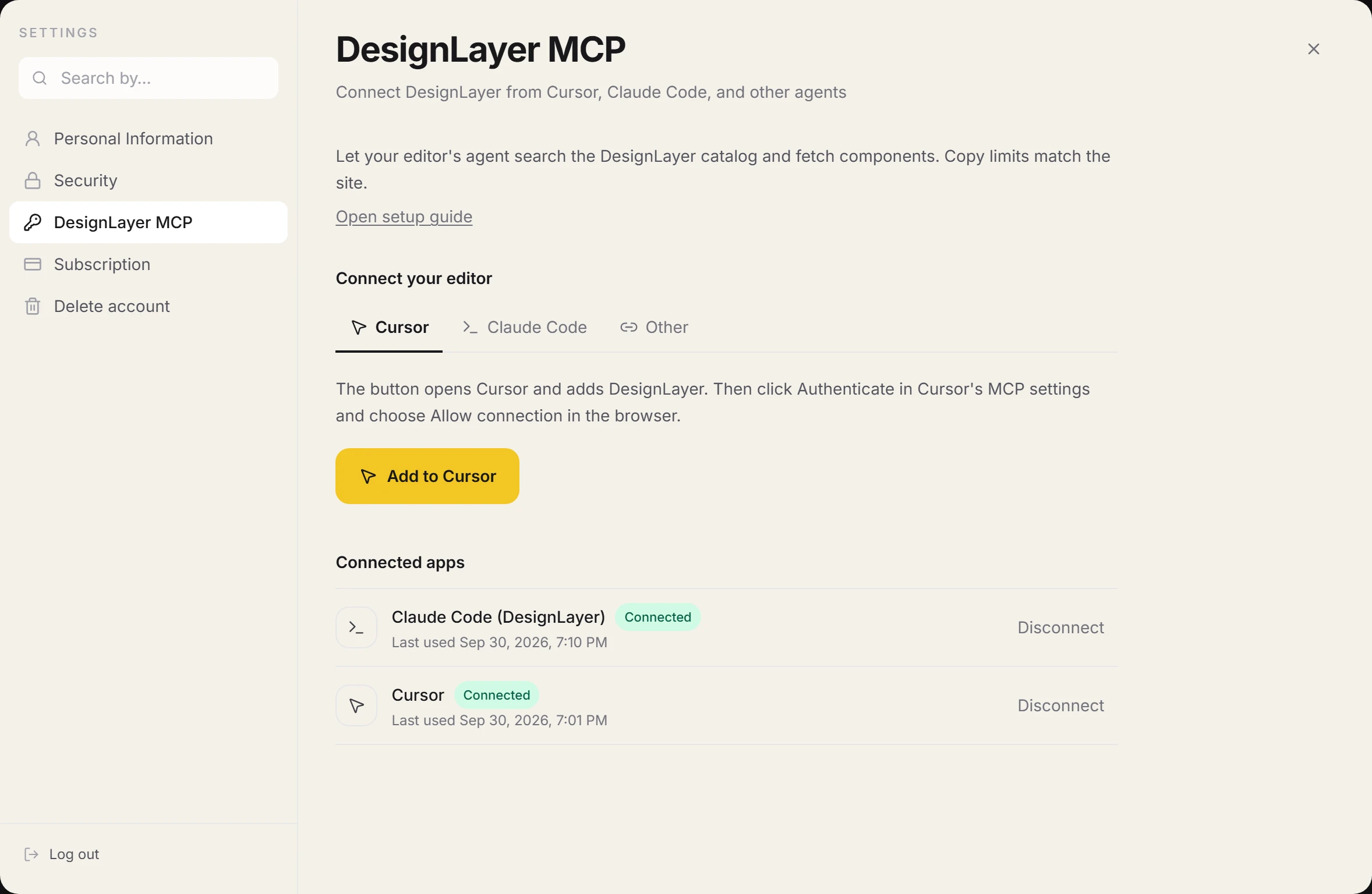
If Cursor or Claude Code is part of your daily work, you can also connect DesignLayer's MCP server. MCP is a protocol that lets an agent call external tools directly.
MCP is included with the 30-Day Pass, Lifetime, and Plus. In Cursor, add it from the button in account settings; in Claude Code, run the command shown there. Either way, you just approve the connection in your browser. No API key to copy.
Once connected, the agent can search the catalog with search_catalog and fetch the copy bundle with get_component, so you skip opening the site and copying. Setup and usage are in https://design-layer.com/en/articles/cursor-mcp-component-catalog-guide
Who DesignLayer fits, and who it does not
It fits you if you:
Build landing or product pages with Next.js and Tailwind CSS
Paste components into Cursor or Claude as part of your workflow
Want to stop writing motion sections from scratch
Build static parts with shadcn/ui and want to add only the parts that need motion
It does not fit if you want AI to build an entire site for you, or if your stack is not React and Tailwind CSS. DesignLayer code assumes both.
How to use DesignLayer: common questions
Yes. Live preview is unlimited and needs no account or card.
A free account copies the 10 Free Sample components with no monthly limit on a free account, plus 1 video prompt a month. Free cannot connect MCP. Full catalog copies are the 30-Day Build Pass ($19 once, no auto-renewal), Lifetime Access ($79 once, first 100 buyers), or Plus ($9/month). the 30-Day Build Pass ($19 once, no auto-renewal), Lifetime Access ($79 once, first 100 buyers), or Plus ($9/month) include the rest of the catalog while active.
Summary: adding your first DesignLayer section to Cursor
DesignLayer is a catalog of human-built React sections with motion that you preview live before copying
Browsing is free with no card; source copy is the 10 Free Sample components with no monthly limit on a free account. Full catalog copies are the 30-Day Build Pass ($19 once, no auto-renewal), Lifetime Access ($79 once, first 100 buyers), or Plus ($9/month)
Paste the Copy for Cursor bundle into Cursor or Claude and tell it where to place and what to swap
On the 30-Day Build Pass ($19 once), Lifetime Access ($79 once), or Plus ($9/month), MCP lets the agent search and fetch without the browser
Open the component list and pick one section to add today. https://design-layer.com/en/components
Read next: how to choose a catalog in https://design-layer.com/en/articles/cursor-react-motion-components-guide , shipping a landing page in a day in https://design-layer.com/en/articles/cursor-nextjs-landing-page-guide , and building a hero in https://design-layer.com/en/articles/nextjs-animated-hero-section-guide


