Next.js Features Section: 3-Column Cards and Stagger Animation
Published: September 12, 2026 · 5 min read
Build a Next.js features section: headings people read, Tailwind 3-column cards, a Framer Motion staggered entrance, subtle hover, and alternating rows.
Next.js features section: three or six “what you can do” cards
You are building a landing page in Next.js and put a features section under the hero. Icons plus “Fast,” “Secure,” “Integrations” in three columns, and suddenly it looks like every other SaaS page. This guide is for that.
A features section gets read when each card heading says what the visitor can now do, not what the feature is called. Use three or six cards. For motion, cards rising slightly and settling one after another is enough.
What you will get from this article:
How to write feature headings and copy, with before/after examples
A 3-column features section in Tailwind CSS
A staggered card entrance with Motion (formerly Framer Motion)
A quiet hover that changes only the border and icon
An alternating screenshot layout
Why features sections get skimmed
The features section is where people slow down and read. The hero got their interest; now they want to know what it actually does. Skimming usually comes from one of three things.
Headings are just feature names, and the body restates them (“Fast” followed by “It runs fast”)
Every icon has the same shape and weight, so removing them changes nothing
The cards use hero-strength motion, so eyes follow the movement instead of the words
These look like visual problems, but the root cause is copy that never says what changes for the visitor. Fix the card text before touching the design.
Rewriting features section headings: examples
Replace the feature name with how the visitor's work changes. In the body, add who, what, and how much in one or two sentences.
“Fast” → “Pages load before visitors give up”
“Security” → “Customer data never leaves your environment”
“Integrations” → “Inquiries land straight in Slack”
“Analytics” → “See which ad brought each signup”
Use three or six feature cards
In a 3-column grid, three or six cards leave no gaps. Four or five leave a hole in the last row and look unfinished.
Nine or more reads as “we listed everything,” and nothing gets read. If you have more to say, keep the top six and move the rest to pricing or the FAQ.
Build a 3-column features section with Tailwind CSS
Start with a static version. Each card has an icon, a heading, and about two lines of body text. Keeping the data in an array means copy changes happen in one place.
This component holds no state, so it stays a Server Component. Icons come from lucide-react, which shadcn/ui projects often use (npm i lucide-react).
import { Clock, ShieldCheck, Zap } from "lucide-react";

  const features = [
    {
      icon: Zap,
      title: "Pages load before visitors give up",
      body: "Images are optimized automatically, so the first screen appears fast even on mobile data.",
    },
    {
      icon: ShieldCheck,
      title: "Customer data never leaves your environment",
      body: "Data is stored in your own infrastructure, with permissions per teammate.",
    },
    {
      icon: Clock,
      title: "Go from draft to live in one day",
      body: "Paste in your copy and get a preview URL right away.",
    },
  ];

  export function Features() {
    return (
      <section id="features" className="mx-auto max-w-6xl px-6 py-24">
        <p className="text-sm font-medium text-indigo-600">Features</p>
        <h2 className="mt-2 text-3xl font-semibold tracking-tight md:text-4xl">
          Spend less time building, more time shipping
        </h2>
        <p className="mt-4 max-w-2xl text-zinc-600">
          Three features that cut the work between idea and launch.
        </p>

        <ul className="mt-12 grid gap-6 md:grid-cols-3">
          {features.map(({ icon: Icon, title, body }) => (
            <li key={title} className="rounded-2xl border border-zinc-200 p-6">
              <Icon aria-hidden className="h-6 w-6 text-indigo-600" />
              <h3 className="mt-4 font-semibold">{title}</h3>
              <p className="mt-2 text-sm leading-relaxed text-zinc-600">{body}</p>
            </li>
          ))}
        </ul>
      </section>
    );
  }
What the section heading and lead do
Above the cards, place a small label, an h2, and a one-line lead. The h2 says what changes across all the cards, not a list of features. Card headings are h3, so the heading order never skips a level.
Consistent spacing looks finished without motion
Matching card padding, grid gap, and section padding changes the impression more than you would expect. A good baseline: 24px inside cards, 24px between cards, 96px above and below the section. Add motion only once this looks right.
Stagger animation for features section cards
When the section scrolls into view, cards rise about 16px and settle 0.08 seconds apart. That is all the motion a features section needs. Motion's variants (named animation states) with stagger (a per-child delay set on the parent) let the parent control each card's delay.
Split only the animated parts into a small component that runs in the browser, marked with "use client" at the top of the file. The features section itself stays on the server; swap its list and list items for these wrappers.
"use client";

  import { motion, stagger, type Variants } from "motion/react";
  import type { ReactNode } from "react";

  const list: Variants = {
    hidden: {},
    show: { transition: { delayChildren: stagger(0.08) } },
  };

  const item: Variants = {
    hidden: { opacity: 0, y: 16 },
    show: { opacity: 1, y: 0, transition: { duration: 0.4, ease: "easeOut" } },
  };

  export function RevealList({ children, className }: { children: ReactNode; className?: string }) {
    return (
      <motion.ul
        className={className}
        variants={list}
        initial="hidden"
        whileInView="show"
        viewport={{ once: true, amount: 0.3 }}
      >
        {children}
      </motion.ul>
    );
  }

  export function RevealItem({ children, className }: { children: ReactNode; className?: string }) {
    return (
      <motion.li className={className} variants={item}>
        {children}
      </motion.li>
    );
  }
Swap the features list for the entrance wrappers
Replace the list (ul) with RevealList and each card (li) with RevealItem. Your existing classes pass through unchanged.
<RevealList className="mt-12 grid gap-6 md:grid-cols-3">
    {features.map(({ icon: Icon, title, body }) => (
      <RevealItem key={title} className="rounded-2xl border border-zinc-200 p-6">
        <Icon aria-hidden className="h-6 w-6 text-indigo-600" />
        <h3 className="mt-4 font-semibold">{title}</h3>
        <p className="mt-2 text-sm leading-relaxed text-zinc-600">{body}</p>
      </RevealItem>
    ))}
  </RevealList>
Play the card animation once, not on every scroll
With viewport once set to true, cards that have appeared do not animate again when you scroll back. Cards vanishing and reappearing every time you reread them gets in the way. amount: 0.3 means play once 30% of the section is visible.
Feature card hover: change the border and icon
A big hover shadow makes a card look like a button. Feature cards are usually not links, so keep the change small: darken the border slightly and lift the icon by 2px.
<RevealItem className="group rounded-2xl border border-zinc-200 p-6 transition-colors hover:border-indigo-300">
    <Icon
      aria-hidden
      className="h-6 w-6 text-indigo-600 transition-transform duration-300 group-hover:-translate-y-0.5 motion-reduce:transition-none"
    />
    {/* heading and body unchanged */}
  </RevealItem>
Alternate rows when a feature is a screen
When the feature is the UI itself (a dashboard, an editor), a large screenshot explains more than a card. Put text and image side by side, and flip every other row.
Use next/image with width and height to prevent layout shift. Keep entrance motion weaker than the hero's. For the hero, see https://design-layer.com/en/articles/nextjs-animated-hero-section-guide
import Image from "next/image";

  const rows = [
    {
      title: "Follow every signup on one screen",
      body: "See which ad they came from and where they dropped off, in order.",
      image: "/features/dashboard.png",
      alt: "Dashboard showing the signup funnel",
    },
    {
      title: "Edit copy right in the browser",
      body: "Change the live page, review it, then publish.",
      image: "/features/editor.png",
      alt: "Editing page copy in the browser",
    },
  ];

  export function FeatureRows() {
    return (
      <section className="mx-auto max-w-6xl space-y-24 px-6 py-24">
        {rows.map((row, i) => (
          <div
            key={row.title}
            className={`flex flex-col items-center gap-10 md:flex-row ${i % 2 === 1 ? "md:flex-row-reverse" : ""}`}
          >
            <div className="md:w-1/2">
              <h3 className="text-2xl font-semibold">{row.title}</h3>
              <p className="mt-4 leading-relaxed text-zinc-600">{row.body}</p>
            </div>
            <Image
              src={row.image}
              alt={row.alt}
              width={1200}
              height={800}
              className="rounded-2xl border border-zinc-200 md:w-1/2"
            />
          </div>
        ))}
      </section>
    );
  }
Features section cards vs. a bento grid
Bento grids, with mixed tile sizes, are common on landing pages now. Choose based on whether you are showing text or visuals.
Mostly explanatory text: 3-column cards read better
Photos, numbers, or small demos you want large: a bento grid fits
The product screen itself: alternating rows explain it best
For bento grids, see https://design-layer.com/en/articles/nextjs-bento-grid-guide
Copy a finished features section instead
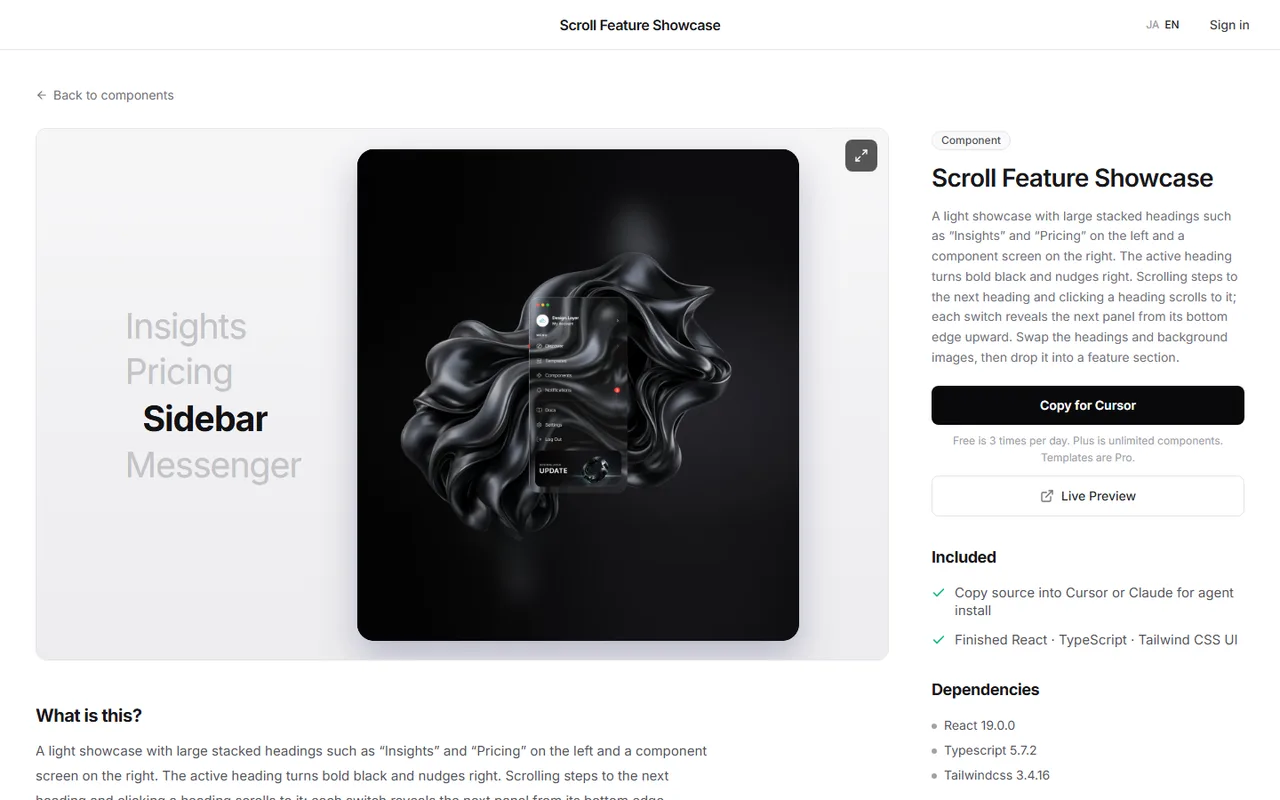
Cards that lift on hover, icons that move slightly, a tuned entrance stagger: building that block from scratch means hours of tweaking ratios and spacing.
DesignLayer is a catalog of human-built React + Tailwind motion sections you can live-preview in the browser, then copy. Browsing needs no account and no card. https://design-layer.com/en/components
A free account copies the 10 Free Sample components with no monthly limit on a free account, plus 1 video prompt a month. Free cannot connect MCP. The rest of the catalog is the 30-Day Build Pass ($19 once, no auto-renewal), Lifetime Access ($79 once, first 100 buyers), or Plus ($9/month). Taking features and pricing on the same day pulls the middle of your page together. Pricing guide: https://design-layer.com/en/articles/nextjs-pricing-table-guide
Next.js features section: common questions
In a 3-column grid, three or six. No gaps in the last row, and people read to the end. Move anything beyond that to pricing or the FAQ.
Summary: building a features section in Next.js
Write card headings as what the visitor can do, not feature names
Use three or six cards; move extras to pricing or the FAQ
Keep motion to a light stagger and play it only once
On hover, change border and icon color, not the shadow
Alternating rows for screens, a bento grid for large photos or numbers
Start by rewriting your current feature headings using the examples above. For more layout options, read https://design-layer.com/en/articles/nextjs-bento-grid-guide and for scroll-triggered motion, https://design-layer.com/en/articles/nextjs-scroll-reveal-guide


