Next.js Testimonial Section: Cards, Scroll Snap, and Motion
Published: September 12, 2026 · 5 min read
Build a testimonial section in Next.js: quotes that earn trust, a 3-column card grid, scroll-snap for six or more, a subtle entrance, and consent checks.
Fixing testimonials that look fake
You are building a landing page in Next.js and added a testimonial section. Three cards with five stars and "Love this product!" look a little fake. That is the most common problem with testimonial sections.
Trustworthy testimonials are about specifics, not star counts. Who said it, what problem they had, and how much changed.
Fit those three into one card, and show three to six cards in an easy-to-read layout. Keep motion to a subtle entrance and avoid carousels that switch on their own.
Here is what this guide covers.
Why specific quotes earn trust, and why some sections do not
A testimonial card grid with Next.js and Tailwind CSS
A horizontal scroller for six or more testimonials
An entrance animation that keeps quotes readable
Collecting quotes and getting consent before you publish
Why specific testimonials earn more trust
Visitors read testimonials to check whether someone like them actually got results. Vague praise like "Best service ever" gives them nothing to go on. A quote with no clear author can even look like placeholder copy.
A specific line like "Our reply time to support tickets dropped by half" lets readers map it onto their own situation. Adding a job title, company, or use case shows the quote comes from a real person.
For B2B, aim for a title and company, the problem before, and one measurable change. For B2C, aim for a use case and an outcome. With that as a guide, even short quotes land.
Three reasons testimonials fail to build trust
When a testimonial section does not move the needle, the presentation is often the cause. Check your page against these three.
Big photos, short quotes
When the photo is the star, nobody reads what was said. Put the quote first and the name and small photo underneath. Reading order becomes trust order.
Every quote is the same template
Cards with identical length and phrasing look like one person wrote them all. Including a number in even one quote makes the others feel more concrete too.
Auto-playing testimonial carousels
If the card moves on while someone is reading, they never finish it. A quote nobody can read proves nothing. Skip autoplay, or always provide a pause button if you use it.
Base code for testimonial cards
For three to six testimonials, a grid is the easiest layout to read. Use three columns from md up and one column on mobile. Keep the data in an array and render cards with map.
Wrap each card in figure, the quote in blockquote, and the name and role in figcaption. It looks the same, but screen readers and search engines can tell this is a quote and who said it. There is no motion here, so it works as a Server Component (rendered on the server).
import Image from "next/image";
const testimonials = [
{
quote: "Within two months, our average reply time to support tickets was cut in half.",
name: "Hannah Lee",
role: "Head of Customer Success",
company: "Acme Inc.",
avatar: "/avatars/hannah.jpg",
},
{
quote: "We stopped waiting on engineers to update landing pages, so we ship more experiments.",
name: "Ken Carter",
role: "Marketing Lead",
company: "Globex",
avatar: "/avatars/ken.jpg",
},
{
quote: "Everyone got it on day one. We never had to run an internal training session.",
name: "Ian Brooks",
role: "CEO",
company: "Initech",
avatar: "/avatars/ian.jpg",
},
];
export function Testimonials() {
return (
<section className="mx-auto max-w-6xl px-6 py-24">
<h2 className="text-center text-3xl font-semibold">What our customers say</h2>
<ul className="mt-12 grid gap-6 md:grid-cols-3">
{testimonials.map((t) => (
<li key={t.name}>
<figure className="flex h-full flex-col rounded-2xl border border-zinc-200 bg-white p-6">
<blockquote className="flex-1 leading-relaxed text-zinc-800">
<p>“{t.quote}”</p>
</blockquote>
<figcaption className="mt-6 flex items-center gap-3">
<Image src={t.avatar} alt="" width={40} height={40} className="size-10 rounded-full object-cover" />
<div className="text-sm">
<div className="font-medium">{t.name}</div>
<div className="text-zinc-500">{t.role}, {t.company}</div>
</div>
</figcaption>
</figure>
</li>
))}
</ul>
</section>
);
}Keep testimonial card heights even
Quotes of different lengths leave card bottoms uneven. To line the names up at the bottom, give each card (the figure) h-full and flex-col so it fills the height and stacks its content. Then give the quote (the blockquote) flex-1 so it takes up the leftover space.
Generous line height does more for readability than a big decorative quote mark.
A horizontal scroller for six or more testimonials
Past six testimonials, the grid gets long. A horizontal scroller is easier to manage. CSS scroll-snap makes each swipe stop cleanly at a card edge.
Make cards a bit narrower than the screen so the next one peeks in from the right. A visible edge signals that there is more, more clearly than dot navigation does.
<ul className="mt-12 flex snap-x snap-mandatory gap-6 overflow-x-auto px-6 pb-4">
    {testimonials.map((t) => (
      <li key={t.name} className="w-[85%] shrink-0 snap-start sm:w-[45%] lg:w-[30%]">
        {/* same figure markup as the grid version */}
      </li>
    ))}
  </ul>
When you need a carousel instead
If you want arrow buttons, one-at-a-time paging, or looping, you need a carousel. See https://design-layer.com/en/articles/nextjs-image-carousel-guide for how to build one. For testimonials alone, a CSS scroller is usually enough.
A subtle entrance animation for testimonials
Testimonials are meant to be read. If you add motion, have the cards appear one after another with a small delay as they enter the viewport. With Motion (formerly Framer Motion), whileInView (the "animate when visible" prop) plus a delay does the job.
When you add motion, make only the card a browser-side component. The heading and the data can stay on the server.
"use client";

  import { motion } from "motion/react";

  export function TestimonialCard({ index, children }: { index: number; children: React.ReactNode }) {
    return (
      <motion.li
        initial={{ opacity: 0, y: 20 }}
        whileInView={{ opacity: 1, y: 0 }}
        viewport={{ once: true, amount: 0.3 }}
        transition={{ duration: 0.5, delay: index * 0.1, ease: "easeOut" }}
      >
        {children}
      </motion.li>
    );
  }
Collecting testimonials and getting consent
Fix the content before the visuals. When asking existing customers, these three questions tend to produce specific answers.
What was hard before?
What changed after?
How would you put that change in numbers?
Tightening the wording is fine, but never change the meaning. Before publishing, confirm the following with each person.
Whether you can show their name, title, and company (or only initials or industry)
Whether you can use their photo and company logo
Whether the edited quote still matches what they meant
How long it stays up, and who to contact to remove it
Under Japan's Act against Unjustifiable Premiums and Misleading Representations, testimonials on your own page count as your advertising. Publish results-based quotes only if they reflect what typical customers experience.
Copying a finished testimonial section
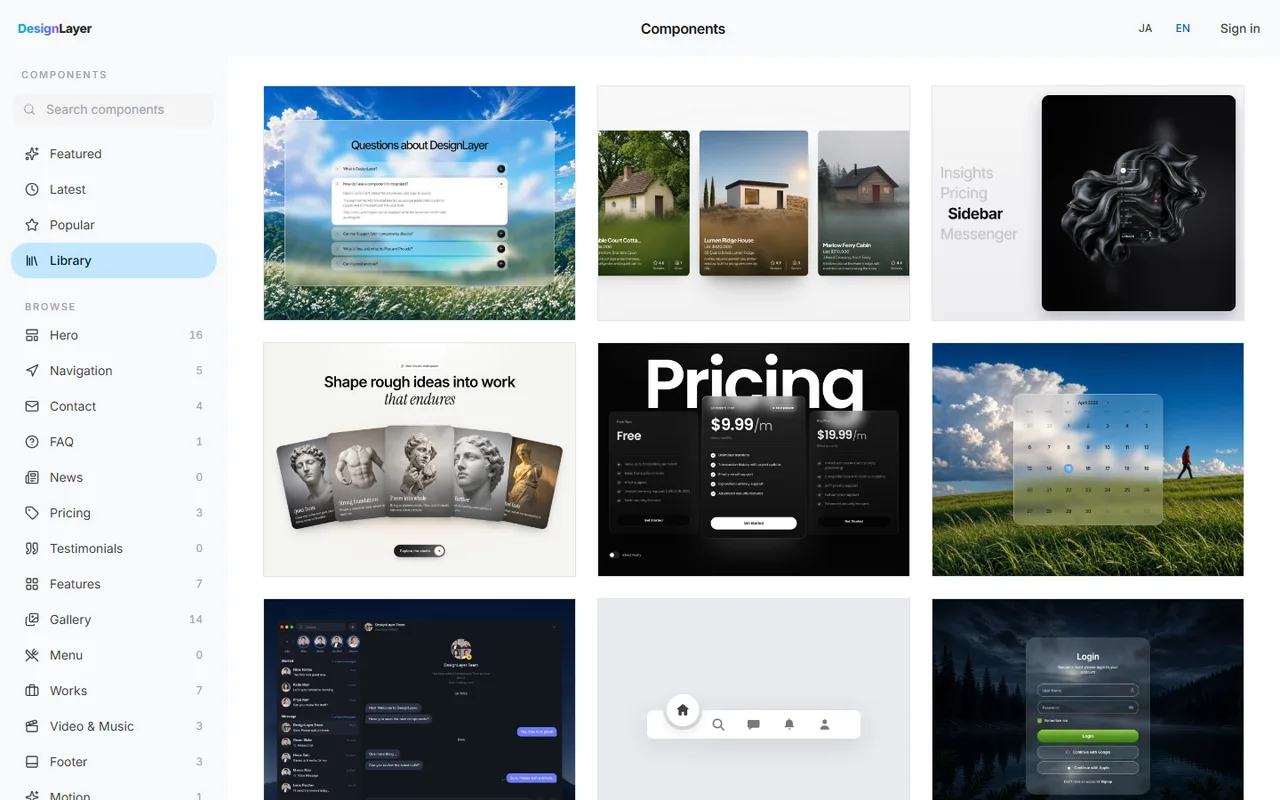
Polished card entrances, quote typography, and logo and photo placement rarely come from lining up shadcn/ui Card components. If you want to settle the look first, starting from a finished section is another option.
DesignLayer is a catalog of human-built React + Tailwind sections with motion, each with a live preview in the browser. Check the motion, then swap in your quotes, names, and companies. Browsing is free. https://design-layer.com/en/components
Free source copies are limited to the 10 Free Sample components with no monthly limit on a free account, plus 1 video prompt a month. The rest of the catalog and MCP are the 30-Day Build Pass ($19 once), Lifetime Access ($79 once), or Plus ($9/month). A Free Sample can be copied with no monthly limit. Other sections need the 30-Day Build Pass ($19 once), Lifetime Access ($79 once), or Plus ($9/month).
Next.js testimonial section: common questions
Questions that come up often about testimonial sections, both code and copy.
No. Replace placeholder quotes with real ones before you publish. If you do not have any yet, remove the section and show facts instead, such as customer count or logos.
Summary: building a testimonial section in Next.js
Each card should say who, what, and how much
Put the quote first and the name and photo below, using quote-aware tags
Use a grid for three to six cards and a snapping horizontal row for more
Limit motion to a staggered entrance as cards come into view, and avoid autoplay
Get consent for names, photos, and the final wording before you publish
For the pricing table that usually follows testimonials, see https://design-layer.com/en/articles/nextjs-pricing-table-guide


