Liquid Glass Login Page in React: 3 Ways to Build One (and a Finished Screen to Copy)
Published: October 20, 2026 · 8 min read
Build a liquid glass login page in React three ways: Tailwind blur, WebGL refraction, or a finished screen to copy into Cursor. Compare time and cost.
TL;DR: A liquid glass login is a sign-in card that looks like a pane of thick, glossy glass over a photo. In React you can get one three ways: fake it with Tailwind's backdrop-blur (free, an hour or two of tuning), render real refraction with a WebGL library (most realistic, heaviest), or copy a finished screen. DesignLayer's Liquid Glass Login is a full-viewport React + TypeScript + Tailwind login with username, password, Remember me, and Google and Apple buttons, ready to paste into Cursor or Claude Code. Copying is free 3 times a day; Plus is $9/month for unlimited copies.
Why does a liquid glass login look simple but take so long?
The screen has almost nothing on it: a photo, a card, two inputs, a button. That's exactly the trap. With so little on screen, every detail shows:
The glass looks like a gray box when the blur, tint and border are slightly off.
Text disappears wherever the card sits over a bright part of the photo.
The edge looks flat. Real "liquid" glass has a bright rim and a sense of thickness that one
backdrop-blurclass doesn't give you.The boring parts still matter: labels,
autocomplete, Remember me, the order of social buttons, and how it holds up on a phone.
So the login page you expected to finish before lunch is still open in the afternoon.
Sound familiar? You asked your AI for "liquid glass" and got frosted plastic
You type "make the login page liquid glass" into Cursor or Claude Code. You get bg-white/10 backdrop-blur-md on a card, on top of a flat background with nothing to blur. It's technically glass. It doesn't look like the screenshots that made you want it.
The fix isn't a better adjective in the prompt. It's starting from a screen that already looks right, with the photo, tint, edge and form layout decided, and then changing the words and the picture.
What is a liquid glass login, exactly?
"Liquid Glass" is the name Apple gave to a material for its native app UI. The web has no official API that reproduces it, so a "liquid glass" web login is an imitation built from a few ingredients:
a background photo or gradient for the glass to bend and blur,
a translucent card with a heavy blur behind it,
a bright, thin edge (often an inset highlight) that reads as light hitting thick glass,
large corner radii and pill-shaped buttons,
optionally, real refraction, where the background visibly bends at the card's edges. That needs WebGL, canvas or SVG filters, not just CSS blur.
If you want the CSS details, our glassmorphism guide for Next.js covers the classes, Safari fallbacks and contrast.
What are the 3 ways to build a liquid glass login in React?
1. Tailwind | 2. WebGL refraction library | 3. Copy a finished screen | |
|---|---|---|---|
What you get | A frosted card you style yourself | Real bending of the background at the edges | A complete login page: photo, glass card, form, social buttons |
Realism | Good once tuned; no true refraction | Highest | Glass styling already tuned |
Extra dependencies | None | A WebGL or canvas library | For Liquid Glass Login: React, TypeScript, Tailwind CSS, lucide-react |
Performance risk | Low on one small card; grows with blurred area | Higher (GPU work every frame); test on phones | CSS |
Form details (labels, autocomplete, social buttons) | You write them | You write them | Already laid out; you wire up auth |
Best when | You enjoy tuning CSS and have the time | The glass itself is the product's signature | You want the screen done today and will spend your time on auth |
Cost | Free | Free (check each library's license) | Free 3 copies/day; unlimited on Plus, $9/month |
Option 1: Build it with Tailwind and `backdrop-blur`
The classic recipe is a translucent fill, a blur and a thin light border (bg-white/10 backdrop-blur-md border border-white/20), plus a larger radius and an inset top highlight to push it toward the liquid look. Add a dark overlay on the photo so white text stays readable.
It works and costs nothing. The time goes into tuning: blur strength against your photo, tint, contrast, fallback for browsers without backdrop-filter, and the form itself. Our Next.js login page design guide walks through the form part step by step (labels, autocomplete="username" / current-password, show-password toggle, error messages, social buttons).
Option 2: Use a WebGL refraction library
If you want the background to actually bend at the card's edges, you need rendering beyond CSS blur. Open-source examples exist, such as the Simple Liquid Glass login example, which describes its refraction as WebGL-based.
This is the most convincing look, but it costs more: a new dependency, GPU work on every frame, and more testing across browsers and phones. It also only solves the glass; you still build the whole form. Pick it when the glass effect is the point of your brand, not just a nice login.
Option 3: Copy a finished liquid glass login screen
If the login page is a means to an end (your app is the product), the fastest path is to start from a complete screen and change the words and the photo. That's what Liquid Glass Login on DesignLayer is for.
Try it free: open the Liquid Glass Login preview and press Copy for Cursor. Free accounts get 3 copies a day. Building more screens today? Get unlimited copies with Plus — $9/month.
What's inside DesignLayer's Liquid Glass Login?
Straight from the component page:
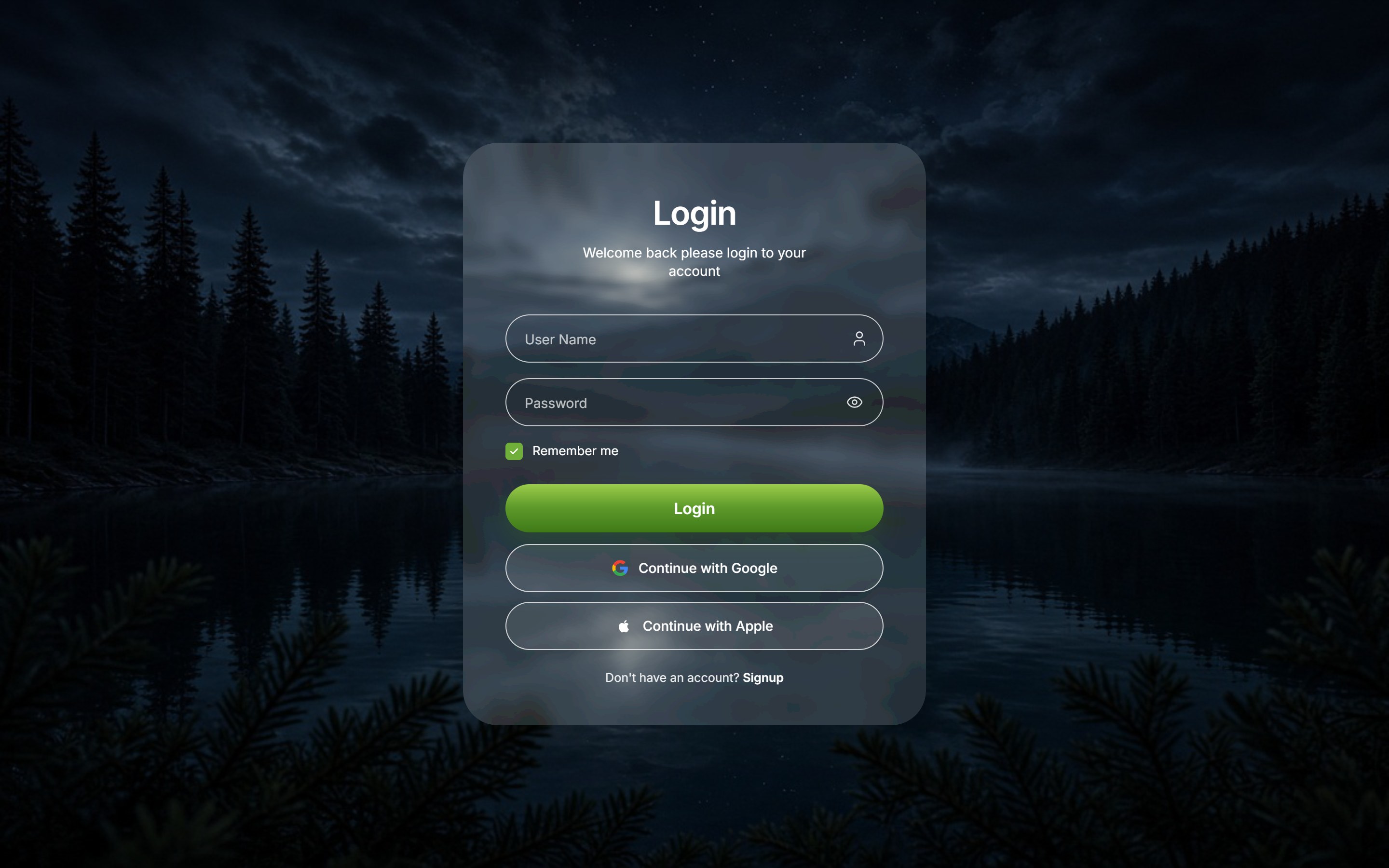
Layout: a full-viewport nature login: a liquid-glass card over a landscape photo. The photo shows through the glass — a translucent white overlay, CSS
backdrop-filterblur, and an SVG displacement filter (not WebGL).Form: username, password with a show/hide toggle, Remember me, and a green Login button.
Social sign-in: Google and Apple buttons below the form, plus a Signup link under those.
Motion: no entrance animation. The Login button brightens on hover and scales down slightly when pressed, and the Google and Apple buttons tint on hover — CSS transitions only, with no animation library.
Stack: finished React, TypeScript and Tailwind CSS, with Lucide icons. Listed dependencies are React 19.0.0, TypeScript 5.7.2, Tailwind CSS 3.4.16 and lucide-react 1.23.0.
Responsive: phone, tablet and desktop.
Made for agents: the copy is meant to be pasted into Cursor or Claude so the agent installs it in your project.
What it doesn't do: authentication. It's the screen. You connect the form to your auth (Auth.js, Supabase, Clerk, your own API) the same way you would with any login form.
How do you add the liquid glass login to a Next.js app with Cursor or Claude Code?
Copy it. On the Liquid Glass Login page, press Copy for Cursor.
Paste it into your agent with a short brief. For example:
Add this Liquid Glass Login component to my Next.js App Router project at app/login/page.tsx.
- Keep the glass card styling as is.
- Replace the background photo with /public/login-bg.jpg (I added it) and keep a dark overlay so text stays readable.
- Change the brand text to "Acme" and the button label to "Log in".
- Wire the form to my existing signIn() from lib/auth.ts. Keep autocomplete="username" and "current-password".
- Keep the Google and Apple buttons and connect them to my OAuth providers, or remove Apple if I don't have it set up.
- Don't add new dependencies beyond what the component already uses.
Swap the photo, then connect auth
Swap the photo and copy. Pick a background with a calm area behind the card; busy, bright photos hurt legibility.
Connect auth and test on a phone and in Safari before you ship.
If you paste components into agents often, Paste React Components into Claude or Cursor has a reusable prompt pattern.
What should you check before shipping a glass login page?
Contrast: body text should reach at least 4.5:1 against what's behind it (the WCAG AA level). Test with the real photo, not the demo one.
Fallback: browsers that don't support
backdrop-filtershould still get a readable, mostly opaque card.Autofill: keep real labels (visible or screen-reader only) and the right
autocompletevalues so password managers work.Social button branding: Google and Apple publish guidelines for their sign-in buttons and logos. Follow them when you go live.
Your own assets: replace sample photos and any sample logos with ones you have the rights to. DesignLayer's usage page says you can change the copied code and publish it, including on a client's site, and that you check the published page doesn't infringe anyone's rights.
Performance: keep the glass to one card. Blurring large areas or many elements gets heavy on phones.
How do you match the rest of your app to the glass login?
A glass login sets a tone, and the first screen after sign-in should keep it. These DesignLayer components share the look or pair well with it:
Component | What it is | Where it fits |
|---|---|---|
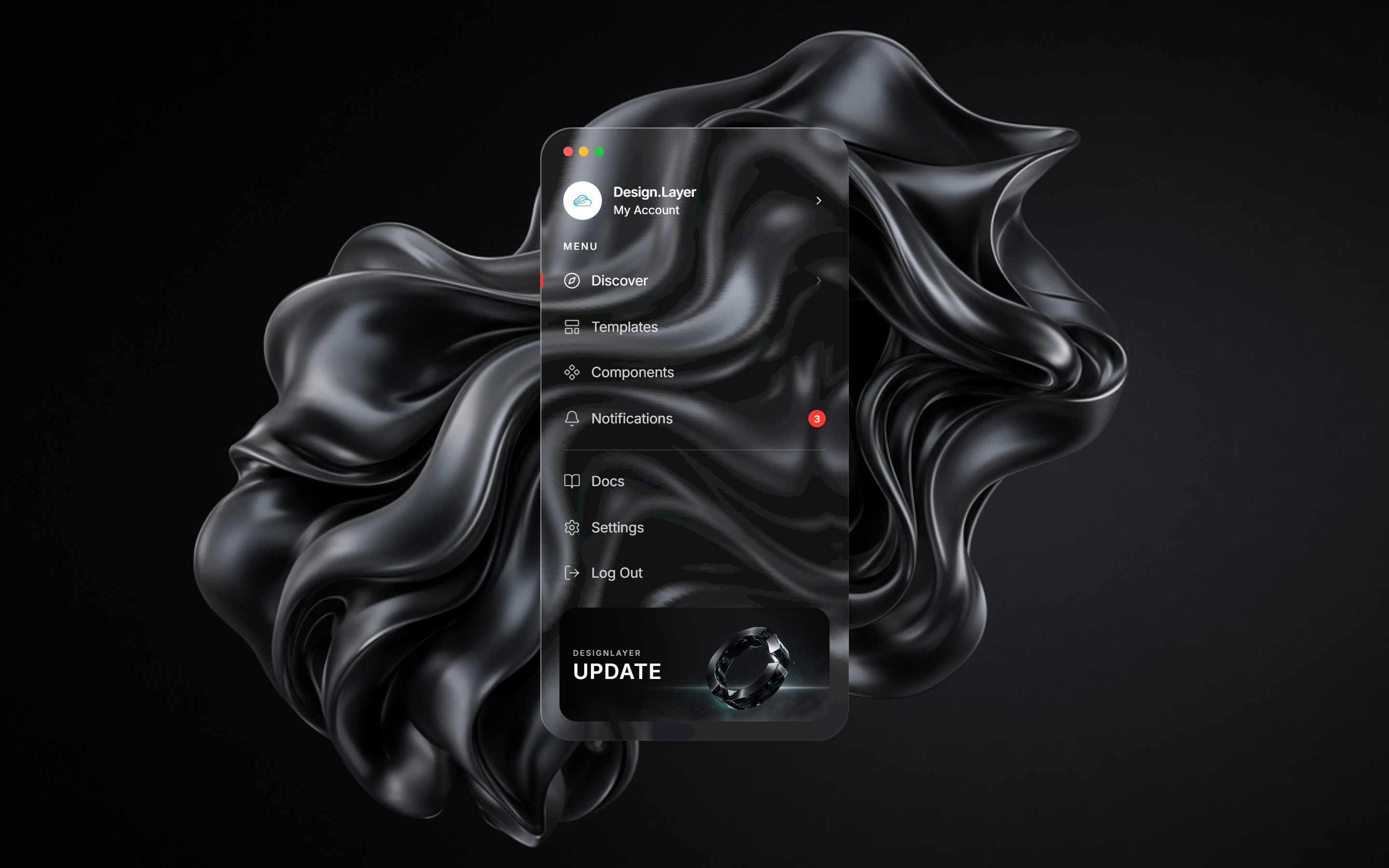
A tall frosted-glass sidebar over a dark abstract wallpaper, with macOS-style traffic-light dots, a brand wordmark, MENU and secondary rows, and an account footer | The dashboard users land on after logging in | |
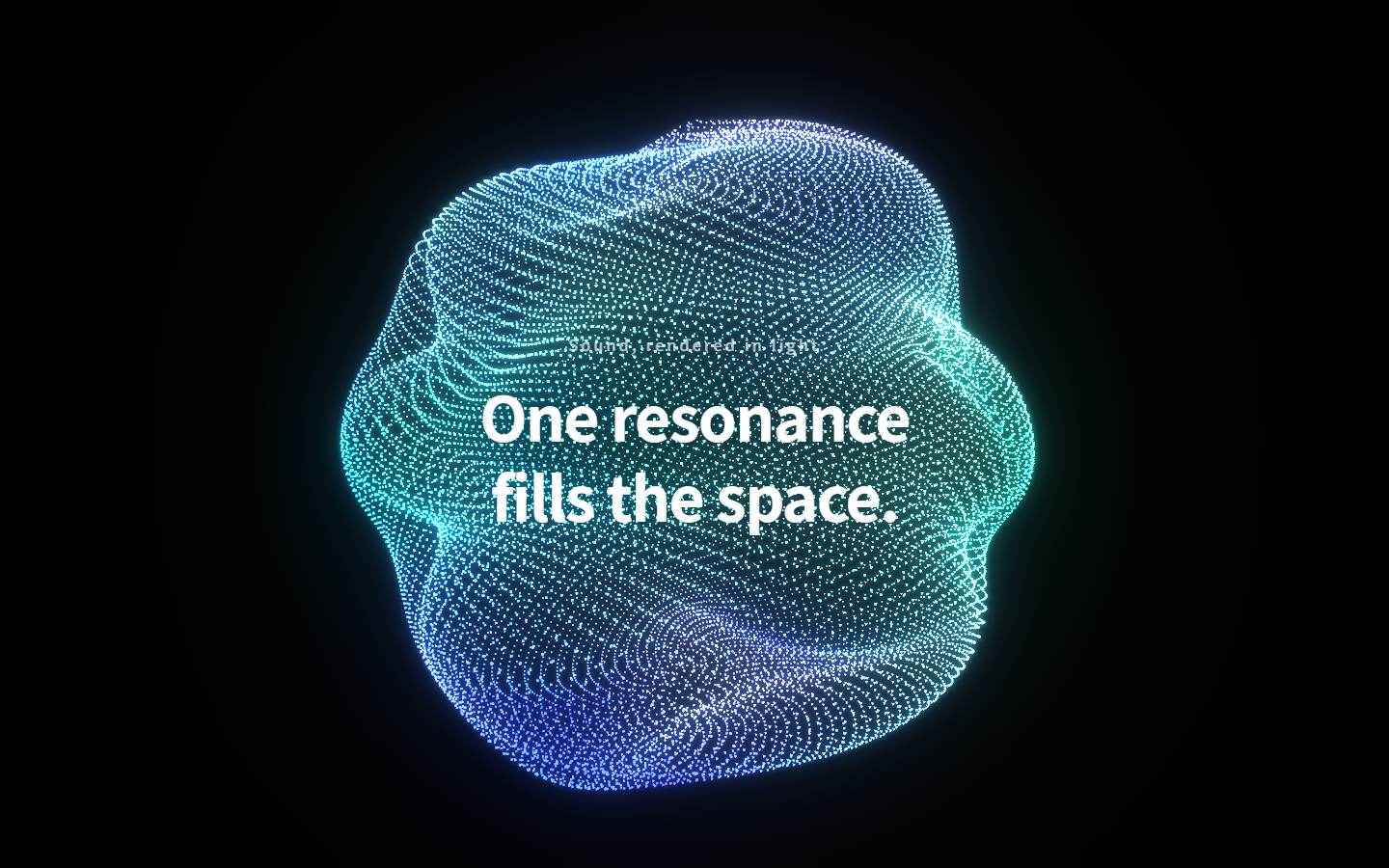
A full-screen hero with an iridescent glass orb of particles on black (built with three.js / react-three-fiber) | The marketing page that sends people to sign up | |
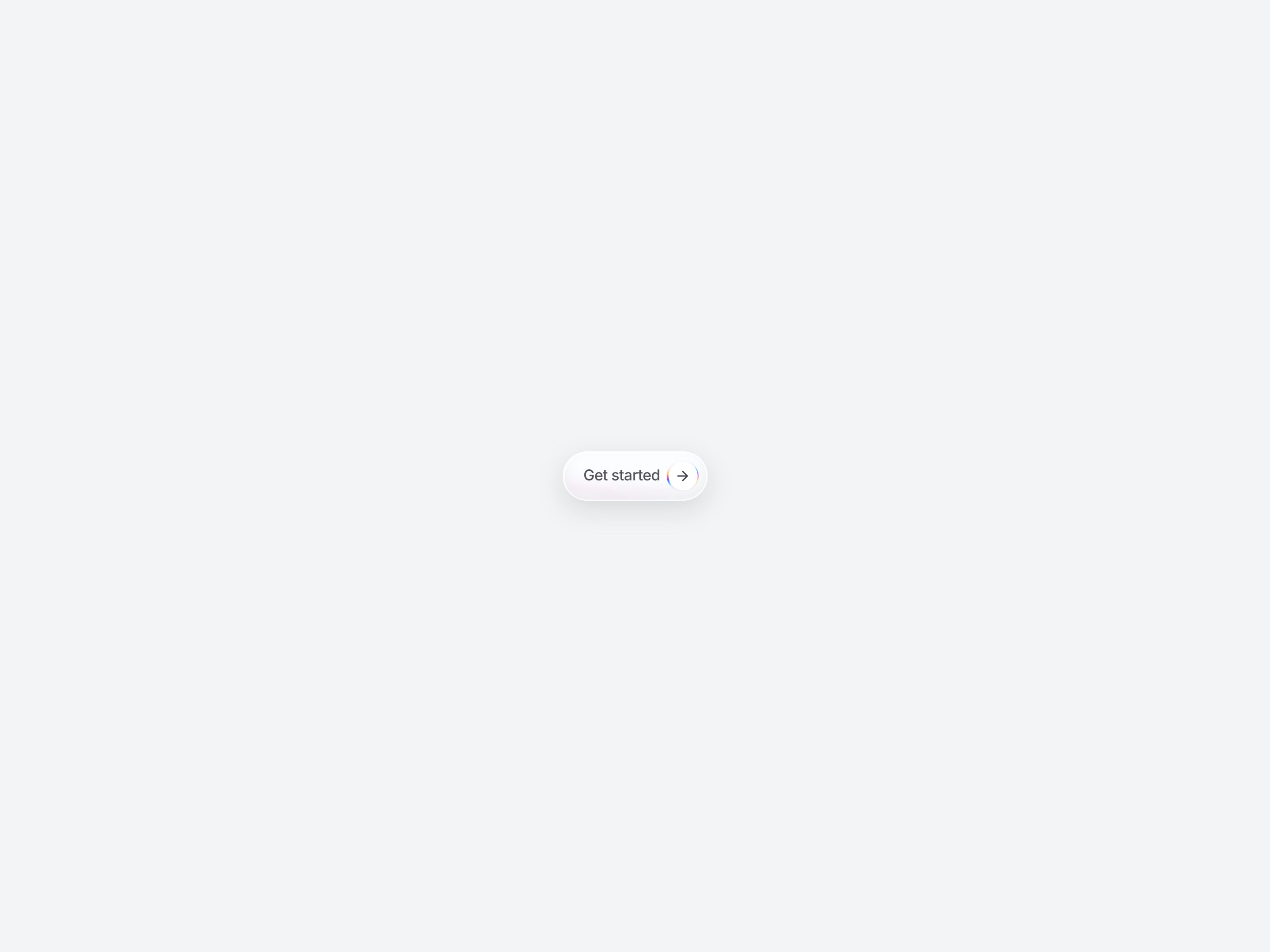
A pill CTA with an arrow badge | The "Sign up" or "Start free" button on that marketing page | |
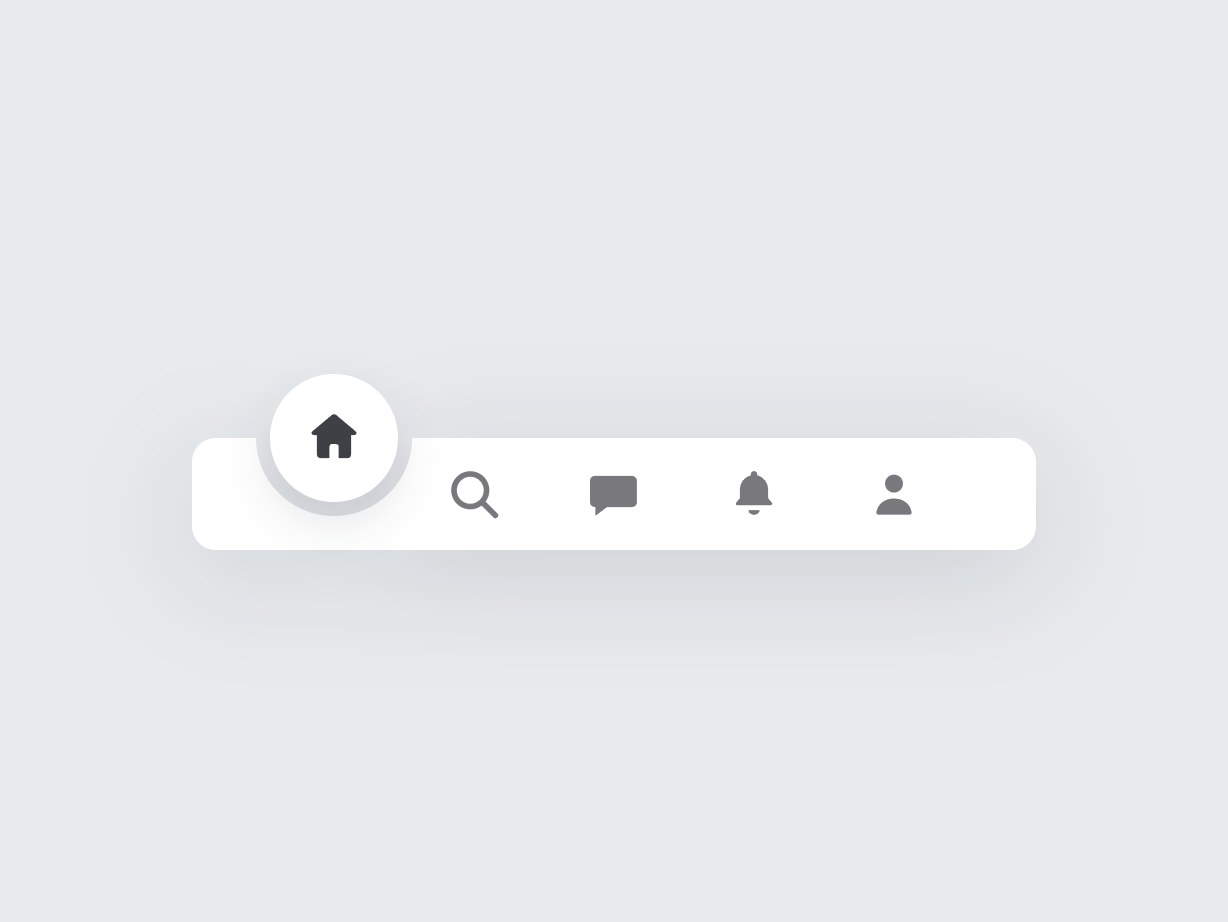
A floating white pill tab bar where a circle slides to the active tab | The mobile view of your app (not glass, but the same soft, pill-shaped language) |
A login, a dashboard shell and a hero is already four copies, one more than the free daily limit. That's the point where Plus usually pays for itself.
What does it cost to copy these components?
From design-layer.com/en/pricing:
Free | Plus | |
|---|---|---|
Price | $0 | $9/month (USD) |
Browse and preview components | Unlimited | Unlimited |
Component source copies | 3 per day (resets 00:00 JST / 15:00 UTC) | Unlimited |
Video prompt copies | 1 per day | Unlimited |
MCP for Cursor / Claude Code | — | Included |
Billing | No card required | Monthly auto-renew, cancel anytime from your account |
Checkout runs on Stripe.
Get your liquid glass login live today
Preview the Liquid Glass Login and copy it (free, 3 copies a day).
Paste it into Cursor or Claude Code with the brief above, swap the photo and copy, and connect your auth.
Build the rest of the app in the same style with Glass Sidebar Nav and the other components above. If you need more than 3 copies today, start Plus for $9/month and cancel whenever you're done.
FAQ
A login screen where the sign-in card looks like thick, glossy glass over a background photo: a translucent, heavily blurred card with a bright edge and large rounded corners. The name comes from Apple's Liquid Glass material for native apps; on the web it's imitated with CSS blur or, for true refraction, WebGL.