Next.js Bento Grid with Tailwind CSS: Layout, Mobile, Motion
Published: September 12, 2026 · 5 min read
Build a bento grid in Next.js with Tailwind CSS: set tile ratios with col-span and row-span, collapse to one column on mobile, and animate only the hero tile.
A Next.js bento grid is CSS Grid plus one big tile
You want that keynote-slide layout of mixed tile sizes on your Next.js landing page. You line up some cards, and it just looks like a list of tiles. This guide is for that.
A bento grid (Bento UI) packs tiles of different sizes into one frame, like a bento box. Plain CSS Grid is all you need; no library required. The trick is to pick one big tile and make everything else support it.
What you will get from this article:
Tailwind CSS grid code for a bento layout
Rearranging tiles across 4, 2, and 1 columns
Looping motion in the big tile only, entrance-only for the rest
Heading order, keyboard order, and loading speed checks
Three reasons a bento grid looks off
Done well, a bento grid looks tidy even with a lot of content. Slightly off, it looks like cards stuffed into a box. It usually comes down to one of these.
Every tile is the same size, or there are two or more big tiles, so the eye has nowhere to land
The big tile holds a long paragraph (big tiles are for photos or numbers)
Mobile uses the desktop spans, so narrow tiles stretch tall
Also, borders and shadows on every tile make the page heavy. Spacing and a slight background difference are enough to separate tiles.
Build a bento grid with Tailwind CSS grid
Decide the desktop layout first. Here, a 4-column, 2-row frame holds four tiles.
Feature tile: 2 columns × 2 rows (left half), with a photo and a short heading
Two number tiles: 1 × 1 each (side by side, top right)
Wide tile: 2 columns × 1 row (bottom right), for a supporting note or small demo
In Tailwind CSS classes, that becomes the code below. It holds no state, so it stays a Server Component.
import Image from "next/image";

  export function Bento() {
    return (
      <section className="mx-auto max-w-6xl px-6 py-24">
        <h2 className="text-3xl font-semibold tracking-tight md:text-4xl">
          See your team's work at a glance
        </h2>

        <div className="mt-12 grid auto-rows-[minmax(180px,auto)] grid-cols-1 gap-4 sm:grid-cols-2 lg:grid-cols-4">
          <article className="relative overflow-hidden rounded-3xl bg-zinc-900 p-8 text-white sm:col-span-2 lg:row-span-2">
            <Image
              src="/bento/team.jpg"
              alt="Team in a meeting"
              fill
              sizes="(min-width: 1024px) 50vw, 100vw"
              className="object-cover opacity-60"
            />
            <div className="relative flex h-full flex-col justify-end">
              <h3 className="text-2xl font-semibold">Share progress on one screen</h3>
              <p className="mt-2 max-w-sm text-sm text-zinc-200">
                Know who is doing what without calling a meeting.
              </p>
            </div>
          </article>

          <article className="rounded-3xl bg-zinc-100 p-6">
            <p className="text-4xl font-semibold">98%</p>
            <h3 className="mt-2 text-sm text-zinc-600">Teams still using it next month</h3>
          </article>

          <article className="rounded-3xl bg-zinc-100 p-6">
            <p className="text-4xl font-semibold">3 min</p>
            <h3 className="mt-2 text-sm text-zinc-600">Average setup time</h3>
          </article>

          <article className="rounded-3xl bg-indigo-50 p-6 sm:col-span-2">
            <h3 className="font-semibold">Connects to Slack and GitHub</h3>
            <p className="mt-2 text-sm text-zinc-600">
              Notifications land in your usual channels. No new tool to open.
            </p>
          </article>
        </div>
      </section>
    );
  }
Even out bento grid row heights
First set the column count (grid-cols), then the row height (auto-rows). The code sets each row to at least 180 pixels, taller if the content needs it. Since height is not fixed, longer copy never overflows a tile.
A row-span-2 tile is two rows plus the gap. That height is what makes a photo-filled feature tile look good.
Keep the space between tiles at 16–24px
Bento grids look tidy because the gutters are even. gap-4 (16px) to gap-6 (24px) is easy to work with. Use rounded-2xl to rounded-3xl and keep it the same on every tile.
Fill empty bento grid cells automatically
If changing tile counts or sizes leaves a hole, grid-flow-row-dense pulls later tiles into the gap. But visual order then differs from HTML order, so Tab order jumps around. Try reordering tiles first; use dense only when that fails.
Collapse the bento grid to one or two columns on mobile
Apply desktop col-spans on phones and narrow tiles stretch into tall, hard-to-read strips. The code above changes the column count per breakpoint.
Phone (below sm): 1 column, every tile stacked
Tablet (sm and up): 2 columns, feature and wide tiles span both
Desktop (lg and up): 4 columns, feature tile spans 2 rows
That is why the span classes carry sm: and lg: prefixes. Applying row-span-2 only at lg keeps the feature tile from getting oddly tall on phones. In the single-column view, put the feature tile first so reading starts with the photo.
Animate only the big tile in a bento grid
Split motion by role. The big tile gets a slow looping background; small tiles only stagger in on entrance. When every tile floats or wobbles at once, the grid's shape disappears.
A looping gradient in the feature tile
Add one keyframes rule to globals.css and call it with a Tailwind CSS arbitrary-value class. A 12-second round trip is slow enough to stay in the background.
@keyframes bento-drift {
    0%,
    100% {
      transform: translate(0, 0) scale(1);
    }
    50% {
      transform: translate(-6%, 4%) scale(1.1);
    }
  }
The gradient element inside the feature tile
Place it inside the feature tile, instead of or above the photo. The tile's overflow-hidden clips anything that drifts outside.
<div
    aria-hidden
    className="absolute -inset-1/4 bg-[radial-gradient(circle_at_30%_30%,#6366f1,transparent_60%)] opacity-70 animate-[bento-drift_12s_ease-in-out_infinite] motion-reduce:animate-none"
  />
Stagger only the entrance of small tiles
Use Motion's (formerly Framer Motion) whileInView (play when the element enters the screen) to bring tiles in 0.06 seconds apart. Replace each tile's article with BentoTile and pass its position as index.
"use client";

  import { motion } from "motion/react";
  import type { ReactNode } from "react";

  export function BentoTile({
    index,
    className,
    children,
  }: {
    index: number;
    className?: string;
    children: ReactNode;
  }) {
    return (
      <motion.article
        className={className}
        initial={{ opacity: 0, y: 20 }}
        whileInView={{ opacity: 1, y: 0 }}
        viewport={{ once: true, amount: 0.4 }}
        transition={{ duration: 0.5, delay: index * 0.06, ease: "easeOut" }}
      >
        {children}
      </motion.article>
    );
  }
Bento grid checklist before you ship
Bento grids are visual first, so these are easy to miss. Go through them one by one.
Heading order: tile headings share one level (h3) and never skip a level
Keyboard: if tiles contain links, Tab order roughly follows visual order
Speed: if the grid is in the first view, load the feature photo first (priority) and do not start that tile fully transparent
Mobile: in one column, the feature tile comes first
Reduced motion: the loop stops for users who asked for less motion
Copy a finished bento grid instead
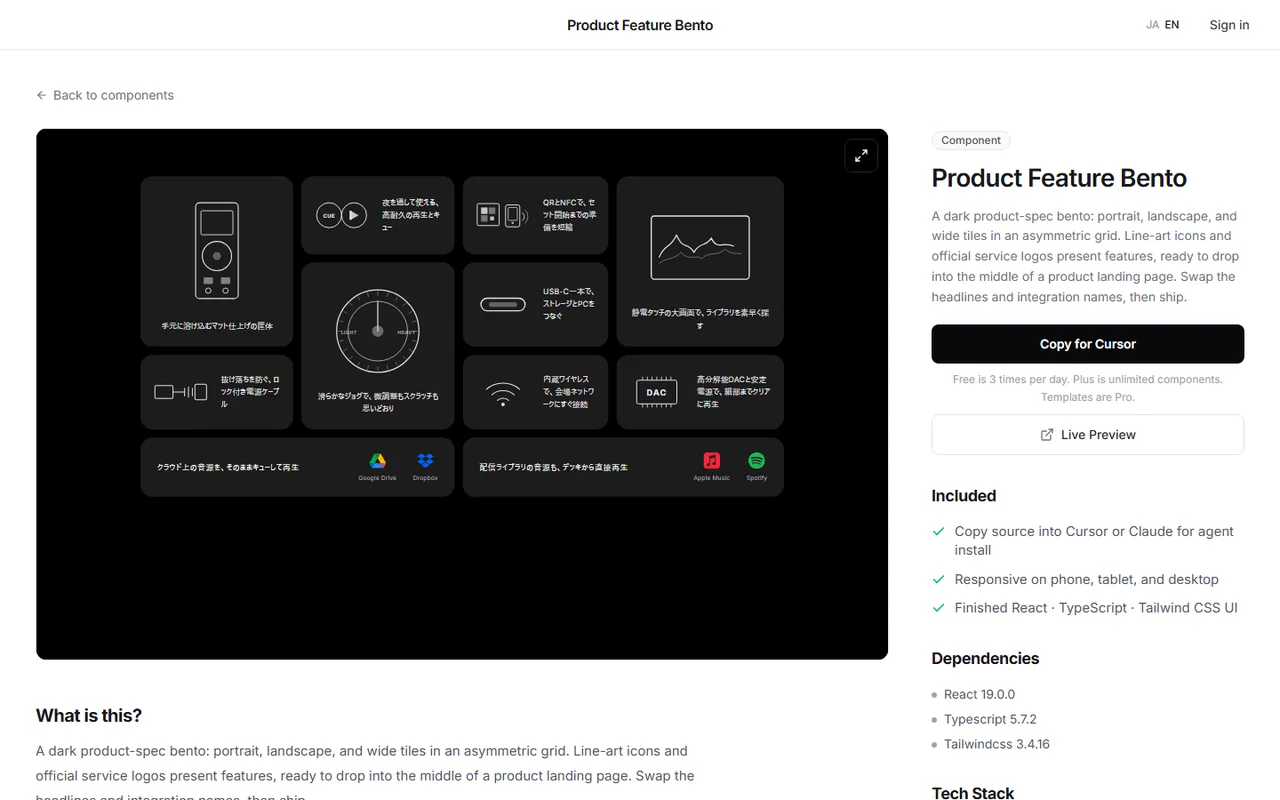
Tile ratios, corner radius, type sizes inside tiles, the loop in the feature tile: grid classes alone do not settle those. Tuning can take half a day.
DesignLayer is a catalog of human-built React + Tailwind motion sections you can live-preview in the browser, then copy. Browsing needs no account and no card. https://design-layer.com/en/components
A free account copies the 10 Free Sample components with no monthly limit on a free account, plus 1 video prompt a month. Free cannot connect MCP. The rest of the catalog is the 30-Day Build Pass ($19 once, no auto-renewal), Lifetime Access ($79 once, first 100 buyers), or Plus ($9/month). After copying, swap only the feature photo and the number copy. Leave the ratios alone and the layout holds.
Next.js bento grid: common questions
No. CSS Grid's column setting (grid-template-columns) and spanning (span) handle it.
In Tailwind CSS, four classes are enough. grid-cols and auto-rows set the columns and row height, and col-span and row-span set how many columns and rows a tile covers.
Summary: building a bento grid in Next.js
A bento grid needs only plain CSS Grid
Use one big tile, and fill it with a photo or a number
One column on phones, two on tablets; make the feature tile two rows tall only on desktop
Split motion: a loop in the big tile, staggered entrance for the rest
Check heading order, keyboard order, and feature photo loading before launch
Paste the Bento component above and swap in your own photo and numbers. For card layouts, see https://design-layer.com/en/articles/nextjs-features-section-guide and for Tailwind motion, https://design-layer.com/en/articles/nextjs-tailwind-animation-guide


