Next.js scroll reveal animation: IntersectionObserver and whileInView
Published: September 12, 2026 · 6 min read
Fade sections in on scroll in Next.js two ways: a dependency-free IntersectionObserver Reveal and Framer Motion whileInView, with run-once and mobile fixes.
How to fade in elements on scroll in Next.js
You're building a landing page in Next.js and want sections to fade up as the reader scrolls. There are many ways to do it and it's hard to know which to pick. And once it's in, things often blink out and back in every time you scroll past.
The pattern itself is settled. When an element enters the viewport, animate it once: opacity from 0 to 1, position from 16–24px below to its place, over 0.5–0.7 seconds.
Limit it to two or three sections per page, and show everything immediately for people who prefer reduced motion.
This guide walks through the code for:
A dependency-free version that uses only built-in browser features
A Motion (formerly Framer Motion) version, including staggered cards
How this differs from scroll-linked motion (parallax)
Why reveals fail to fire on mobile or make the page heavy
Why a scroll reveal should run once, in few places
A scroll reveal exists to show reading order. Put the same motion on every section and nothing stands out; the rhythm turns flat.
It works best on the places you want people to pause: the features right after the hero, the proof numbers, the final CTA.
Revealing only once keeps the page easy to re-read. If elements vanish and reappear every time you scroll back up, readers lose their place. Once something is shown, leave it shown.
Performance is the other reason. Calculating positions on every scroll event, or moving heavily blurred elements with the scroll, makes motion stutter on phones. Both approaches in this guide only ask the browser whether an element is on screen, so they avoid that cost.
Building a scroll reveal with IntersectionObserver
IntersectionObserver is a browser API that tells you when an element enters the viewport. When it does, set data-visible to true and let a CSS transition do the motion. The observer disconnects after the first reveal, so nothing blinks in and out.
"use client";

  import { useEffect, useRef, useState, type ReactNode } from "react";

  type RevealProps = {
    children: ReactNode;
    className?: string;
  };

  export function Reveal({ children, className }: RevealProps) {
    const ref = useRef<HTMLDivElement>(null);
    const [visible, setVisible] = useState(false);

    useEffect(() => {
      const element = ref.current;
      if (!element) return;

      const observer = new IntersectionObserver(
        ([entry]) => {
          if (entry.isIntersecting) {
            setVisible(true);
            observer.disconnect(); // Stop watching after the first reveal
          }
        },
        // Reveal once the element is 10% above the bottom edge
        { rootMargin: "0px 0px -10% 0px", threshold: 0 }
      );

      observer.observe(element);
      return () => observer.disconnect();
    }, []);

    return (
      <div ref={ref} data-visible={visible} className={["reveal", className].filter(Boolean).join(" ")}>
        {children}
      </div>
    );
  }
Keep the scroll reveal motion in CSS
Put the visual change in globals.css. When prefers-reduced-motion is reduce, start in the visible state.
.reveal {
    opacity: 0;
    transform: translateY(20px);
    transition:
      opacity 0.6s ease-out,
      transform 0.6s cubic-bezier(0.22, 1, 0.36, 1);
  }

  .reveal[data-visible="true"] {
    opacity: 1;
    transform: none;
  }

  @media (prefers-reduced-motion: reduce) {
    .reveal {
      opacity: 1;
      transform: none;
      transition: none;
    }
  }
Wrap sections and keep the page on the server
Reveal is a Client Component, but the sections you put inside it stay Server Components.
There's no need to put "use client" on page.tsx. Wrap only the sections you want to animate.
import { Reveal } from "@/components/Reveal";
  import { Hero } from "@/components/sections/Hero";
  import { Features } from "@/components/sections/Features";
  import { Stats } from "@/components/sections/Stats";
  import { Faq } from "@/components/sections/Faq";
  import { FinalCta } from "@/components/sections/FinalCta";

  export default function Page() {
    return (
      <main>
        <Hero />
        <Reveal>
          <Features />
        </Reveal>
        <Reveal>
          <Stats />
        </Reveal>
        <Faq />
        <Reveal>
          <FinalCta />
        </Reveal>
      </main>
    );
  }
Staggered scroll reveals with Framer Motion
If Motion is already in the project, whileInView expresses the same motion. Setting viewport once to true reveals only once.
To bring cards in one after another, give the parent variants a staggerChildren value. Setup is covered in https://design-layer.com/en/articles/nextjs-framer-motion-guide.
"use client";

  import { motion, type Variants } from "motion/react";

  const container: Variants = {
    hidden: {},
    show: { transition: { staggerChildren: 0.08 } },
  };

  const item: Variants = {
    hidden: { opacity: 0, y: 20 },
    show: {
      opacity: 1,
      y: 0,
      transition: { duration: 0.6, ease: [0.22, 1, 0.36, 1] },
    },
  };

  type Feature = { title: string; body: string };

  export function RevealList({ items }: { items: Feature[] }) {
    return (
      <motion.ul
        variants={container}
        initial="hidden"
        whileInView="show"
        viewport={{ once: true, amount: 0.3 }}
        className="grid gap-6 md:grid-cols-3"
      >
        {items.map((feature) => (
          <motion.li
            key={feature.title}
            variants={item}
            className="rounded-2xl border border-zinc-200 p-6"
          >
            <h3 className="font-semibold">{feature.title}</h3>
            <p className="mt-2 text-sm text-zinc-600">{feature.body}</p>
          </motion.li>
        ))}
      </motion.ul>
    );
  }
Start the reveal threshold (amount) around 0.3
amount is the fraction of the element that must be on screen before the reveal starts; 0.3 means 30%. Too low and the animation finishes off screen; too high and the reveal feels late.
Handle reduced motion in one place
Set reducedMotion="user" on a MotionConfig in a higher browser-side component, such as a layout wrapper.
Transform animations are disabled for anyone who has reduced motion turned on in their OS. Opacity changes remain, so the reveal becomes a gentle fade.
Scroll reveal vs. scroll-linked parallax
A scroll reveal fires once, the moment an element enters the viewport. Parallax is different: an image keeps moving as you scroll. Pinned sections, where a section stays fixed while its content changes, are another category again.
For scroll-linked motion, use Motion's useScroll and useTransform. The value changes on every scroll, so keep it to one or two places, such as the hero image.
"use client";

  import { motion, useScroll, useTransform } from "motion/react";
  import { useRef } from "react";

  export function ParallaxImage({ src, alt }: { src: string; alt: string }) {
    const ref = useRef<HTMLDivElement>(null);
    const { scrollYProgress } = useScroll({
      target: ref,
      offset: ["start end", "end start"],
    });
    const y = useTransform(scrollYProgress, [0, 1], [40, -40]);

    return (
      <div ref={ref} className="overflow-hidden rounded-2xl">
        <motion.img src={src} alt={alt} style={{ y, scale: 1.1 }} className="h-full w-full object-cover" />
      </div>
    );
  }
Pinned scroll galleries need a different build
A gallery that pins a section with sticky and slides images sideways as you scroll isn't an extension of a scroll reveal. The steps are in https://design-layer.com/en/articles/nextjs-scroll-gallery-guide.
Common scroll reveal mistakes and how to fix them
Check these before you ship:
Hiding content that's visible on first load, like the hero (it shows late and hurts your load metrics)
amount 0.5 or higher on a tall section, so it never fires on mobile
In-page anchor links landing on content that's still transparent
Toggling visibility on every scroll
Animating heavily blurred or shadowed elements, causing stutter on phones
Scroll reveal never fires on mobile? Check amount
amount is relative to the element's height. On a 3,000px section, 0.5 means 1,500px must be on screen before anything happens. A phone screen is shorter than that, so the section stays transparent forever.
Wrap the headings and cards inside tall sections individually, or drop amount to around 0.1.
Don't hide what's on the first screen
Hide the hero headline behind a scroll reveal and nothing is visible until JavaScript loads. Use a short CSS-only entrance on the first screen and start scroll reveals from the section below.
Copying sections with scroll reveals built in
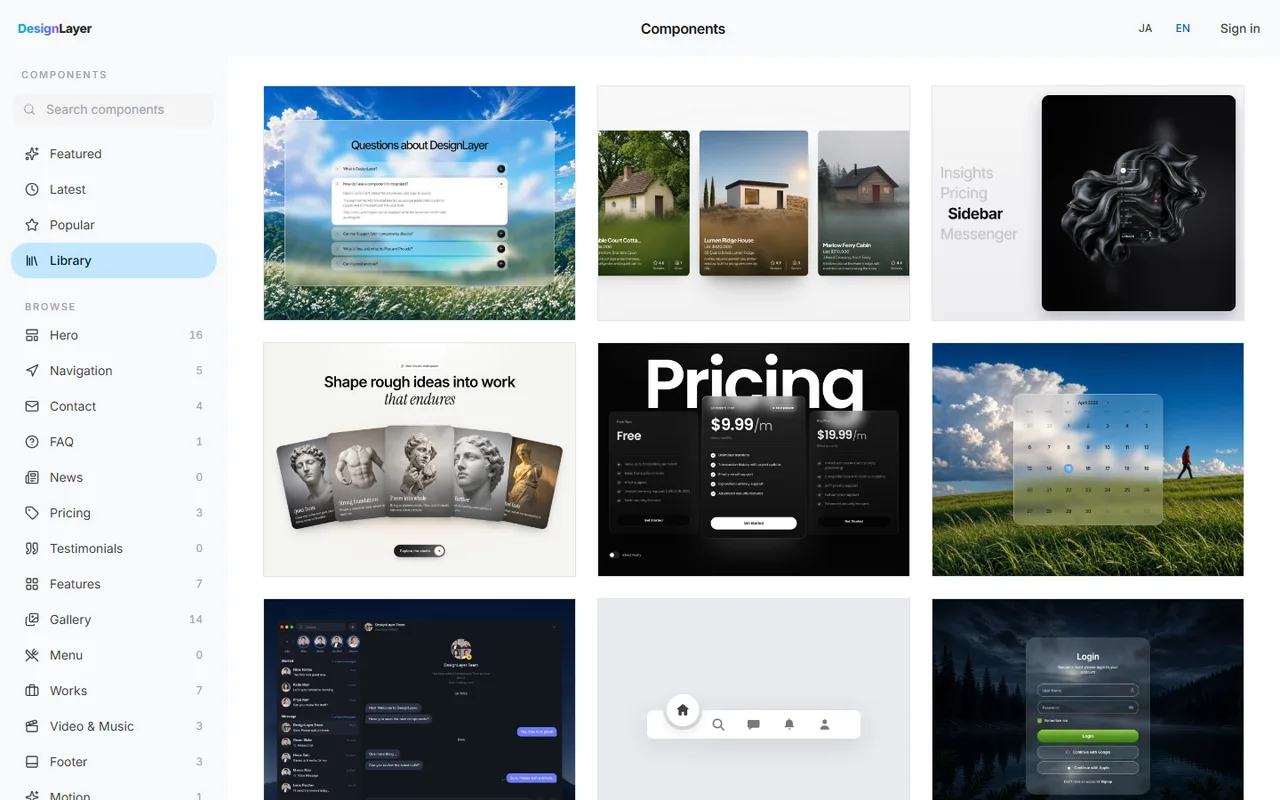
A one-time fade-up is easy with the code in this guide. Combining pinning, section transitions, and parallax from scratch is another matter; tuning the timing can take half a day.
DesignLayer is a catalog of human-built React + Tailwind CSS sections with motion. You scroll through each one in a live preview before you choose.
Browsing is free and needs no card. https://design-layer.com/en/components
Copy for Cursor copies the integration instructions, the live preview URL, the TSX, and the required npm packages together, ready to hand to Cursor or Claude. Free copies are limited to the 10 Free Sample components with no monthly limit on a free account, plus 1 video prompt a month. The rest of the catalog and MCP are the 30-Day Build Pass ($19 once), Lifetime Access ($79 once), or Plus ($9/month). Keeping strong motion to the hero and about one other section keeps the page calm.
Next.js scroll reveal: common questions
You can. In the App Router you'll initialize it inside a browser-side component (in a useEffect) and load its CSS as well. For revealing a few sections once, the Reveal component in this guide is enough and adds no dependency, so try that first.
Summary: fading in elements on scroll in Next.js
Reveal once, and on two or three sections at most
Opacity plus a 16–24px move over 0.5–0.7 seconds is a good default
Use the browser's IntersectionObserver to avoid dependencies, or Motion if it's already there
Keep the page on the server and wrap only the animated sections
Never hide the hero, and lower amount on tall sections
Show everything immediately for reduced motion
Start by building the Reveal component and wrapping just your features section. When you need more elaborate scroll-driven motion, scroll through the options live in the DesignLayer catalog. https://design-layer.com/en/components


