Paste React Components into Claude or Cursor: A Prompt That Works
Published: September 12, 2026 · 4 min read
Pasted a React component into Claude or Cursor and got the wrong folder or missing deps? Four things to send with the code, a reusable prompt, and fixes.
You pasted TSX into Cursor or Claude, and it landed wrong
You paste a React component you like into Cursor or Claude and say “add this.” The file shows up in a folder you did not expect, the whole page file (page.tsx) gets "use client" (the marker that makes it run in the browser), or the build fails on a missing dependency.
After a few rounds of fixes, writing it yourself starts to look faster.
This guide covers what to send along with the code when you hand a component to a coding agent. It includes a prompt you can reuse in Cursor’s Agent and in Claude’s chat.
Why Cursor and Claude get component integration wrong
Paste only the code and the agent fills the gaps by guessing. The guesses almost always land in four places:
Which folder the file goes in and which page imports it
Which npm packages it needs, such as animation or icon libraries
Which of the heading, CTA (call-to-action button), links, and images to swap
Whether to match your existing colors and spacing, and keep the page rendered on the server
Wrong guesses mean bigger diffs and slower reviews. Reply “fix it” to an error and the agent stacks more guesses on top. The problem is rarely the agent’s ability; it is how much information you gave it.
Four things to send Cursor or Claude with the code
To cut the guessing, specify those four places up front. Each fits in a sentence.
1. Where the file goes and which page loads it
Name both: where the part goes (for example, components/sections/Hero.tsx) and which page loads it (for example, app/(marketing)/page.tsx). A fixed location makes the diff easy to follow in review.
2. Required npm dependencies
The import lines at the top of the file tell you what is needed. Write “add any missing npm dependencies to package.json,” or name them: motion, lucide-react.
3. Which copy and images to swap
Say which of the heading, CTA text, link targets, and images should match your product. Adding “keep the Tailwind classes as is” stops the agent from restyling the block.
4. Constraints for Cursor and Claude to keep
Two do the most work: “match our existing design tokens (colors, spacing)” and “do not make the whole page run in the browser.” Ideally only the animated section carries the browser marker, and the page stays server-rendered and simply imports it.
// app/(marketing)/page.tsx (stays a Server Component)
  import { Hero } from "@/components/sections/Hero";

  export default function Page() {
    return (
      <main>
        <Hero />
      </main>
    );
  }

  // first line of components/sections/Hero.tsx
  // "use client";
A reusable prompt for Cursor and Claude
Put the four together and you get a prompt like this. Send it right after the component code.
Add this React section to our existing Next.js app.
  - Placement: put it in components/sections/Hero.tsx and import it from app/(marketing)/page.tsx
  - Keep the Tailwind classes as they are
  - Add any missing npm dependencies to package.json
  - Swap the heading, CTA, and links for our product name
  - Match colors and spacing to our existing design tokens
  - Do not make the whole page a Client Component
Using it in Cursor’s Agent
Paste the full code and the prompt into Agent. The agent creates files and adds dependencies, so you can focus on checking motion and copy.
Using it in Claude chat or Claude Code
If your repo is in a Project, paste the same code and prompt into the chat and name the target file. Working locally, for example with Claude Code, let the agent read the component first and add “match the colors and spacing in our existing layout” to stay on brand.
Running Claude Code inside Cursor? See Claude Code in Cursor: how to use both agents together.
Common mistakes after pasting into Cursor or Claude
Even with a good prompt, a few things trip people up:
Saying “fix it” without the error: pasting the terminal or browser error verbatim is the fastest fix
Blanking out image URLs: keep the demo image URLs at first, and replace them only if they break
Strong motion on every section: keep motion around the hero and CTA so the page keeps its rhythm
Trying many blocks in one day: on catalogs with a copy limit, decide “today it is the hero” before you copy
When a dependency error stops you, have the agent read the imports and update package.json. That usually clears it.
Copy for Cursor ships all four from the start
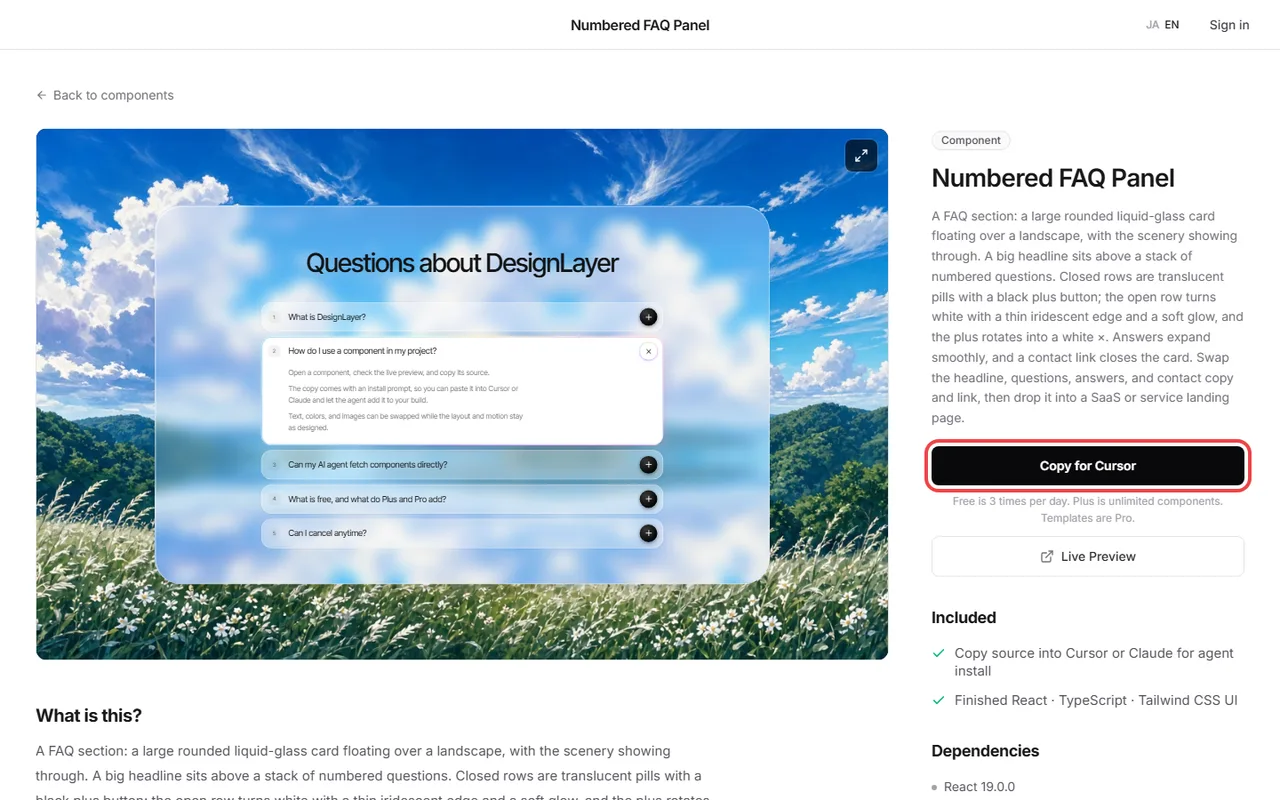
If writing the prompt every time is a chore, use a catalog that bundles the integration info. DesignLayer is a catalog of human-built React + Tailwind sections with motion that you watch as live previews in the browser and then copy.
Copy for Cursor copies integration instructions, the live preview URL, the TSX, and npm dependencies as one bundle. Paste it into Cursor or Claude as is, add a short line on placement and swaps, and you are done.
To skip the site entirely, connect DesignLayer MCP to your editor. The agent pulls the same bundle as Copy for Cursor through its fetch command (get_component).
Connecting is included with the 30-Day Pass, Lifetime, and Plus. Setup is covered in https://design-layer.com/en/articles/cursor-mcp-component-catalog-guide.
Who Copy for Cursor helps, and the free tier
You often build landing-page sections in Cursor or Claude
You go back and forth fixing things after every paste
You do not have time to write motion sections from scratch in Motion (formerly Framer Motion)
Browsing and live preview are free with no account or card. A free account copies the 10 Free Sample components with no monthly limit. Full catalog copies and MCP are the 30-Day Build Pass ($19 once, no auto-renewal), Lifetime Access ($79 once, first 100 buyers), or Plus ($9/month). Blocks outside the 10 Free Samples need the 30-Day Build Pass ($19 once, no auto-renewal), Lifetime Access ($79 once, first 100 buyers), or Plus ($9/month).
Pasting components into Cursor and Claude: common questions
The pattern is the same: the code plus placement, dependencies, swaps, and constraints. Only where you paste differs — Agent in Cursor, the chat or Claude Code for Claude.
Summary: handing components to Cursor and Claude
Paste code alone and the agent guesses placement, dependencies, swaps, and constraints
Specify those four up front for smaller diffs and easier reviews
Keep the page rendered on the server; run only the animated section in the browser
Paste errors verbatim; keep demo image URLs before replacing them
Copy for Cursor bundles the integration instructions and dependencies for you
Pick one section in the catalog and paste it with today’s free copy. https://design-layer.com/en/components
For the full site-to-Cursor flow, see https://design-layer.com/en/articles/cursor-react-motion-components-guide. For how to pick components that paste cleanly, see https://design-layer.com/en/articles/copy-paste-react-tsx-components.


