React motion UI catalog: 6 criteria to compare and how to check
Published: September 12, 2026 · 5 min read
Choose a React motion UI catalog on looks alone and you pay later. Compare preview, output, deps, license, agent packaging, and free tier, and how to check each.
Too many React motion UI options to choose from
You want an animated hero on a Next.js landing page, so you search for React motion UI. Registries, paid UI kits, and personal galleries all show up. Every demo looks good, and you cannot tell where to start.
Pick one and install it, and new problems appear.
A missing npm dependency breaks the build
Custom CSS fights your existing Tailwind CSS
You are not sure commercial use is allowed
Soon you have spent the time it would have taken to write it yourself.
This guide lays out six criteria for comparing React motion UI catalogs, and what to actually check for each one.
Why choosing motion UI on looks leads to rework
Most people compare demos first. That is natural, but motion UI has a trap here.
First, screenshots and GIFs hide the quality of motion. Easing, delay spacing, and scroll response can only be judged running.
Second, a beautiful component is useless if it does not fit your stack. A mismatch with the App Router, TypeScript, or Tailwind CSS can cost half a day of porting.
What matters more than taste is how little rework you face after install. The next sections cover the criteria that predict it.
Four kinds of React motion UI catalogs
Motion UI lives in roughly four kinds of places. None is better overall; each suits a different goal.
Registries: components from many authors in one place. Large and searchable, but quality and dependencies vary by author
UI kits: a full design system from buttons to modals. Very consistent, but heavy when you need one landing page section
Internal Storybooks: your own components. On brand, but new motion has to be built in-house first
Live catalogs: finished sections you can watch running in the browser. Suited to dropping a section into a landing page
Copying code into your own repo, the way shadcn/ui works, is now common across all four. Once copied, it is your code, so the six criteria below map directly to post-install effort.
Six criteria for comparing motion UI catalogs
The six are preview, output format, dependencies, license, agent packaging, and free tier. With several candidates, check them in this order.
1. Is the motion UI preview real, running React?
Hover and scroll on the demo page. If hover response, viewport entrance, and loop speed all run for real, it passes. With video or GIF only, the odds of "this is not the motion I expected" after install go up.
2. Is the output TSX + Tailwind CSS?
Open the copied code and check the file type and styling. TypeScript TSX with Tailwind CSS classes drops straight into an existing Next.js app. Custom CSS files or a different styling approach add porting work.
3. Are npm dependencies listed?
Check for a list of required packages such as motion (formerly framer-motion) or lucide-react. Without it, you trace imports line by line. For the App Router, also check which files need "use client".
4. License and commercial use
Read the terms or license to confirm use in client work or your own product, and whether redistribution is allowed. In a registry, author and license can differ per component, so check each one.
5. Is it packaged for AI agents?
If you hand code to Cursor or Claude, instructions that name placement, dependencies, and swap points change the result. Paste bare code and the agent guesses placement and deps. If you use it daily, MCP access to search the catalog directly also matters.
6. What can you try in a motion UI catalog for free?
Check whether browsing needs an account or card, and how many free copies you get. For team comparisons, being able to share preview links with no card matters too.
Weighting motion UI catalog criteria for landing pages
The weighting depends on what you are building.
Adding one hero or pricing block this week: weight 1 (preview), 2 (output), and 3 (deps). A live catalog of finished sections fits
Building a design system from scratch: weight consistency and component count. A UI kit fits
Exploring a wide range of new motion components: weight volume and search. A registry fits
Rolling out to a team: check 4 (license), 5 (agent packaging), and 6 (free tier) first
For adding one landing page section, 1 and 2 matter most. Picking motion you have seen running, and getting code that drops into a Tailwind CSS project, cuts the most rework.
The DesignLayer motion UI catalog against the six criteria
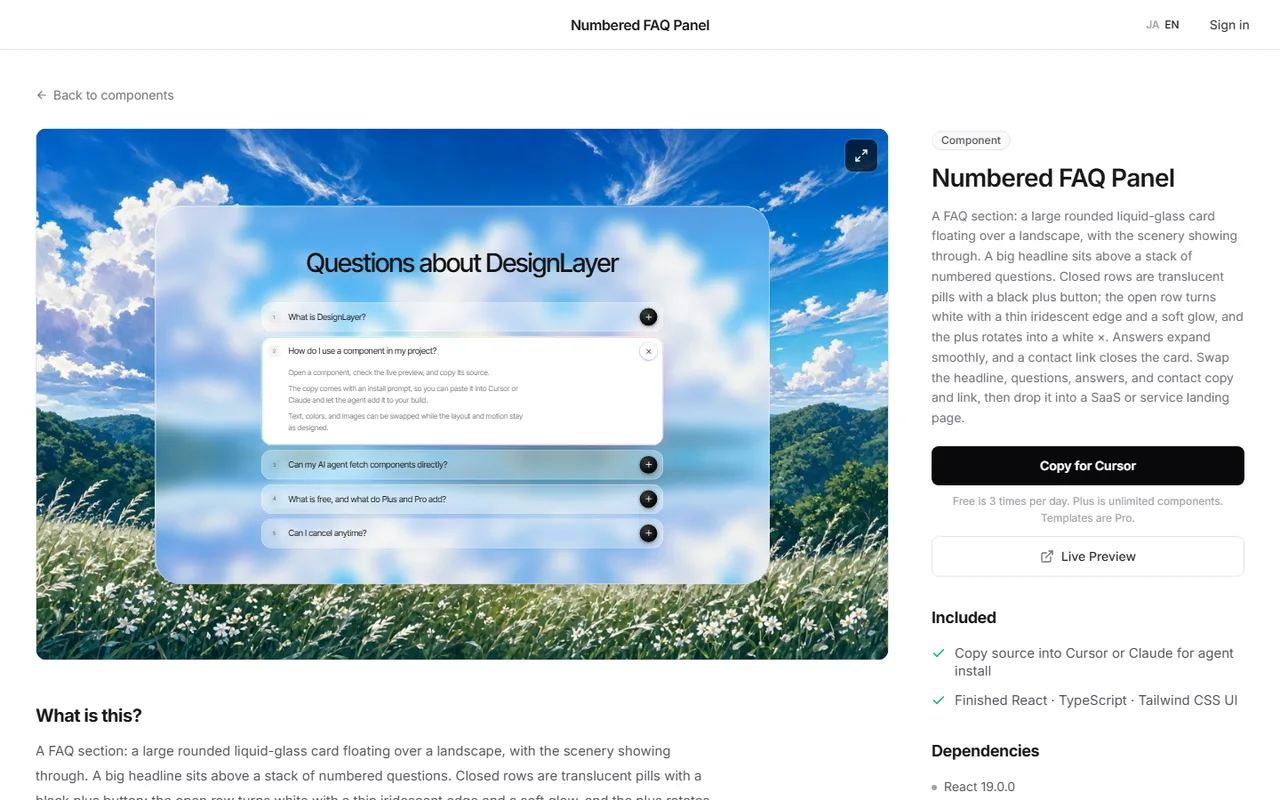
DesignLayer is a live catalog in the terms above. You watch human-built React sections with motion running in the browser, then copy. Against the six criteria:
Preview: hover, entrance, and looping backgrounds run as real React in the browser
Output: sections built for React (TypeScript) and Tailwind CSS
Dependencies: Copy for Cursor includes the list of required npm dependencies
Agent packaging: each copy bundles unified instructions for the agent, the live preview URL, the TSX, and npm deps
MCP: on the 30-Day Build Pass ($19 once), Lifetime Access ($79 once), or Plus ($9/month), AI agents can connect to the catalog directly (details below)
Free tier: browsing needs no account and no card. A free account copies the 10 Free Sample components with no monthly limit on a free account, plus 1 video prompt a month. Free cannot connect MCP. Full catalog copies are the 30-Day Build Pass ($19 once, no auto-renewal), Lifetime Access ($79 once, first 100 buyers), or Plus ($9/month). Plus makes copies unlimited
MCP is a way to connect AI agents to outside services. From Cursor or Claude Code, the agent can search the catalog and pull a copy bundle.
It uses two tools: search_catalog searches the catalog, and get_component fetches the copy bundle.
You approve the connection in the browser, and no API key is needed.
Check the site's terms for license details before use. Open the catalog at https://design-layer.com/en/components
Who this motion UI catalog fits, and who it does not
It fits developers building landing or product pages with Next.js and Tailwind CSS who want to add one section that needs motion, such as a hero or gallery, quickly. It also fits a workflow of pasting code into Cursor or Claude.
It does not fit if you need a full design system down to buttons and inputs. It is also not a tool that generates a whole landing page from a prompt. It is a catalog for picking human-built sections and placing them in your repo.
To compare with a registry, see https://design-layer.com/en/articles/21st-dev-alternative-for-cursor
React motion UI catalogs: common questions
A library like Motion (formerly Framer Motion) is a tool for writing motion. A motion UI catalog collects finished pieces built with such tools. Use a library to design motion from scratch, and a catalog to add finished parts fast.
Summary: choosing a React motion UI catalog
Compare React motion UI catalogs on post-install rework, not looks
The six criteria: preview, output format, dependencies, license, agent packaging, free tier
For one landing page section, weight real previews and TSX + Tailwind CSS output
Make the final call after putting one section in your repo
Pick one section from a candidate catalog and add it to your Next.js app. DesignLayer is free to browse, and today's free copy covers one hero. For the Cursor paste flow, see https://design-layer.com/en/articles/cursor-react-motion-components-guide and for MCP setup, https://design-layer.com/en/articles/cursor-mcp-component-catalog-guide


