Connect Cursor and Claude Code
Last updated: October 17, 2026
Connect DesignLayer to Cursor or Claude Code on Plus. You approve the connection in the browser. There is no API key to paste.
What you'll end with
DesignLayer shows as Connected in the editor's MCP list. Connecting does not spend a copy. Fetching a component does.
Before you start
You can sign in on Plus. Free cannot connect.
You press Allow connection in the browser. There is no step that creates an API key and pastes it into a config file.
Connect Cursor
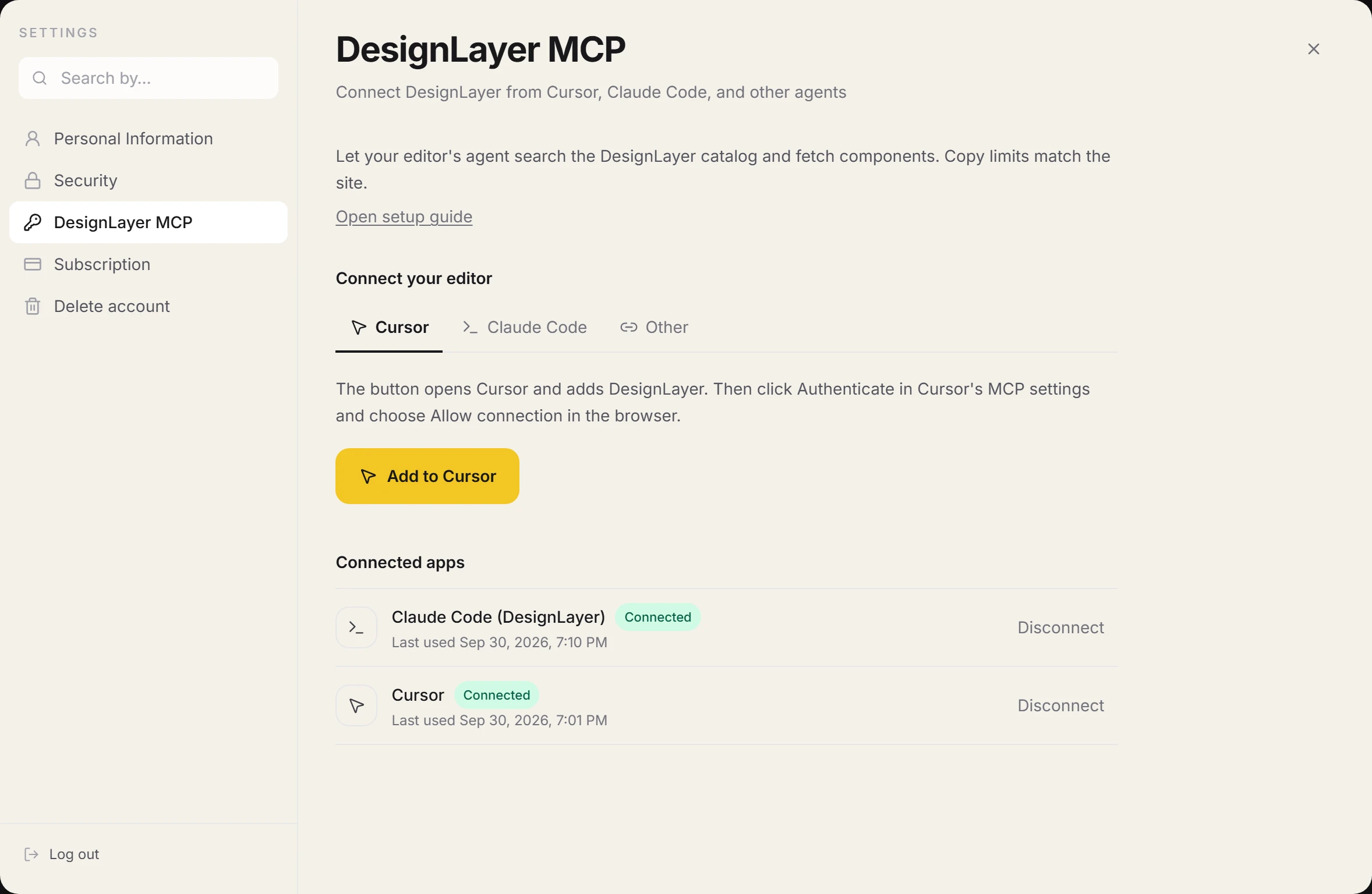
1. Sign in to DesignLayer and open Account settings, then DesignLayer MCP.
2. On the Cursor tab, click Add to Cursor. When Cursor opens, approve adding DesignLayer.
3. When DesignLayer appears in Cursor's MCP settings, click Authenticate.
Allow it in the browser
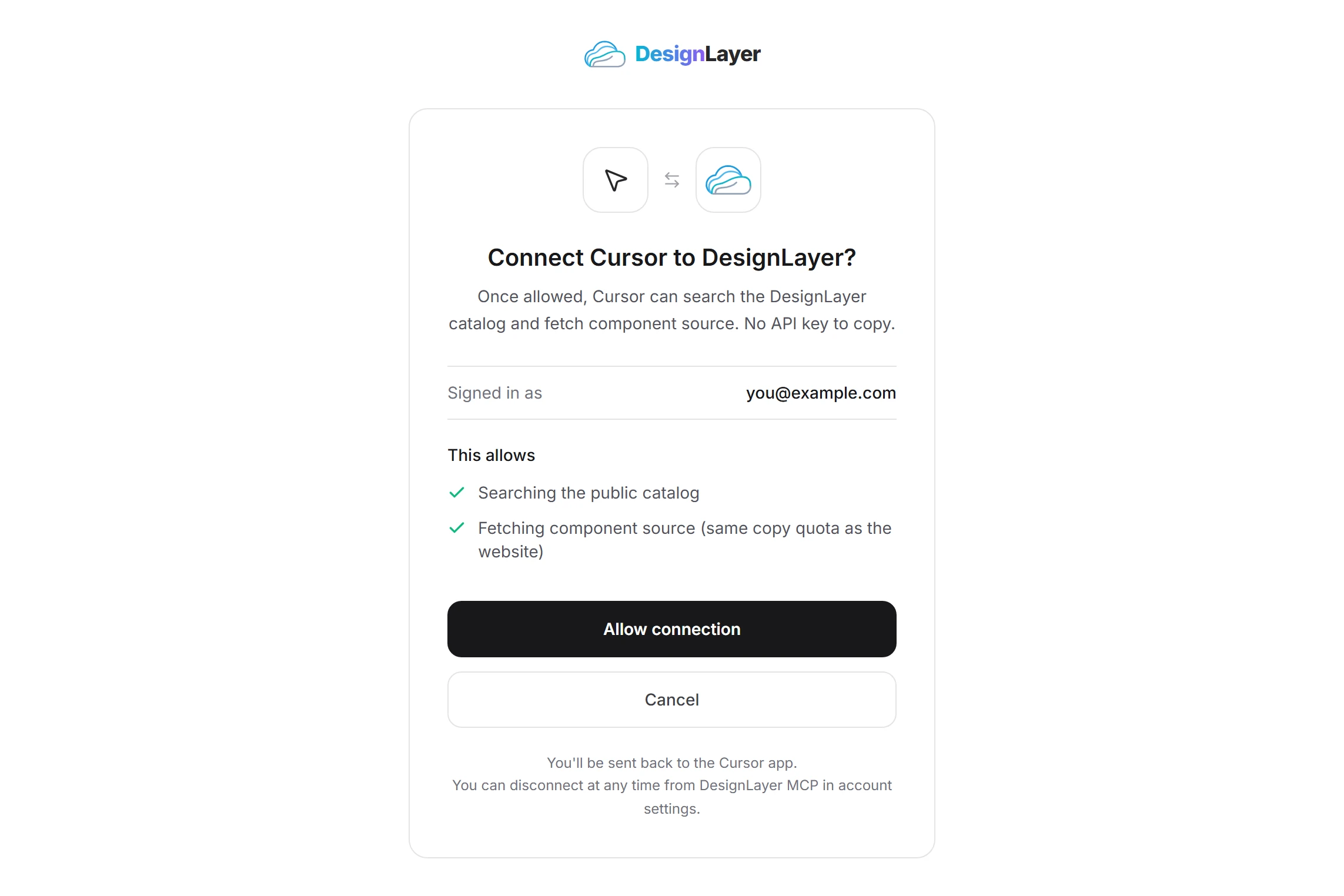
4. The consent page opens in the browser. Check the signed-in account and click Allow connection.
5. Back in Cursor, DesignLayer shows as Connected.
Connect Claude Code
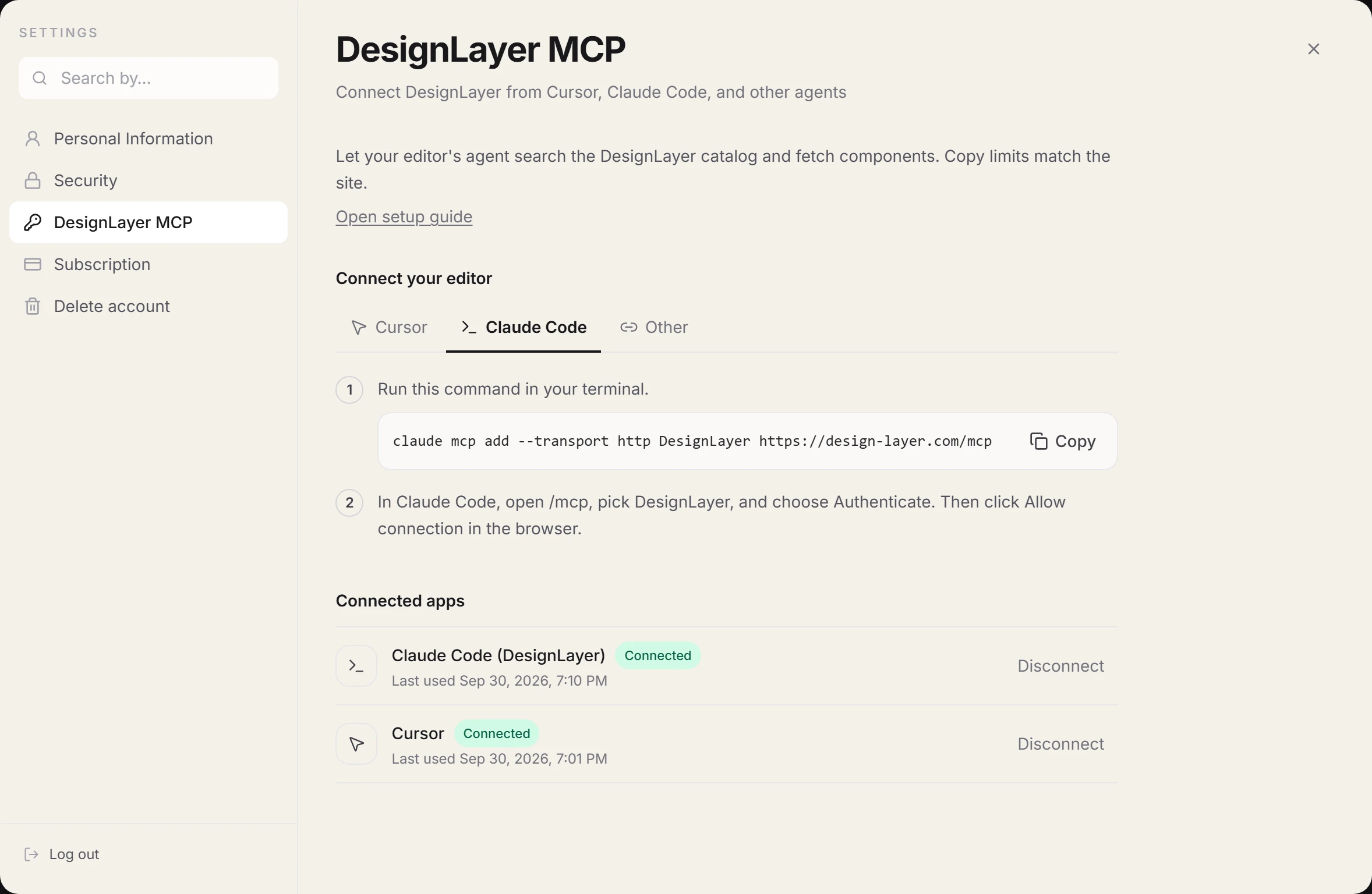
Run this in a terminal. You can also copy it from the Claude Code tab in account settings. Use the origin of the DesignLayer site you are signed in to.
claude mcp add --transport http DesignLayer https://design-layer.com/mcpAllow it in the browser
In Claude Code, open /mcp, pick DesignLayer, and choose Authenticate.
On the consent page, click Allow connection. You are done when Claude Code shows DesignLayer as connected.
Another client
A client that supports remote MCP servers and OAuth can add this server URL and approve the same consent page.
Run it locally with npx
For a stdio server, add this to your MCP config. The first component fetch opens the browser for the same connection.
{
  "mcpServers": {
    "DesignLayer": {
      "command": "npx",
      "args": ["-y", "designlayer-mcp"]
    }
  }
}
Disconnect
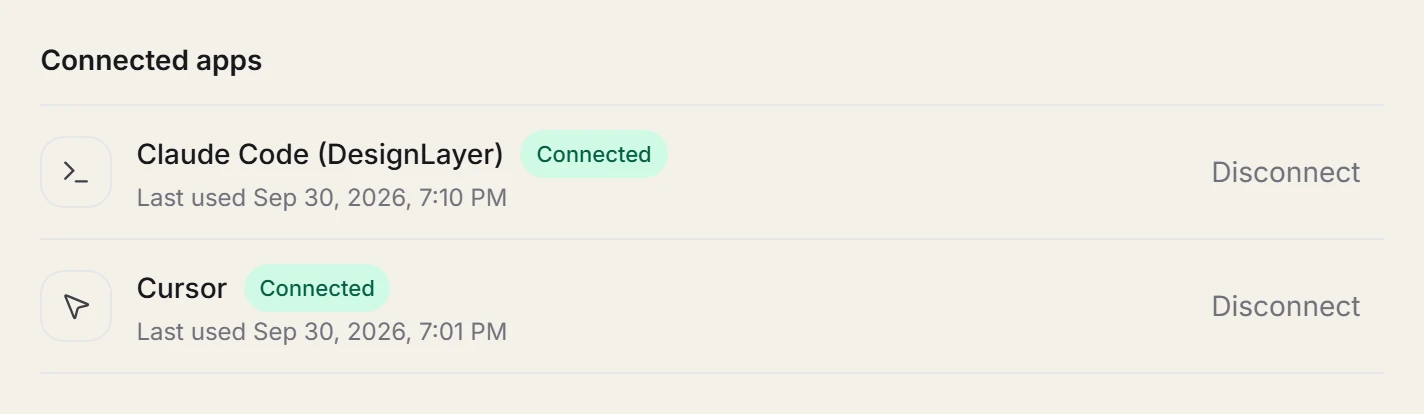
Under connected apps in Account settings, DesignLayer MCP, click Disconnect for that editor. It cannot call DesignLayer until you connect it again.
Connecting the same editor again disconnects its previous connection.
Next, follow Fetch a component from chat. If the editor says Needs authentication, use When something fails.