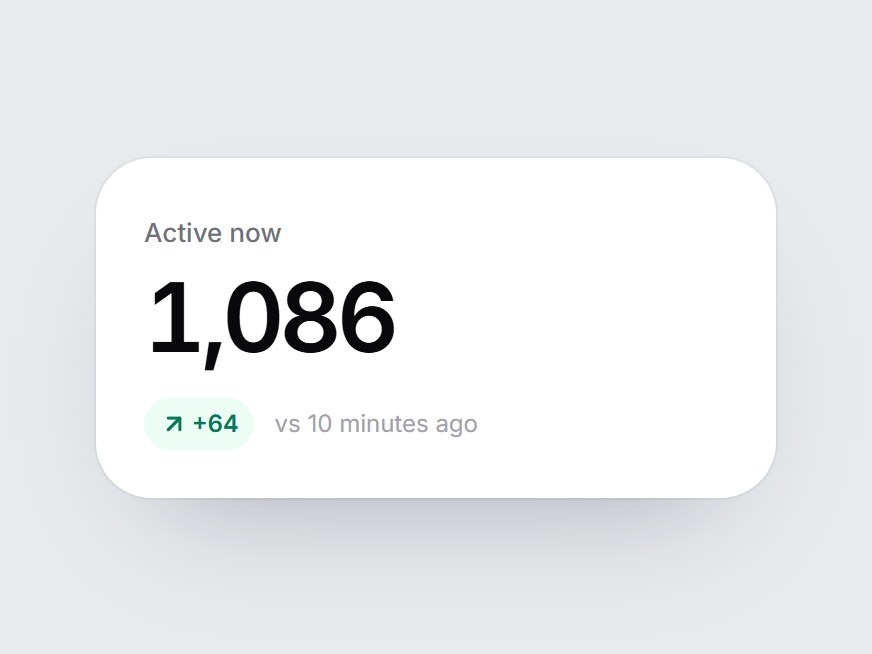
What is this?
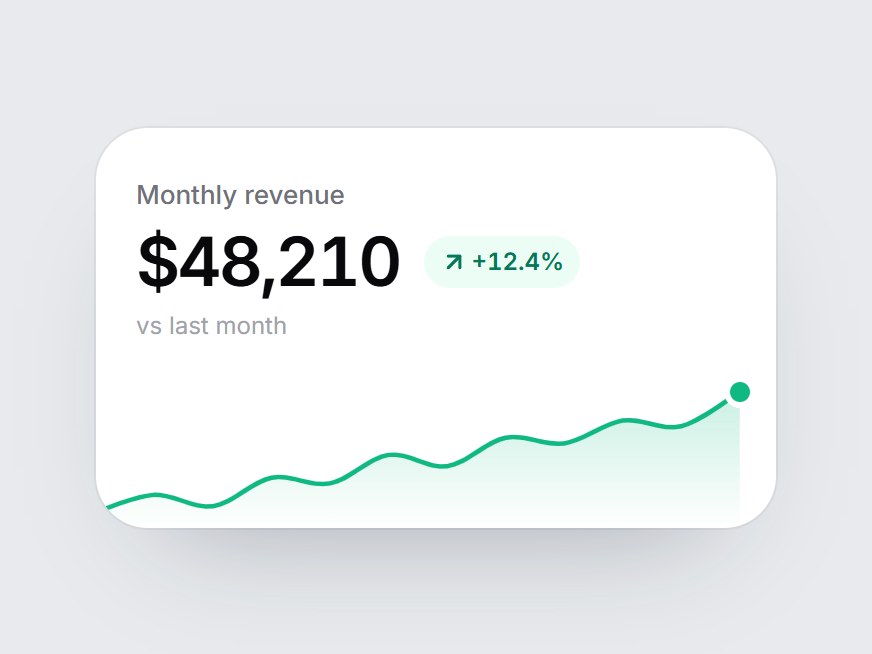
The quietest white stat card: a label, one large figure, a trend pill, and a short caption, with no chart. When the card comes into view, the figure counts up from zero, then the pill and caption fade in and the arrow pops once. Swap the label, value, delta, and caption, then drop it into a dashboard header, a live counter, or a stats row.
Full TSX source. No account needed.
countup-trend-stat.tsx
"use client"; import * as React from "react";import { ArrowDownRight, ArrowUpRight } from "lucide-react";import { cn } from "@/lib/utils"; export const COUNTUP_TREND_STAT_DEFAULT_VALUE = 1086; export type CountupTrendStatProps = React.ComponentPropsWithoutRef<"div"> & { label: string; /** The figure. Counts up from 0 when the card comes into view. */ value: number; /** Change text, e.g. "+64". */ delta?: string; /** Green up arrow when true, red down arrow when false. */ positive?: boolean; /** Caption after the delta, e.g. "vs 10 minutes ago". */ comparison?: string; /** Text before the figure, e.g. "$". */ prefix?: string; /** Text after the figure, e.g. "%". */ suffix?: string;}; const EASE = "cubic-bezier(0.22, 1, 0.36, 1)";const COUNT_MS = 1000; const CSS = `@keyframes countup-trend-stat-arrow { 0% { transform: scale(0.3); opacity: 0; } 100% { transform: scale(1); opacity: 1; } }.countup-trend-stat-arrow { animation: countup-trend-stat-arrow 420ms cubic-bezier(0.22, 1, 0.36, 1) 350ms both; }@media (prefers-reduced-motion: reduce) { .countup-trend-stat-arrow { animation: none; } }`; function usePrefersReducedMotion() { const [reduced, setReduced] = React.useState(false); React.useEffect(() => { const query = window.matchMedia("(prefers-reduced-motion: reduce)"); const update = () => setReduced(query.matches); update(); query.addEventListener("change", update); return () => query.removeEventListener("change", update); }, []); return reduced;} export const CountupTrendStat = React.forwardRef<HTMLDivElement, CountupTrendStatProps>( ( { label, value, delta, positive = true, comparison = "vs 10 minutes ago", prefix = "", suffix = "", className, ...props }, ref, ) => { const localRef = React.useRef<HTMLDivElement>(null); React.useImperativeHandle(ref, () => localRef.current as HTMLDivElement); const reduced = usePrefersReducedMotion(); const [started, setStarted] = React.useState(false); const [count, setCount] = React.useState(0); const Arrow = positive ? ArrowUpRight : ArrowDownRight; React.useEffect(() => { const node = localRef.current; if (!node || typeof IntersectionObserver === "undefined") { setStarted(true); return; } const observer = new IntersectionObserver( ([entry]) => { if (entry?.isIntersecting) { setStarted(true); observer.disconnect(); } }, { threshold: 0.35 }, ); observer.observe(node); return () => observer.disconnect(); }, []); React.useEffect(() => { if (!started) return; if (reduced) { setCount(value); return; } let frame = 0; const from = performance.now(); const tick = (now: number) => { const t = Math.min(1, (now - from) / COUNT_MS); setCount(Math.round(value * (1 - Math.pow(1 - t, 3)))); if (t < 1) frame = requestAnimationFrame(tick); }; frame = requestAnimationFrame(tick); return () => cancelAnimationFrame(frame); }, [started, reduced, value]); return ( <div ref={localRef} data-tsuna-id="countup-trend-stat" className={cn( "w-[340px] max-w-full rounded-[28px] bg-white p-6 text-zinc-950", "shadow-[0_30px_60px_-34px_rgba(15,23,42,0.35),0_0_0_1px_rgba(15,23,42,0.05)]", className, )} {...props} > <style>{CSS}</style> <span className="text-[13px] font-medium text-zinc-500">{label}</span> <div aria-label={`${prefix}${value.toLocaleString("en-US")}${suffix}`} className="mt-2 text-[48px] leading-none font-semibold tabular-nums tracking-[-0.05em]" > <span aria-hidden> {prefix} {count.toLocaleString("en-US")} {suffix} </span> </div> {delta || comparison ? ( <div className="mt-4 flex flex-wrap items-center gap-x-2.5 gap-y-1 motion-reduce:!transition-none" style={{ opacity: started ? 1 : 0, transition: `opacity 400ms ${EASE} 350ms` }} > {delta ? ( <span className={cn( "inline-flex items-center gap-0.5 rounded-full px-2 py-1 text-[12px] font-semibold tabular-nums", positive ? "bg-emerald-50 text-emerald-700" : "bg-rose-50 text-rose-700", )} > <Arrow aria-hidden className={cn("size-3.5", started && "countup-trend-stat-arrow")} strokeWidth={2.6} /> {delta} </span> ) : null} {comparison ? <span className="text-[12px] text-zinc-400">{comparison}</span> : null} </div> ) : null} </div> ); },); CountupTrendStat.displayName = "CountupTrendStat";
Count-Up Trend Stat
The quietest white stat card: a label, one large figure, a trend pill, and a short caption, with no chart. When the card comes into view, the figure counts up from zero, then the pill and caption fade in and the arrow pops once. Swap the label, value, delta, and caption, then drop it into a dashboard header, a live counter, or a stats row.
Verified Technical Spec
- Animation
- CSS / Tailwind
- Reduced motion
- Verified
- Keyboard focus
- Not detected in source
- Compatibility
- Tailwind CSS v3.4 + v4 · React 19 / Next.js 15 App Router + Vite / Remix compatible
Included
- Copy source into Cursor or Claude for agent install
- Finished React · TypeScript · Tailwind CSS · Lucide UI
Dependencies
- React 19.0.0
- Typescript 5.7.2
- Tailwindcss 3.4.16
- Lucide-react 1.23.0
Tech Stack
- React
- TypeScript
- Tailwind CSS
- Lucide
Version 1.0.0