コンポーネント一覧へ戻る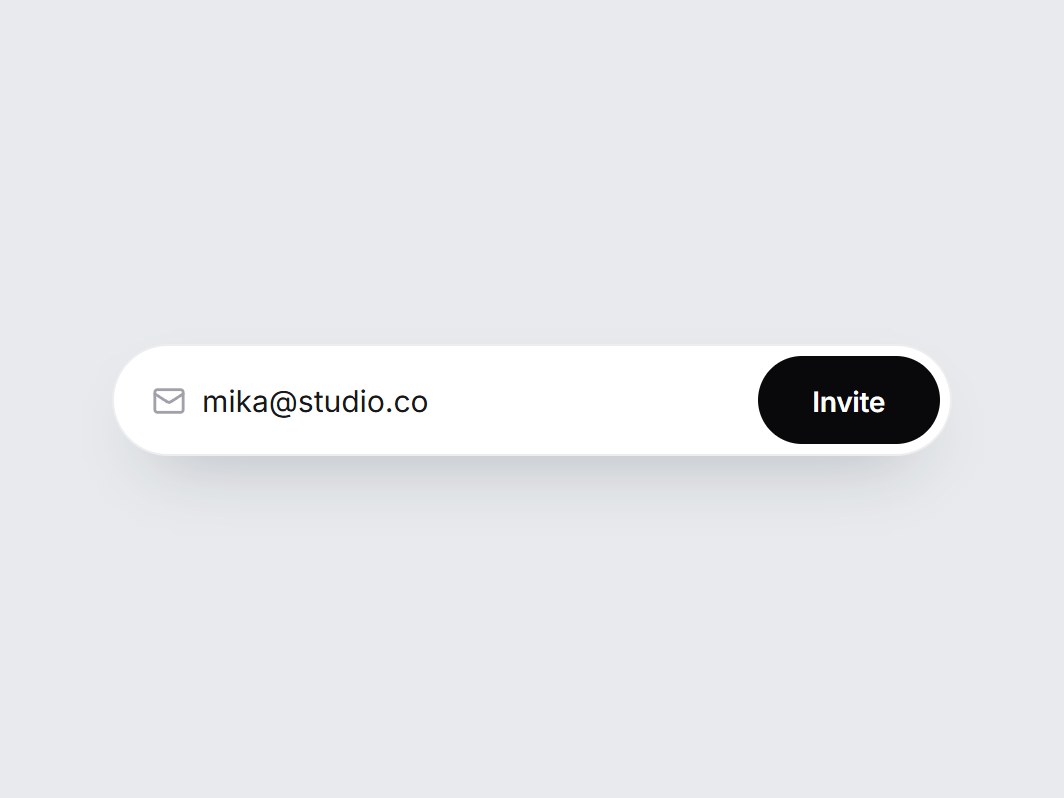
これは何か
メール入力と黒い Invite ボタンを1つの白い pill に収めた招待欄です。正しいアドレスで送ると、ボタンが緑になってチェックが描かれ、Invite が Sent に入れ替わってから元に戻ります。形式が違うときは pill が小さく揺れます。送信はせず、onInvite にアドレスを渡すだけです。プレースホルダーと文言を差し替えて、チーム設定やメンバーが空の画面にそのまま置けます。
TSX の全文です。アカウントは不要です。
invite-email-field.tsx
"use client"; import * as React from "react";import { Mail } from "lucide-react";import { cn } from "@/lib/utils"; export type InviteEmailFieldProps = Omit< React.ComponentPropsWithoutRef<"form">, "onSubmit" | "defaultValue"> & { value?: string; defaultValue?: string; onValueChange?: (value: string) => void; placeholder?: string; /** Called with the trimmed address on a valid submit. Nothing is sent. */ onInvite?: (email: string) => void; inviteLabel?: string; sentLabel?: string; /** How long the sent state stays before the button returns (ms). */ resetMs?: number; disabled?: boolean; ariaLabel?: string;}; const EASE = "cubic-bezier(0.22, 1, 0.36, 1)";const EMAIL_RE = /^[^\s@]+@[^\s@]+\.[^\s@]+$/; const CSS = `@keyframes invite-email-field-shake { 0%, 100% { transform: none; } 25% { transform: translateX(-4px); } 60% { transform: translateX(4px); } }.invite-email-field-shake { animation: invite-email-field-shake 320ms ${EASE}; }@media (prefers-reduced-motion: reduce) { .invite-email-field-shake { animation: none; }}`; export const InviteEmailField = React.forwardRef< HTMLFormElement, InviteEmailFieldProps>( ( { value, defaultValue = "", onValueChange, placeholder = "teammate@company.com", onInvite, inviteLabel = "Invite", sentLabel = "Sent", resetMs = 2200, disabled = false, ariaLabel = "Email address", className, ...props }, ref, ) => { const [uncontrolled, setUncontrolled] = React.useState(defaultValue); const email = value ?? uncontrolled; const [sent, setSent] = React.useState(false); const [shake, setShake] = React.useState(false); const timer = React.useRef<ReturnType<typeof setTimeout> | null>(null); React.useEffect( () => () => { if (timer.current) clearTimeout(timer.current); }, [], ); const setEmail = (next: string) => { if (value === undefined) setUncontrolled(next); onValueChange?.(next); }; const submit = (event: React.FormEvent<HTMLFormElement>) => { event.preventDefault(); if (disabled || sent) return; const trimmed = email.trim(); if (!EMAIL_RE.test(trimmed)) { setShake(true); return; } onInvite?.(trimmed); setSent(true); setEmail(""); if (timer.current) clearTimeout(timer.current); timer.current = setTimeout(() => setSent(false), resetMs); }; const swap = ( visible: boolean, from: "up" | "down", ): React.CSSProperties => ({ opacity: visible ? 1 : 0, transform: visible ? "none" : `translateY(${from === "up" ? "-120%" : "120%"})`, transition: `opacity 300ms ${EASE}, transform 440ms ${EASE}`, }); return ( <form ref={ref} noValidate data-tsuna-id="invite-email-field" data-sent={sent ? "" : undefined} onSubmit={submit} className={cn( "flex h-14 w-[420px] max-w-full items-center gap-2 rounded-full bg-white py-1.5 pr-1.5 pl-5", "shadow-[0_16px_36px_-20px_rgba(15,23,42,0.42),inset_0_0_0_1px_rgba(15,23,42,0.08)]", "transition-shadow duration-300 motion-reduce:transition-none", "focus-within:shadow-[0_18px_38px_-20px_rgba(15,23,42,0.48),inset_0_0_0_1.5px_rgba(24,24,27,0.7)]", shake && "invite-email-field-shake", disabled && "opacity-60", className, )} onAnimationEnd={() => setShake(false)} {...props} > <style>{CSS}</style> <Mail aria-hidden className="size-[17px] shrink-0 text-zinc-400" strokeWidth={2} /> <input type="email" inputMode="email" autoComplete="email" aria-label={ariaLabel} aria-invalid={shake || undefined} value={email} disabled={disabled} placeholder={placeholder} onChange={(event) => setEmail(event.target.value)} className="h-full min-w-0 flex-1 border-0 bg-transparent text-[15px] text-zinc-900 outline-none placeholder:text-zinc-400" /> <button type="submit" disabled={disabled} aria-label={sent ? sentLabel : inviteLabel} className={cn( "relative grid h-full shrink-0 cursor-pointer place-items-center overflow-hidden rounded-full border-0 px-5 text-[14px] font-semibold tracking-[-0.01em] text-white", "transition-[background-color,transform] duration-500 active:scale-[0.97] motion-reduce:transition-none motion-reduce:active:scale-100", "focus-visible:outline-none focus-visible:ring-2 focus-visible:ring-black/30 focus-visible:ring-offset-2", "disabled:cursor-not-allowed", sent ? "bg-emerald-500" : "bg-zinc-950 hover:bg-zinc-800", )} style={{ transitionTimingFunction: EASE }} > <span aria-hidden className="col-start-1 row-start-1 motion-reduce:!transition-none" style={swap(!sent, "up")} > {inviteLabel} </span> <span aria-hidden className="col-start-1 row-start-1 inline-flex items-center gap-1.5 motion-reduce:!transition-none" style={swap(sent, "down")} > <svg viewBox="0 0 16 16" className="size-[15px]" fill="none"> <path d="M3.2 8.4 6.5 11.5 12.8 4.6" stroke="currentColor" strokeWidth={2.2} strokeLinecap="round" strokeLinejoin="round" pathLength={1} strokeDasharray={1} strokeDashoffset={sent ? 0 : 1} className="motion-reduce:!transition-none" style={{ transition: `stroke-dashoffset 420ms ${EASE} ${sent ? "160ms" : "0ms"}`, }} /> </svg> {sentLabel} </span> </button> <span className="sr-only" aria-live="polite"> {sent ? sentLabel : ""} </span> </form> ); },); InviteEmailField.displayName = "InviteEmailField";

コンポーネント
招待メールフィールド
メール入力と黒い Invite ボタンを1つの白い pill に収めた招待欄です。正しいアドレスで送ると、ボタンが緑になってチェックが描かれ、Invite が Sent に入れ替わってから元に戻ります。形式が違うときは pill が小さく揺れます。送信はせず、onInvite にアドレスを渡すだけです。プレースホルダーと文言を差し替えて、チーム設定やメンバーが空の画面にそのまま置けます。
Verified Technical Spec
- アニメーション
- CSS / Tailwind
- Reduced motion
- 確認済み
- キーボードフォーカス
- 確認済み
- 対応環境
- Tailwind CSS v3.4 + v4 · React 19 / Next.js 15 App Router + Vite / Remix 対応
含まれるもの
- ソースを Cursor / Claude に渡してエージェントに組み込める
- React · TypeScript · Tailwind CSS · Lucide の完成 UI
依存パッケージ
- React 19.0.0
- Typescript 5.7.2
- Tailwindcss 3.4.16
- Lucide-react 1.23.0
技術スタック
- React
- TypeScript
- Tailwind CSS
- Lucide
バージョン 1.0.0