Kanban Board Lanes
What is this?
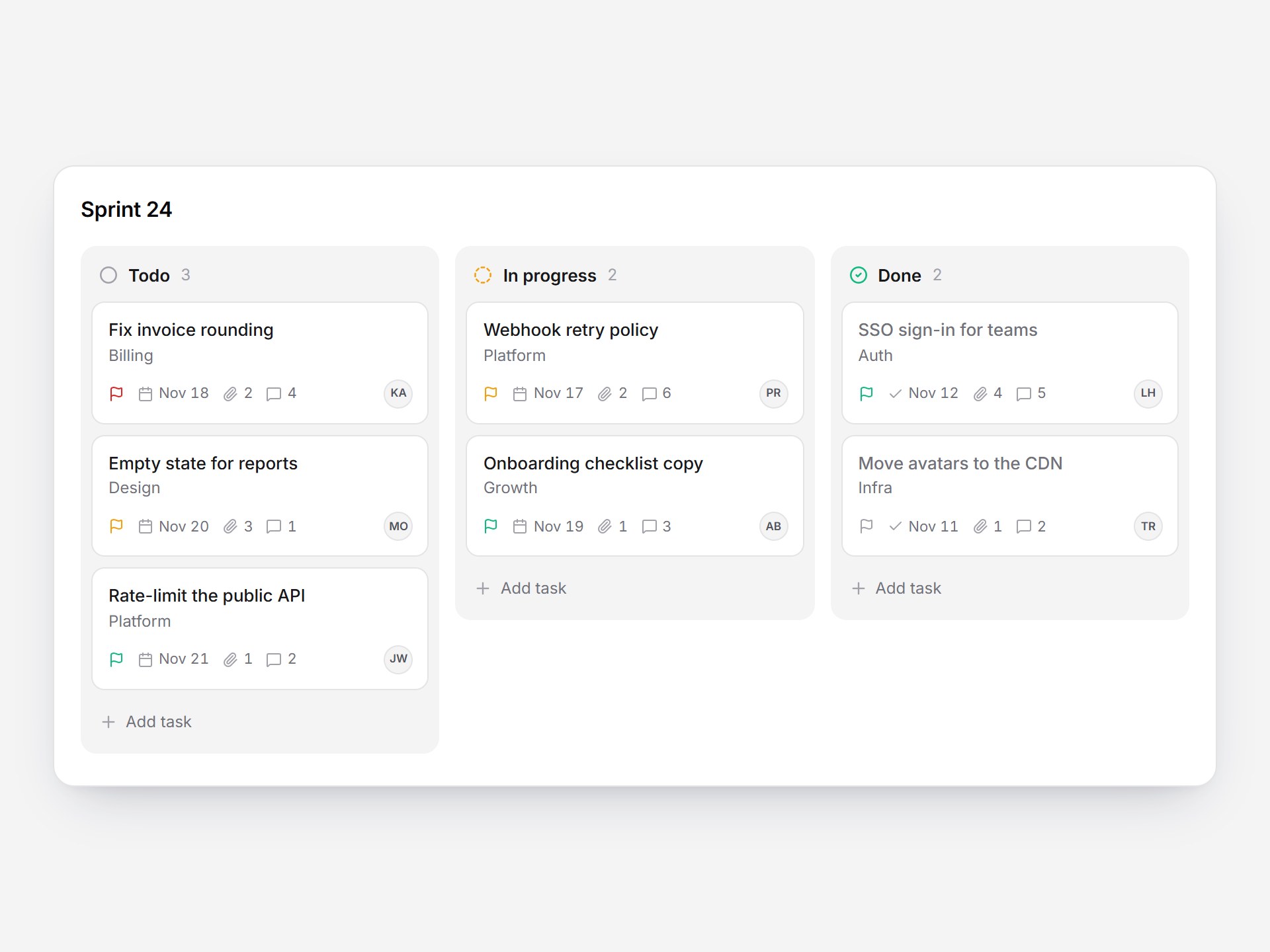
A white kanban board with three lanes: Todo, In progress, and Done. Cards show a title, a tag, a priority flag, a due date, attachment and comment counts, and the assignee. Drag cards within or between lanes: the card lifts with a slight tilt, a dashed slot marks the drop spot, and the other cards spring aside. Click Add task to open an inline composer in that lane. Type a title, add a tag, date, or priority, and press Enter. The new card eases in at the bottom and the count rolls. It all works from the keyboard, and the board scrolls sideways on narrow screens. Drop it into a task tracker, a sprint view, or a hiring pipeline.
Kanban Board Lanes
A white kanban board with three lanes: Todo, In progress, and Done. Cards show a title, a tag, a priority flag, a due date, attachment and comment counts, and the assignee. Drag cards within or between lanes: the card lifts with a slight tilt, a dashed slot marks the drop spot, and the other cards spring aside. Click Add task to open an inline composer in that lane. Type a title, add a tag, date, or priority, and press Enter. The new card eases in at the bottom and the count rolls. It all works from the keyboard, and the board scrolls sideways on narrow screens. Drop it into a task tracker, a sprint view, or a hiring pipeline.
Verified Technical Spec
- Animation
- Framer Motion
- Reduced motion
- Verified
- Keyboard focus
- Verified
- Compatibility
- Tailwind CSS v3.4 + v4 · React 19 / Next.js 15 App Router + Vite / Remix compatible
Included
- Copy source into Cursor or Claude for agent install
- Responsive on phone, tablet, and desktop
- Finished React · TypeScript · Tailwind CSS · Motion · Lucide UI
Dependencies
- React 19.0.0
- Typescript 5.7.2
- Tailwindcss 3.4.16
- Lucide-react 1.23.0
- Motion 12.42.2
Tech Stack
- React
- TypeScript
- Tailwind CSS
- Motion
- Lucide
Version 1.0.0