Template selection
01 · TEMPLATE
Template selection
Choose from motion-finished templates. Scroll, scene switch, morph — pick the movement, not just the look.
DesignLayer Features
Jump to featuresFEATURES
Template selection, copy swap, editing, and publish. DesignLayer keeps everything in one workspace.
Pick a template and let AI rewrite the copy. Polish in the studio, then publish.
01 · TEMPLATE
Choose from motion-finished templates. Scroll, scene switch, morph — pick the movement, not just the look.
02 · COPY
Tell us brand names, headlines, and bios — AI rewrites only the copy. Layout and motion stay intact.
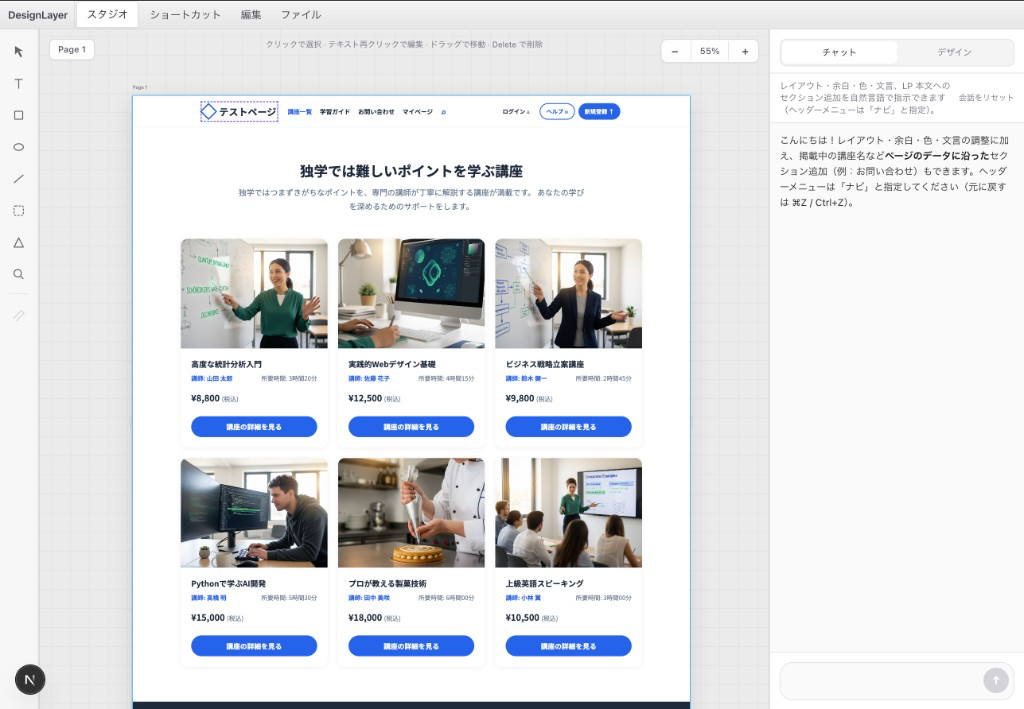
03 · STUDIO
Adjust text and images on the preview. Chat below to refine until it's publish-ready.
Replace image
04 · IMAGE
Click images in the preview to swap in your own work photos or logo before you publish.
Portfolio
128 KB · Ready to download
05 · PUBLISH
Publish a shareable URL or save a file. Both work as publish-ready output for your site.
AI Models
From requirements through site generation, images, and studio edits — each model handles what it does best.
DesignLayer pours your copy into a finished motion template. Edit and publish entirely in your browser.

