Session Device Card
What is this?
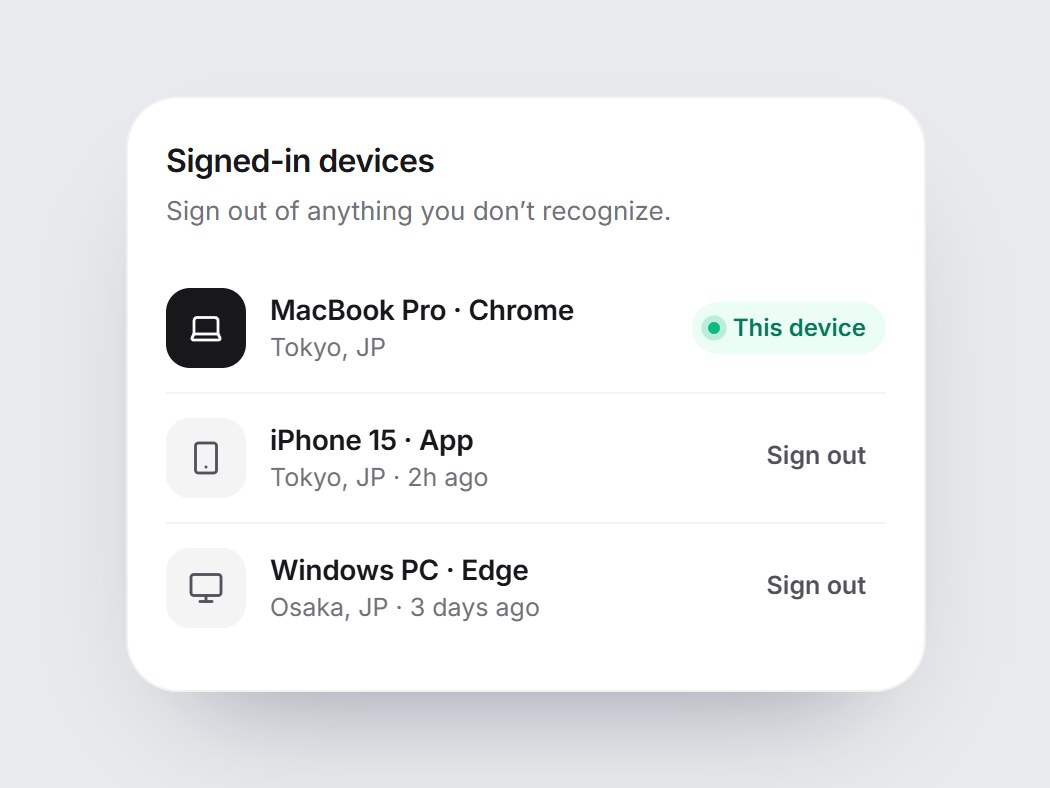
A white security tile listing signed-in devices: a laptop, phone, desktop, or tablet icon, the device and browser, the location, and when it was last active. The current device gets a dark icon and a “This device” pill with a live ping. Rows rise in one by one when the card comes into view, and with onSignOut each other device gets a Sign out button that folds its row away. Swap the devices and labels, then drop it into account security settings.

Session Device Card
A white security tile listing signed-in devices: a laptop, phone, desktop, or tablet icon, the device and browser, the location, and when it was last active. The current device gets a dark icon and a “This device” pill with a live ping. Rows rise in one by one when the card comes into view, and with onSignOut each other device gets a Sign out button that folds its row away. Swap the devices and labels, then drop it into account security settings.
Verified Technical Spec
- Animation
- CSS / Tailwind
- Reduced motion
- Verified
- Keyboard focus
- Verified
- Compatibility
- Tailwind CSS v3.4 + v4 · React 19 / Next.js 15 App Router + Vite / Remix compatible
Included
- Copy source into Cursor or Claude for agent install
- Finished React · TypeScript · Tailwind CSS · Lucide UI
Dependencies
- React 19.0.0
- Typescript 5.7.2
- Tailwindcss 3.4.16
- Lucide-react 1.23.0
Tech Stack
- React
- TypeScript
- Tailwind CSS
- Lucide
Version 1.0.0