DesignLayer
リキッドガラス・ログイン
コンポーネント一覧へ戻る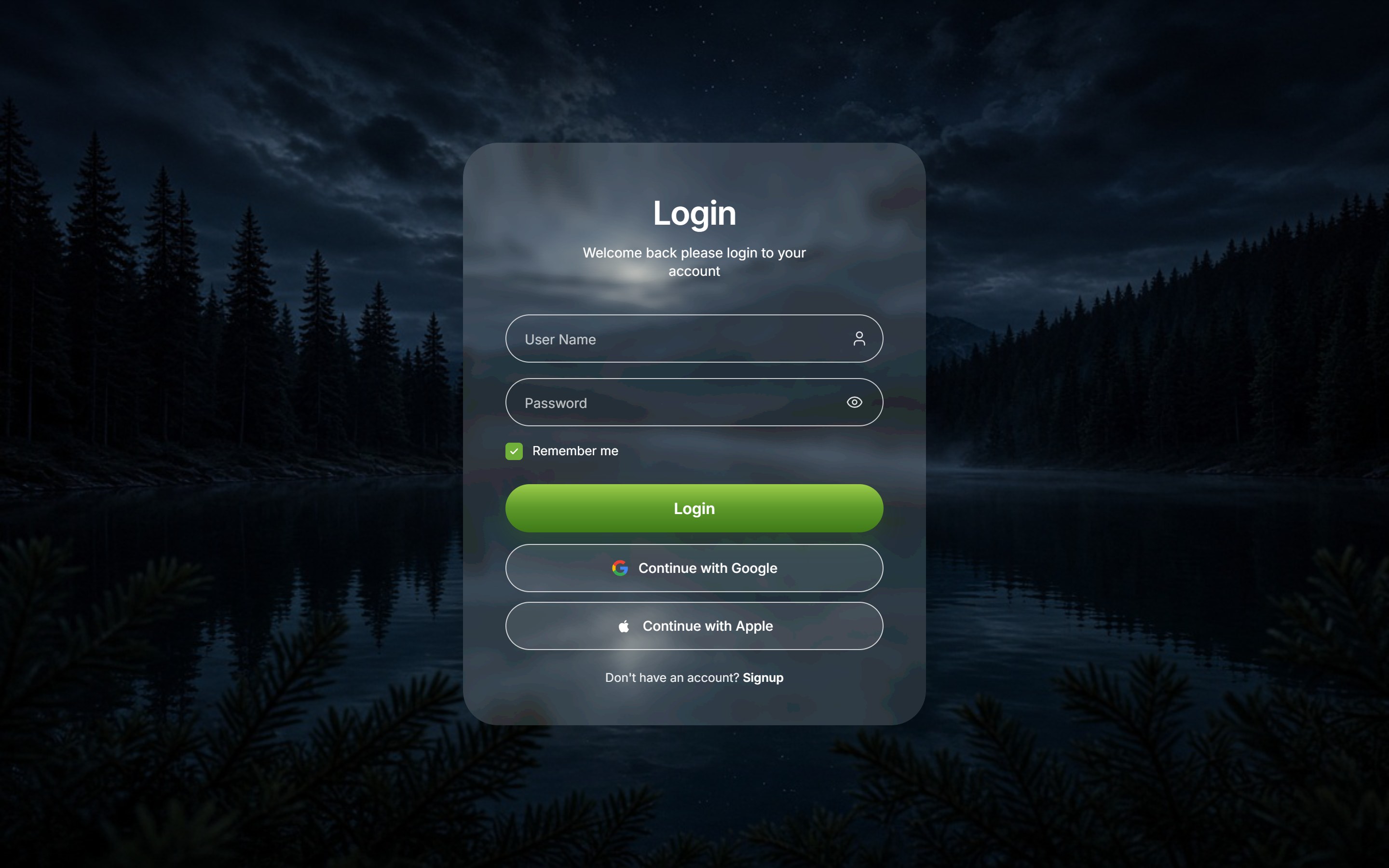
これは何か
自然風景を1画面いっぱいに敷き、中央にリキッドガラスのログインカードを置く認証画面です。ユーザー名とパスワード、Remember me、緑の Login、その下に Google / Apple ログインを並べます。見出し・プレースホルダー・ボタン文言と背景写真を差し替えて、アプリや SaaS のログインにそのまま置けます。
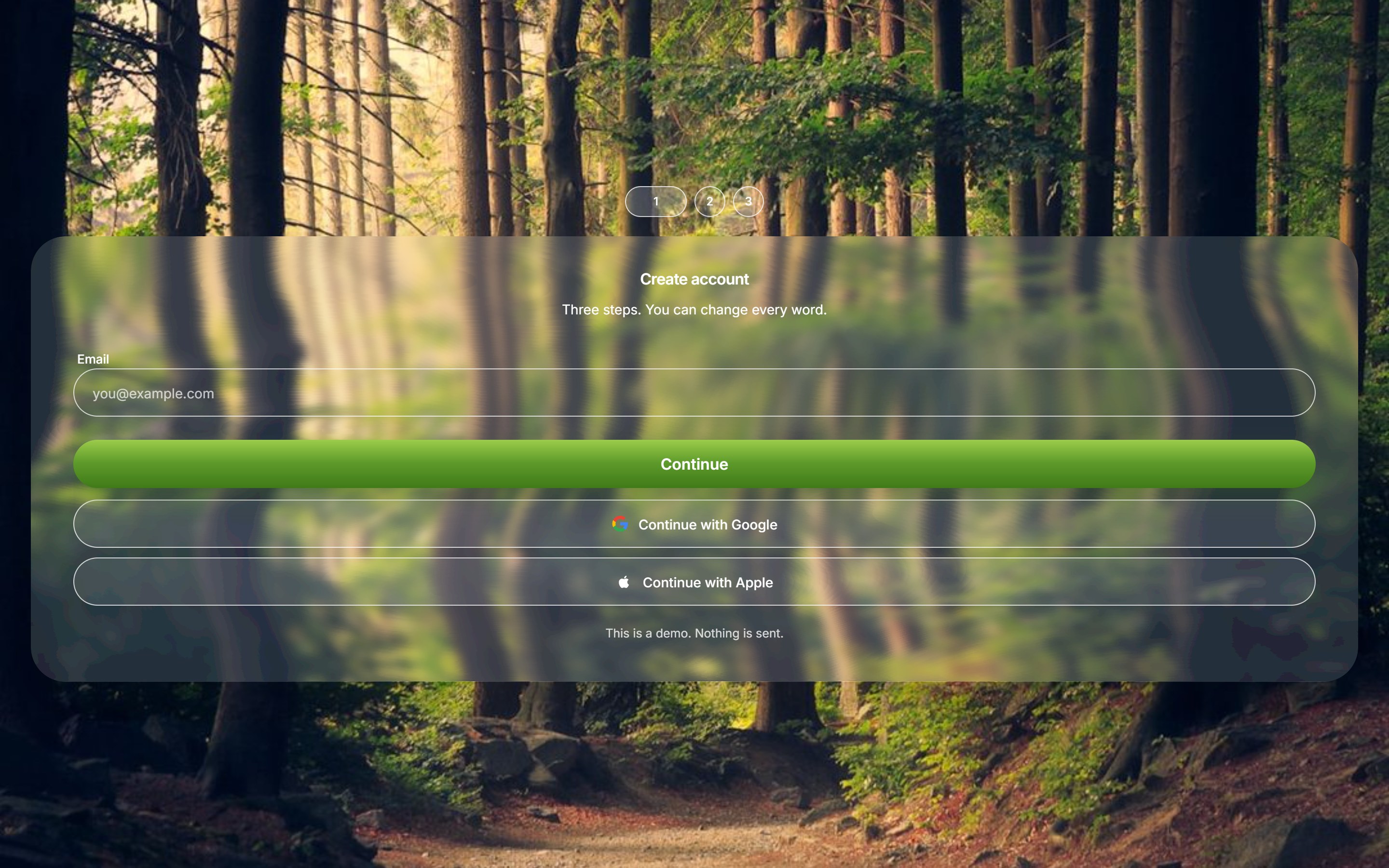
サインアップ画面も同じ見た目で:Liquid Glass Signup Steps
ソースコード全文を見る(無料サンプル)
このコンポーネントの実TSXです。未ログインのままでも、購入前に読めます。
src/components/ui/liquid-glass-login.tsx
"use client";

import {
  useId,
  useState,
  type CSSProperties,
  type FormEvent,
  type ReactNode,
} from "react";
import { Eye, EyeOff, User } from "lucide-react";
import { GlassEffect, GlassFilter } from "@/components/ui/liquid-glass";
import { coerceDisplayText } from "@/generation/lib/coerceActionNodes";
import { cn } from "@/lib/utils";

export const LIQUID_GLASS_LOGIN_BG_SRC = "https://design-layer.com/dev/liquid-glass-login/nature-dark.png";

export type LiquidGlassLoginValues = {
  username: string;
  password: string;
  remember: boolean;
};

export type LiquidGlassLoginProps = {
  title?: string;
  subtitle?: string;
  usernamePlaceholder?: string;
  passwordPlaceholder?: string;
  rememberLabel?: string;
  submitLabel?: string;
  googleLabel?: string;
  appleLabel?: string;
  signupPrompt?: string;
  signupLabel?: string;
  signupHref?: string;
  googleHref?: string;
  appleHref?: string;
  defaultRemember?: boolean;
  onSubmit?: (values: LiquidGlassLoginValues) => void;
  onGoogleSignIn?: () => void;
  onAppleSignIn?: () => void;
  className?: string;
  contentClassName?: string;
};

const UI_FONT =
  'Inter, "SF Pro Display", "Helvetica Neue", Helvetica, Arial, ui-sans-serif, sans-serif';

function asPlainString(value: ReactNode, fallback: string): string {
  const text = coerceDisplayText(value);
  if (typeof text === "string" && text.trim()) return text;
  if (typeof text === "number" || typeof text === "bigint") return String(text);
  return fallback;
}

function GoogleMark({ className }: { className?: string }) {
  return (
    <svg
      viewBox="0 0 24 24"
      className={className}
      aria-hidden
      focusable="false"
    >
      <path
        fill="#4285F4"
        d="M22.56 12.25c0-.78-.07-1.53-.2-2.25H12v4.26h5.92c-.26 1.37-1.04 2.53-2.21 3.31v2.77h3.57c2.08-1.92 3.28-4.74 3.28-8.09z"
      />
      <path
        fill="#34A853"
        d="M12 23c2.97 0 5.46-.98 7.28-2.66l-3.57-2.77c-.98.66-2.23 1.06-3.71 1.06-2.86 0-5.29-1.93-6.16-4.53H2.18v2.84C3.99 20.53 7.7 23 12 23z"
      />
      <path
        fill="#FBBC05"
        d="M5.84 14.09c-.22-.66-.35-1.36-.35-2.09s.13-1.43.35-2.09V7.07H2.18C1.43 8.55 1 10.22 1 12s.43 3.45 1.18 4.93l2.85-2.22.81-.62z"
      />
      <path
        fill="#EA4335"
        d="M12 5.38c1.62 0 3.06.56 4.21 1.64l3.15-3.15C17.45 2.09 14.97 1 12 1 7.7 1 3.99 3.47 2.18 7.07l3.66 2.84c.87-2.6 3.3-4.53 6.16-4.53z"
      />
    </svg>
  );
}

function AppleMark({ className }: { className?: string }) {
  return (
    <svg
      viewBox="0 0 24 24"
      className={className}
      aria-hidden
      focusable="false"
    >
      <path
        fill="currentColor"
        d="M16.365 12.78c-.02-2.16 1.76-3.2 1.84-3.25-1.01-1.47-2.57-1.67-3.12-1.69-1.32-.14-2.59.78-3.26.78-.68 0-1.72-.76-2.83-.74-1.45.02-2.8.85-3.55 2.16-1.52 2.64-.39 6.54 1.09 8.68.72 1.05 1.58 2.22 2.71 2.18 1.09-.05 1.5-.7 2.81-.7 1.31 0 1.68.7 2.83.67 1.17-.02 1.91-1.06 2.62-2.12.83-1.21 1.17-2.39 1.19-2.45-.03-.01-2.27-.87-2.33-3.52zM14.54 6.54c.59-.72.99-1.72.88-2.72-.85.04-1.88.57-2.49 1.28-.55.63-1.04 1.65-.91 2.62.96.07 1.94-.49 2.52-1.18z"
      />
    </svg>
  );
}

function FieldShell({ children }: { children: ReactNode }) {
  return (
    <div className="relative">
      <div
        className="pointer-events-none absolute inset-0 rounded-full border border-white/75"
        aria-hidden
      />
      {children}
    </div>
  );
}

/**
 * 自然風景のフルブリード背景に浮かぶリキッドガラスのログインカード。
 * ユーザー名/パスワード、Remember me、Login、Google / Apple。
 */
export function LiquidGlassLogin({
  title = "Login",
  subtitle = "Welcome back please login to your account",
  usernamePlaceholder = "User Name",
  passwordPlaceholder = "Password",
  rememberLabel = "Remember me",
  submitLabel = "Login",
  googleLabel = "Continue with Google",
  appleLabel = "Continue with Apple",
  signupPrompt = "Don't have an account?",
  signupLabel = "Signup",
  signupHref = "#",
  googleHref = "#",
  appleHref = "#",
  defaultRemember = true,
  onSubmit,
  onGoogleSignIn,
  onAppleSignIn,
  className,
  contentClassName,
}: LiquidGlassLoginProps) {
  const heading = asPlainString(title, "Login");
  const lead = asPlainString(
    subtitle,
    "Welcome back please login to your account",
  );
  const userHint = asPlainString(usernamePlaceholder, "User Name");
  const passHint = asPlainString(passwordPlaceholder, "Password");
  const rememberText = asPlainString(rememberLabel, "Remember me");
  const loginText = asPlainString(submitLabel, "Login");
  const googleText = asPlainString(googleLabel, "Continue with Google");
  const appleText = asPlainString(appleLabel, "Continue with Apple");
  const signupLead = asPlainString(signupPrompt, "Don't have an account?");
  const signupText = asPlainString(signupLabel, "Signup");

  const fieldId = useId();
  const usernameId = `${fieldId}-username`;
  const passwordId = `${fieldId}-password`;
  const [username, setUsername] = useState("");
  const [password, setPassword] = useState("");
  const [remember, setRemember] = useState(defaultRemember);
  const [showPassword, setShowPassword] = useState(false);

  const handleSubmit = (event: FormEvent<HTMLFormElement>) => {
    event.preventDefault();
    onSubmit?.({ username, password, remember });
  };

  const handleProvider = (
    event: FormEvent,
    href: string,
    callback?: () => void,
  ) => {
    if (!href || href === "#") event.preventDefault();
    callback?.();
  };

  return (
    <>
      <GlassFilter />
      <GlassEffect
        className={cn(
          "w-[min(100%,480px)] rounded-[36px] border-0 font-normal",
          className,
        )}
        contentClassName="w-full"
        overlay="rgba(255, 255, 255, 0.14)"
        rimShadow="none"
        blur={6}
        style={
          {
            fontFamily: UI_FONT,
            boxShadow: "0 24px 60px rgba(0, 0, 0, 0.22)",
          } as CSSProperties
        }
      >
        <form
          className={cn(
            "flex w-full flex-col px-9 pb-9 pt-12 sm:px-11 sm:pb-10 sm:pt-14",
            contentClassName,
          )}
          onSubmit={handleSubmit}
        >
          <h1 className="text-center text-[34px] font-semibold leading-none tracking-tight text-white">
            {heading}
          </h1>
          <p className="mx-auto mt-3.5 max-w-[18rem] text-center text-[14px] leading-snug text-white/92">
            {lead}
          </p>

          <div className="mt-9 space-y-4">
            <FieldShell>
              <label className="sr-only" htmlFor={usernameId}>
                {userHint}
              </label>
              <input
                id={usernameId}
                name="username"
                autoComplete="username"
                value={username}
                onChange={(event) => setUsername(event.target.value)}
                placeholder={userHint}
                className="h-[50px] w-full rounded-full bg-transparent py-0 pl-5 pr-12 text-[14px] text-white outline-none placeholder:text-white/70"
              />
              <User
                className="pointer-events-none absolute right-4 top-1/2 h-[18px] w-[18px] -translate-y-1/2 text-white/85"
                strokeWidth={1.7}
              />
            </FieldShell>

            <FieldShell>
              <label className="sr-only" htmlFor={passwordId}>
                {passHint}
              </label>
              <input
                id={passwordId}
                name="password"
                type={showPassword ? "text" : "password"}
                autoComplete="current-password"
                value={password}
                onChange={(event) => setPassword(event.target.value)}
                placeholder={passHint}
                className="h-[50px] w-full rounded-full bg-transparent py-0 pl-5 pr-12 text-[14px] text-white outline-none placeholder:text-white/70"
              />
              <button
                type="button"
                className="absolute right-3 top-1/2 inline-flex h-9 w-9 -translate-y-1/2 items-center justify-center text-white/85"
                aria-label={showPassword ? "Hide password" : "Show password"}
                onClick={() => setShowPassword((open) => !open)}
              >
                {showPassword ? (
                  <EyeOff className="h-[18px] w-[18px]" strokeWidth={1.7} />
                ) : (
                  <Eye className="h-[18px] w-[18px]" strokeWidth={1.7} />
                )}
              </button>
            </FieldShell>
          </div>

          <label className="mt-4 flex cursor-pointer items-center gap-2.5 text-[13px] text-white">
            <input
              type="checkbox"
              className="peer sr-only"
              checked={remember}
              onChange={(event) => setRemember(event.target.checked)}
            />
            <span
              aria-hidden
              className="flex h-[18px] w-[18px] items-center justify-center rounded-[4px] border border-white/80 bg-transparent peer-checked:border-[#6faf3a] peer-checked:bg-[#6faf3a]"
            >
              {remember ? (
                <svg viewBox="0 0 16 16" className="h-3 w-3" fill="none">
                  <path
                    d="M3.5 8.2 6.4 11.1 12.5 4.8"
                    stroke="white"
                    strokeWidth="1.8"
                    strokeLinecap="round"
                    strokeLinejoin="round"
                  />
                </svg>
              ) : null}
            </span>
            {rememberText}
          </label>

          <button
            type="submit"
            className="mt-6 h-[50px] w-full rounded-full bg-[linear-gradient(180deg,#9ccc4a_0%,#5d9a2a_48%,#3f7a18_100%)] text-[16px] font-semibold text-white shadow-[0_10px_22px_rgba(61,110,20,0.28)] transition hover:brightness-105 active:scale-[0.99]"
          >
            {loginText}
          </button>

          <a
            href={googleHref}
            className="mt-3 flex h-[50px] w-full items-center justify-center gap-2.5 rounded-full border border-white/75 bg-white/10 text-[14px] font-medium text-white transition hover:bg-white/16"
            onClick={(event) => handleProvider(event, googleHref, onGoogleSignIn)}
          >
            <GoogleMark className="h-[18px] w-[18px] shrink-0" />
            {googleText}
          </a>
          <a
            href={appleHref}
            className="mt-2.5 flex h-[50px] w-full items-center justify-center gap-2.5 rounded-full border border-white/75 bg-white/10 text-[14px] font-medium text-white transition hover:bg-white/16"
            onClick={(event) => handleProvider(event, appleHref, onAppleSignIn)}
          >
            <AppleMark className="h-[18px] w-[18px] shrink-0" />
            {appleText}
          </a>

          <p className="mt-5 text-center text-[12.5px] text-white/90">
            {signupLead}{" "}
            <a
              href={signupHref}
              className="font-semibold text-white underline-offset-2 hover:underline"
              onClick={(event) => {
                if (!signupHref || signupHref === "#") event.preventDefault();
              }}
            >
              {signupText}
            </a>
          </p>
        </form>
      </GlassEffect>
    </>
  );
}

/** 自然風景を1画面いっぱいに敷くステージ */
export function LiquidGlassLoginStage({
  children,
  className,
  backgroundSrc = LIQUID_GLASS_LOGIN_BG_SRC,
}: {
  children?: ReactNode;
  className?: string;
  backgroundSrc?: string;
}) {
  const src = asPlainString(backgroundSrc, LIQUID_GLASS_LOGIN_BG_SRC);

  return (
    <div
      data-tsuna-id="liquid-glass-login"
      className={cn(
        "relative flex min-h-svh w-full items-center justify-center overflow-hidden bg-[#0c1418]",
        className,
      )}
    >
      {/* eslint-disable-next-line @next/next/no-img-element */}
      <img
        src={src}
        alt=""
        className="pointer-events-none absolute inset-0 h-full w-full object-cover object-center"
        draggable={false}
      />
      <div className="relative z-10 flex w-full items-center justify-center px-5 py-10 sm:px-8">
        {children ?? <LiquidGlassLogin />}
      </div>
    </div>
  );
}
ガイドを読む

コンポーネント無料サンプル
リキッドガラス・ログイン
自然風景を1画面いっぱいに敷き、中央にリキッドガラスのログインカードを置く認証画面です。ユーザー名とパスワード、Remember me、緑の Login、その下に Google / Apple ログインを並べます。見出し・プレースホルダー・ボタン文言と背景写真を差し替えて、アプリや SaaS のログインにそのまま置けます。
確認しています…
ライブプレビューVerified Technical Spec
- アニメーション
- CSS / Tailwind
- Reduced motion
- 標準モーション
- キーボードフォーカス
- ソース上では未検出
- 対応環境
- Tailwind CSS v3.4 + v4 · React 19 / Next.js 15 App Router + Vite / Remix 対応
含まれるもの
- ソースを Cursor / Claude に渡してエージェントに組み込める
- スマートフォン・タブレット・パソコン対応
- React · TypeScript · Tailwind CSS · Lucide の完成 UI
依存パッケージ
- React 19.0.0
- Typescript 5.7.2
- Tailwindcss 3.4.16
- Lucide-react 1.23.0
技術スタック
- React
- TypeScript
- Tailwind CSS
- Lucide
バージョン 1.0.0