Storage Split Meter
What is this?
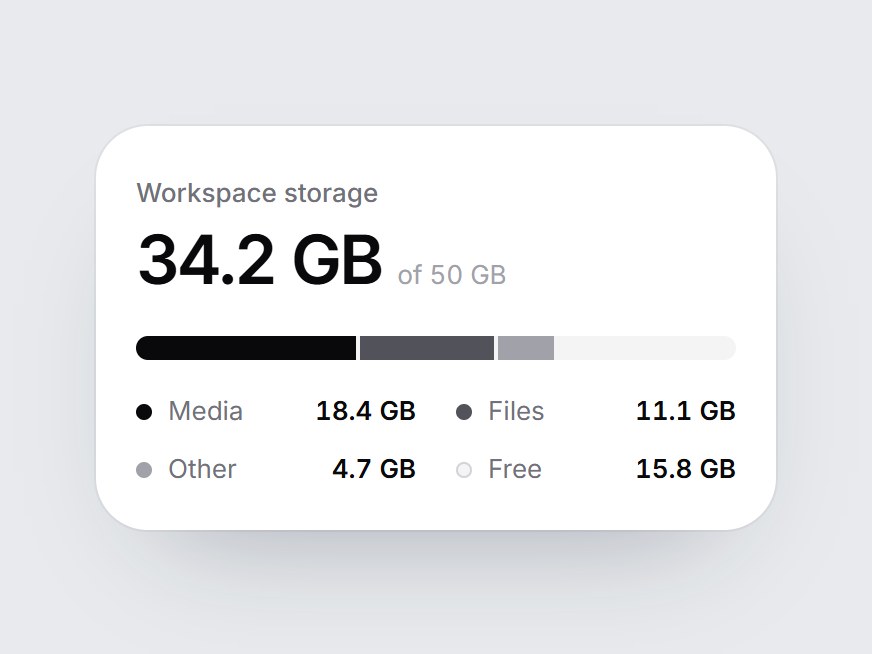
A white storage tile: a label, the amount used out of the total, one linear bar split by type, and a legend. When the card comes into view, the used segments fill from left to right one after another, the figure counts up, and the free space stays as the gray track. Swap the label, capacity, unit, and segments, then drop it into workspace settings, a billing page, or a storage feature block.


Storage Split Meter
A white storage tile: a label, the amount used out of the total, one linear bar split by type, and a legend. When the card comes into view, the used segments fill from left to right one after another, the figure counts up, and the free space stays as the gray track. Swap the label, capacity, unit, and segments, then drop it into workspace settings, a billing page, or a storage feature block.
Verified Technical Spec
- Animation
- CSS / Tailwind
- Reduced motion
- Verified
- Keyboard focus
- Not detected in source
- Compatibility
- Tailwind CSS v3.4 + v4 · React 19 / Next.js 15 App Router + Vite / Remix compatible
Included
- Copy source into Cursor or Claude for agent install
- Finished React · TypeScript · Tailwind CSS UI
Dependencies
- React 19.0.0
- Typescript 5.7.2
- Tailwindcss 3.4.16
Tech Stack
- React
- TypeScript
- Tailwind CSS
Version 1.0.0