DesignLayer
Spring Command Palette
Back to components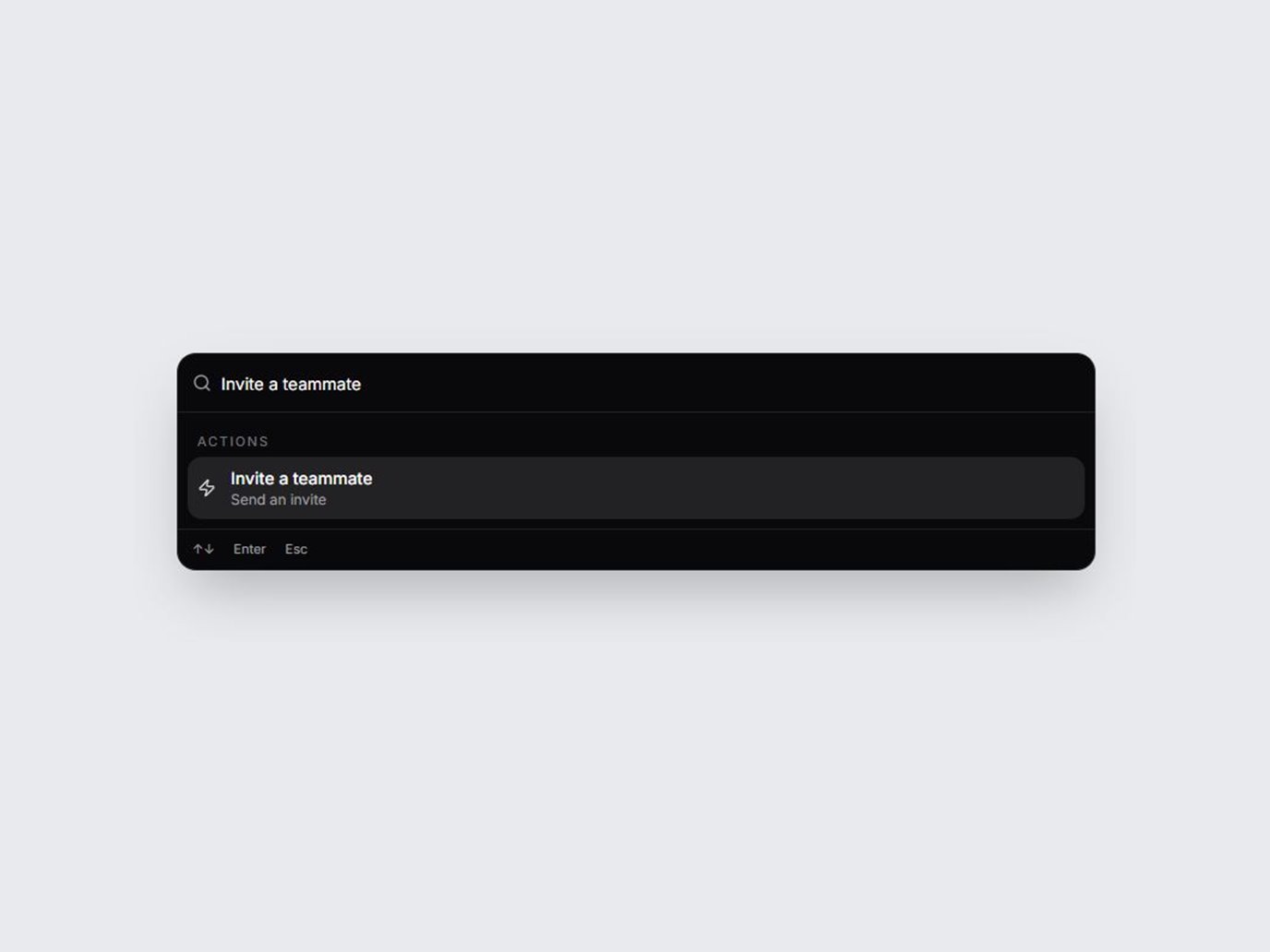
What is this?
A command palette React UI: a ⌘K search modal React teams can paste in like a react cmdk component. Pages, Actions, and Recent come from a props array and filter as you type. Drop it onto SaaS dashboards, dev tools, and admin panels. Dark and light, with spring motion and full keyboard support.
Use cases
- SaaS dashboards, where a command palette React shortcut jumps to a page or runs an action.
- Dev tools that need a react cmdk component: type to filter, then choose a row.
- Admin panels that keep recent records and actions in one ⌘K search modal React users already expect.
Props
| Prop | Type | Default | Description |
|---|---|---|---|
| items | SpringCommandPaletteItem[] | demo items | Rows passed as an array. Each item has id, label, group (pages, actions, or recent), and optional hint and keywords. The demo rows are fictional. |
| variant | "dark" | "light" | "dark" | Dark or light panel, trigger, and stage. |
| openLabel | string | Open palette (⌘K) | Label of the button that opens the palette. Touch devices use this button. |
| placeholder | string | Search commands… | Placeholder on the combobox. |
| title | string | Command palette | Accessible name of the dialog. |
| pagesLabel | string | Pages | Heading for the pages group. |
| actionsLabel | string | Actions | Heading for the actions group. |
| recentLabel | string | Recent | Heading for the recent group. |
| emptyLabel | string | No matching commands | Shown when the filter matches nothing. |
| onSelect | (item) => void | — | Fires when Enter or a click chooses a row. The dialog then closes. Selection is a demo and does not navigate. |
| open | boolean | — | Controlled open state. |
| defaultOpen | boolean | false | Initial open state when open is not controlled. |
| onOpenChange | (open: boolean) => void | — | Called when the palette opens or closes. |
| className | string | — | Extra classes on the trigger wrapper. |