コンポーネント一覧へ戻る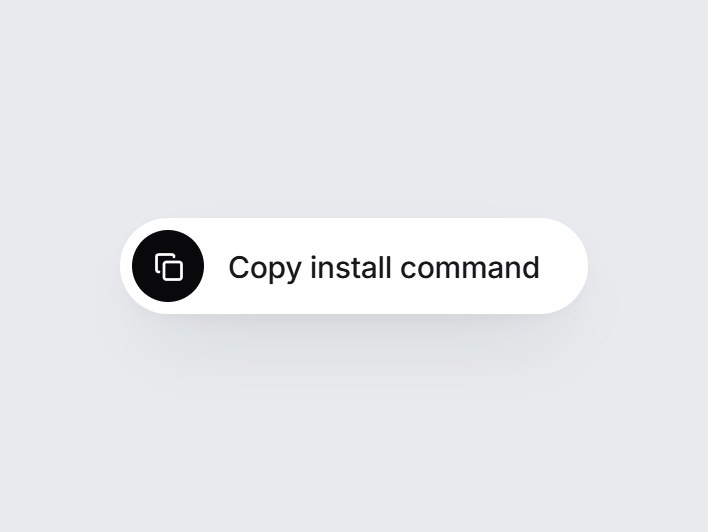
これは何か
白い pill 型のコピーボタンです。押すとコピーのアイコンがチェックに変わり、Copied の文字が下から入ってから元に戻ります。コピーする値と2つのラベルを差し替えて、インストールコマンドや API キー、招待リンクの横にそのまま置けます。
TSX の全文です。アカウントは不要です。
clipboard-copy-button.tsx
"use client"; import * as React from "react";import { Check, Copy } from "lucide-react";import { cn } from "@/lib/utils"; export type ClipboardCopyButtonProps = Omit< React.ComponentPropsWithoutRef<"button">, "value" | "children" | "type"> & { /** Text written to the clipboard. */ value: string; /** Resting label. */ label?: string; /** Label shown for a moment after a successful copy. */ copiedLabel?: string; /** How long the copied state stays before reverting (ms). */ resetMs?: number; onCopied?: (value: string) => void;}; const EASE = "cubic-bezier(0.22, 1, 0.36, 1)"; async function writeClipboard(text: string): Promise<boolean> { try { if (navigator.clipboard?.writeText) { await navigator.clipboard.writeText(text); return true; } } catch { // fall through to the textarea fallback } try { const area = document.createElement("textarea"); area.value = text; area.setAttribute("readonly", ""); area.style.position = "fixed"; area.style.opacity = "0"; document.body.appendChild(area); area.select(); const ok = document.execCommand("copy"); document.body.removeChild(area); return ok; } catch { return false; }} export const ClipboardCopyButton = React.forwardRef< HTMLButtonElement, ClipboardCopyButtonProps>( ( { value, label = "Copy", copiedLabel = "Copied", resetMs = 1600, onCopied, onClick, className, ...props }, ref, ) => { const [copied, setCopied] = React.useState(false); const timer = React.useRef<ReturnType<typeof setTimeout> | null>(null); React.useEffect( () => () => { if (timer.current) clearTimeout(timer.current); }, [], ); const handleClick = async (event: React.MouseEvent<HTMLButtonElement>) => { onClick?.(event); if (event.defaultPrevented) return; const ok = await writeClipboard(value); if (!ok) return; setCopied(true); onCopied?.(value); if (timer.current) clearTimeout(timer.current); timer.current = setTimeout(() => setCopied(false), resetMs); }; const swap = (visible: boolean, from: "up" | "down"): React.CSSProperties => ({ opacity: visible ? 1 : 0, transform: visible ? "translateY(0)" : `translateY(${from === "up" ? "-70%" : "70%"})`, filter: visible ? "blur(0)" : "blur(2px)", transition: `opacity 360ms ${EASE}, transform 420ms ${EASE}, filter 360ms ${EASE}`, }); return ( <button ref={ref} type="button" data-tsuna-id="clipboard-copy-button" data-copied={copied ? "" : undefined} aria-label={copied ? copiedLabel : `${label}: ${value}`} onClick={handleClick} className={cn( "group relative inline-flex h-12 cursor-pointer items-center gap-3 rounded-full border-0 bg-white py-[6px] pr-6 pl-[6px]", "text-[15px] font-medium tracking-[-0.01em] text-zinc-900", "shadow-[0_18px_40px_-18px_rgba(15,23,42,0.28),0_4px_12px_-8px_rgba(15,23,42,0.14)]", "transition-[transform,box-shadow] duration-300 hover:-translate-y-px active:translate-y-0 active:scale-[0.98]", "motion-reduce:transition-none motion-reduce:hover:translate-y-0 motion-reduce:active:scale-100", "focus-visible:outline-none focus-visible:ring-2 focus-visible:ring-black/30 focus-visible:ring-offset-2 focus-visible:ring-offset-[#e8eaed]", className, )} {...props} > <span aria-hidden className={cn( "relative grid size-9 place-items-center overflow-hidden rounded-full text-white", "transition-colors duration-500 motion-reduce:transition-none", copied ? "bg-emerald-500" : "bg-zinc-950", )} > <Copy className="col-start-1 row-start-1 size-[15px] motion-reduce:!transition-none" strokeWidth={2.2} style={{ opacity: copied ? 0 : 1, transform: copied ? "scale(0.4) rotate(-45deg)" : "scale(1) rotate(0deg)", transition: `opacity 260ms ${EASE}, transform 420ms ${EASE}`, }} /> <Check className="col-start-1 row-start-1 size-[16px] motion-reduce:!transition-none" strokeWidth={2.6} style={{ opacity: copied ? 1 : 0, transform: copied ? "scale(1) rotate(0deg)" : "scale(0.4) rotate(45deg)", transition: `opacity 260ms ${EASE}, transform 460ms ${EASE}`, }} /> </span> <span aria-hidden className="relative grid overflow-hidden text-left leading-none"> <span className="col-start-1 row-start-1 py-1 motion-reduce:!transition-none" style={swap(!copied, "up")} > {label} </span> <span className="col-start-1 row-start-1 py-1 text-emerald-600 motion-reduce:!transition-none" style={swap(copied, "down")} > {copiedLabel} </span> </span> <span className="sr-only" aria-live="polite"> {copied ? copiedLabel : ""} </span> </button> ); },); ClipboardCopyButton.displayName = "ClipboardCopyButton";
コンポーネント
クリップボード・コピーボタン
白い pill 型のコピーボタンです。押すとコピーのアイコンがチェックに変わり、Copied の文字が下から入ってから元に戻ります。コピーする値と2つのラベルを差し替えて、インストールコマンドや API キー、招待リンクの横にそのまま置けます。
Verified Technical Spec
- アニメーション
- CSS / Tailwind
- Reduced motion
- 確認済み
- キーボードフォーカス
- 確認済み
- 対応環境
- Tailwind CSS v3.4 + v4 · React 19 / Next.js 15 App Router + Vite / Remix 対応
含まれるもの
- ソースを Cursor / Claude に渡してエージェントに組み込める
- React · TypeScript · Tailwind CSS · Lucide の完成 UI
依存パッケージ
- React 19.0.0
- Typescript 5.7.2
- Tailwindcss 3.4.16
- Lucide-react 1.23.0
技術スタック
- React
- TypeScript
- Tailwind CSS
- Lucide
バージョン 1.0.0